Photos on Iphone take up more space than they do everywhere else? #Memorygate?

On "Iphone Storage" in General, "Photos" takes up 2.63GB of storage. I have 111 photos and 3 videos on there. On icloud, these 111 photos and 3 videos take up '231.9 MB' of storage.


Additionally, when I copy photos from my phone to my laptop the folder containing all of the photos (when I am in gphoto2://[usb:001,003]/DCIM ( which is just the DCIM folder in my iphone)) contains 227.3 MB of data. And inside DCIM are all of my original full quality photos and videos.


You might conclude that it is the photos app itself that is taking up the 2.4GB (2.63GB minus 231.9MB). However in iphone storage it says: "Optimise photos: Save 2.4GB by having compressed pics on my iphone and keeping the same full resolution pics on icloud"


If I did that (I don't want to do that) it would therefore say that my photos take up <231.9MB of storage.


So what is taking up the 2.4GB?


And why can't I use it?


Any comments would be greatly appreciated! Thanks

iPhone SE

Posted on Dec 8, 2018 7:38 AM

Reply

Similar questions

1 reply

Dec 9, 2018 8:42 AM in response to snaillover54

Hello snaillover54,


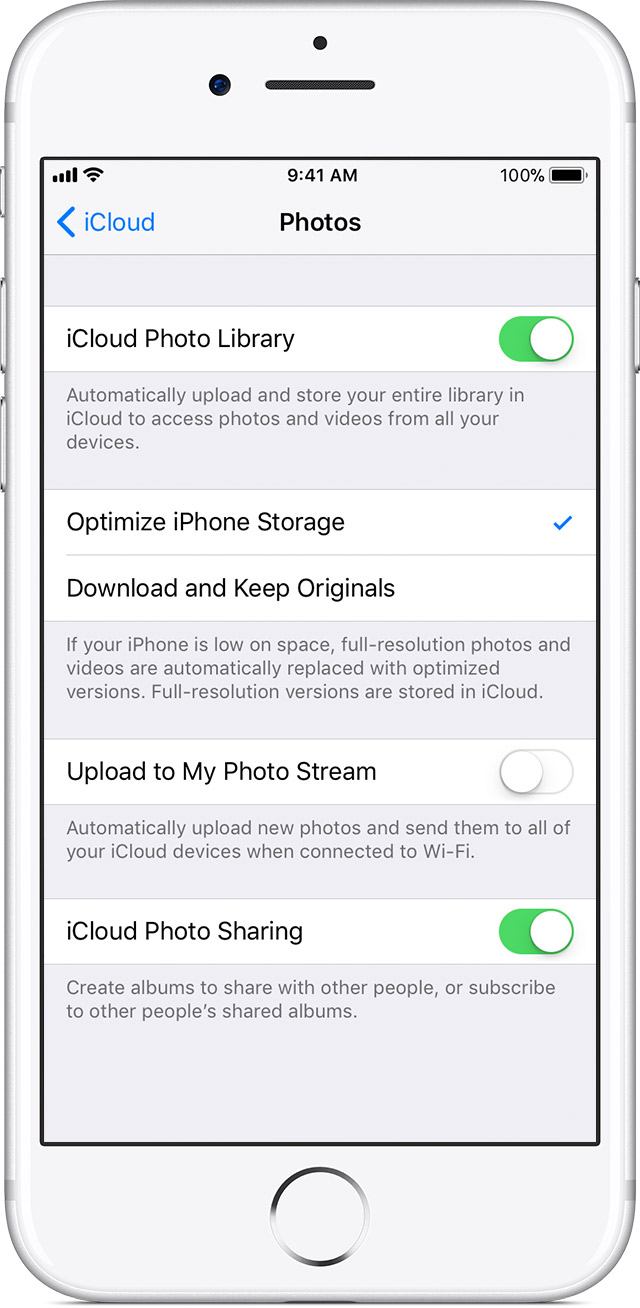
Thank you for reaching out in Apple Support Communities. I understand you have a question about your photos. I can help with this. This is showing that you have 2.63GB of photos in the Photos App stored locally. You can optimize the photos and save this space. Here's an article about this.


Manage your photo and video storage - Apple Support


Store your photos and videos in iCloud
Your photos and videos are stored on your device in their original, high-resolution version. This means that they use a lot of space on your iPhone, iPad, and iPod touch. With iCloud Photo Library, you can make more space available on your device and have your entire collection, everywhere you go.
Get started with iCloud Photo Library:
Tap Settings > [your name] > iCloud > Photos. If you're using iOS 10.2 or earlier, tap Settings > iCloud > Photos.
Turn on iCloud Photo Library.
Select Optimize iPhone Storage to make more space on your device.
With Optimize Storage, smaller, space-saving photos and videos are kept on your device while all of your original, full-resolution versions are stored in iCloud. And as long as you have enough space in iCloud, you can store as many photos and videos as you want.


Take care.

This thread has been closed by the system or the community team. You may vote for any posts you find helpful, or search the Community for additional answers.

Photos on Iphone take up more space than they do everywhere else? #Memorygate?

Welcome to Apple Support Community
A forum where Apple customers help each other with their products. Get started with your Apple Account.