Python 2.7.10, which Apple has not updated since El Capitan, is installed by the operating system. You will either use it interactively to test/debug lines of code by running the Python idle utility (in the background) in a separate window to free up a Terminal window; on the command-line for short interactive one-liners, or as multi-line scripts created with a Python-aware programmer's editor. Here is an idle session. Press a return when you first enter it. Idle is built with Tcl and Apple's implmentation is years out of date.
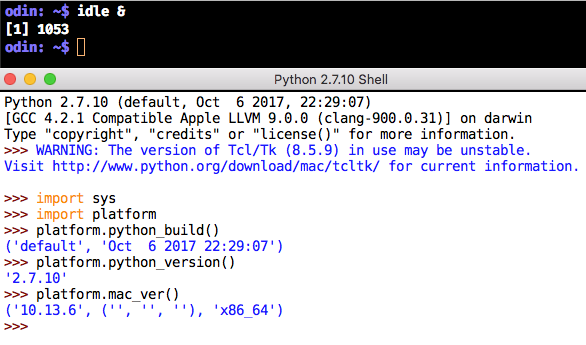
Use control-D to exit idle.
Command-Line

Scripts
You build a Python script in one of two ways. Either a standalone script that references the Python interpreter within it, and externally is made executable via chmod +x code.py:
#!/usr/bin/python
or without. If without, then it is executed as:
python code.py
As for editors, I use Sublime Text 3 with an added Python lint package named Anaconda which interactively flags Python errors and usage issues. There is an open-ended eval period on this programmer's editor. You could get by with BBEdit, which after its trial period, reverts to a free editor with lesser, but sufficient features. And if you demand an improved UNIX vi editor experience, then there is MacVim. Python is fussy about its indentation, and if you use the wrong (TextEdit) tool that does not understand Python indentation, then you will suffer.
The following code (nsa.py):
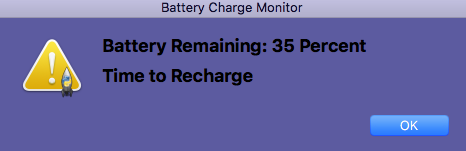
when saved, and run with an integer argument (nsa.py 35), will produce the following alert dialog:
You can usually find the information you need regarding Python at python.org and the latest Python 2.7 (2.7.15) help. You can also use a search string in a browser: python 2.7 list comprehension and you will see how others use list comprehension.

