WhatsApp Screen recording Doesn't save Sometime

That problem found me the same while at WhatsApp vedio call I turn on the screen recording after vedio call I’m stop the screen recording however screen recording vedio doesn’t saved in the photos. But my iPhone have 17GB storage yet..😕. Are you sure is that not saved enywhare..??? Please help me guys how I’m find it.. thare also in that time my iPhone is on 1% battery life.. is it case that..???

Posted on Jan 6, 2019 11:34 PM

Reply
Question marked as Top-ranking reply

Posted on Jan 7, 2019 12:21 AM

It stores screen recording in Videos under Photos.


Probably you have not followed correct process. Here it is ...


  • To add the screen to your include list, tap the + symbol, next to the Screen Recording.
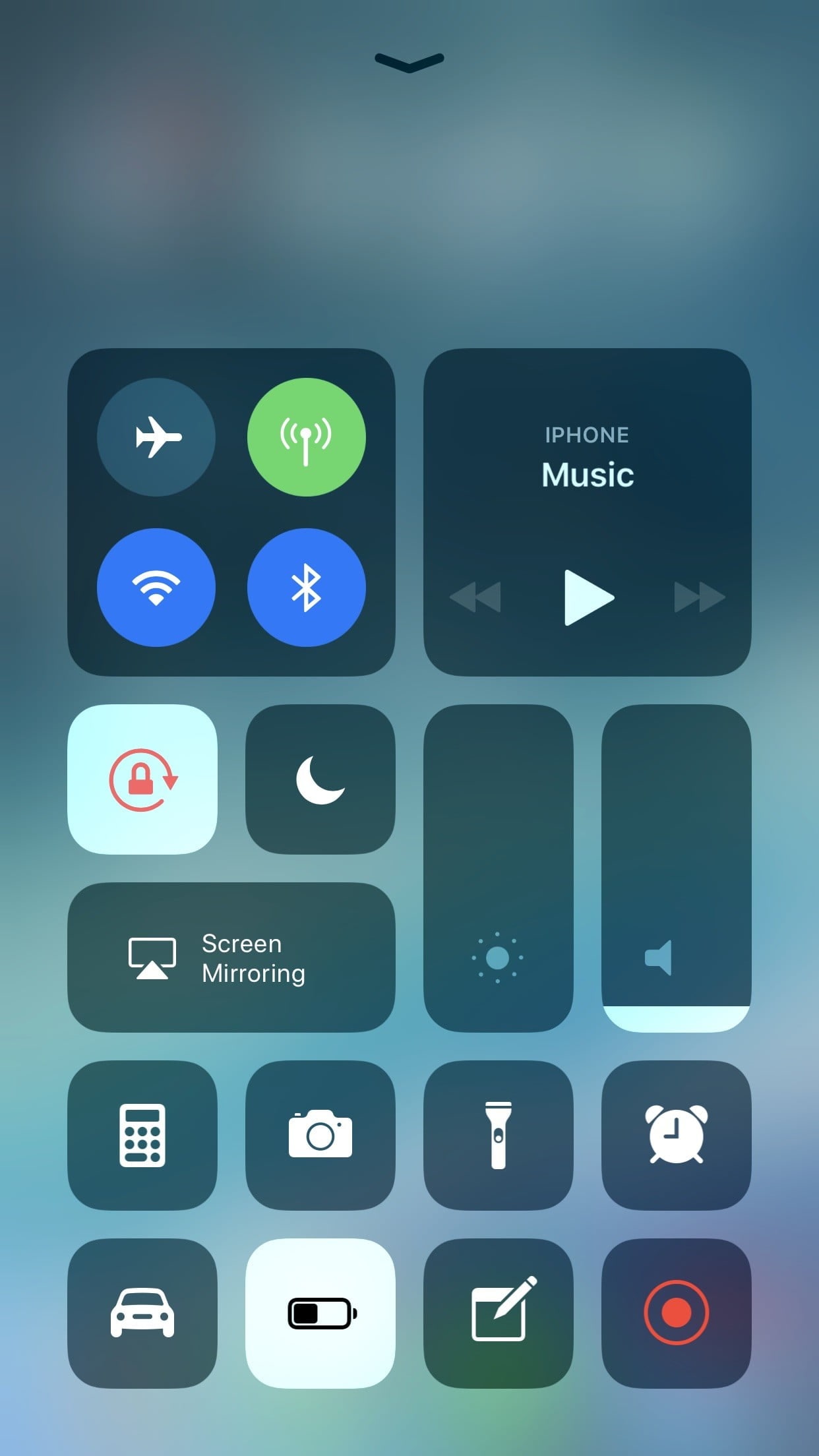
  • When setting up the app is complete, to record the WhatsApp video call in iPhone, click the Control Centre by swiping the home screen of your mobile.
  • Tap the Screen Recording button and wait for 3 seconds to start recording. And then you can launch your WhatsApp app on your iPhone, find the contact that you want to make a video call, and make the call directly.

  • To record audio while recording WhatsApp video call in iPhone, press the screen recording button deeply and tap on the Microphone Audio.
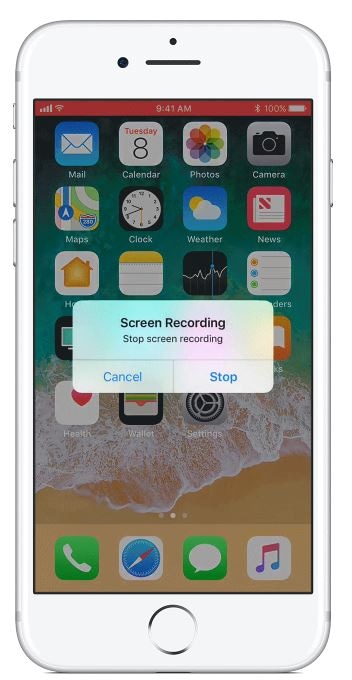
  • Red colour status bar at the top of the screen can be tapped and then press stop to finish the recording.


1 reply
Question marked as Top-ranking reply

Jan 7, 2019 12:21 AM in response to hmrohan

It stores screen recording in Videos under Photos.


Probably you have not followed correct process. Here it is ...


  • To add the screen to your include list, tap the + symbol, next to the Screen Recording.
  • When setting up the app is complete, to record the WhatsApp video call in iPhone, click the Control Centre by swiping the home screen of your mobile.
  • Tap the Screen Recording button and wait for 3 seconds to start recording. And then you can launch your WhatsApp app on your iPhone, find the contact that you want to make a video call, and make the call directly.

  • To record audio while recording WhatsApp video call in iPhone, press the screen recording button deeply and tap on the Microphone Audio.
  • Red colour status bar at the top of the screen can be tapped and then press stop to finish the recording.


This thread has been closed by the system or the community team. You may vote for any posts you find helpful, or search the Community for additional answers.

WhatsApp Screen recording Doesn't save Sometime

Welcome to Apple Support Community
A forum where Apple customers help each other with their products. Get started with your Apple Account.