1. Make sure there is no authentic notification from App store.
Launch App Store from the Dock and click the “Updates” tab
If there is any update pending, backup your Mac up and install it.
2. Safari > Preferences > Websites > Notifications
Select the unknown site, click inside the box next it and choose “Deny”.
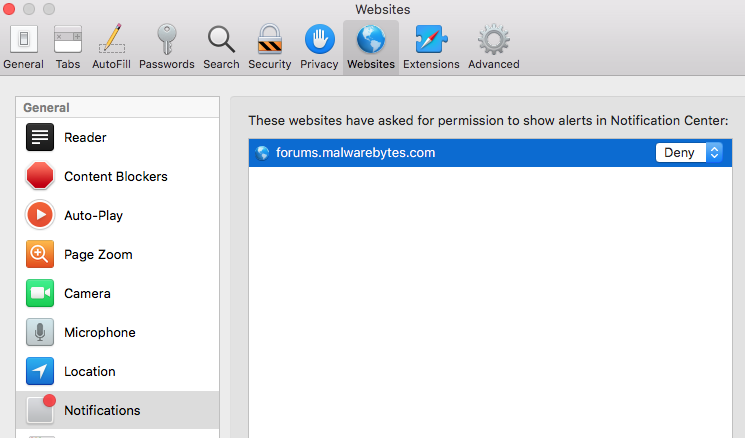
For more info:
https://support.apple.com/guide/safari/websites-ibrwe2159f50/12.0/mac/10.14
https://support.apple.com/guide/safari/customize-website-notifications-sfri40734/mac
3. To make sure that there is no adware/ malware installed, post an EtreCheck report.
Download EtreCheck: https://etrecheck.com/maspro and post the report here.
Click, “Free Download” button and then “Click to download” button,
open Downloads folder, click on it to open, and then select ”Open”.
Click on the bouncing EtreCheck icon in the Dock.
“Choose a problem” from the popup menu box, and then “Start EtreCheck” in the dialog.
Click “Share Report” button in the toolbar, select “Copy to Clipboard” .
Paste the report when you reply.


