
Cursor is stuck on mini mac
My cursor is stuck in the upper left corner of my mini mac. Absolutely nothing will move it but if I open in recovery mode the cursor works fine there - what do I do?
Mac mini, macOS 10.14
My cursor is stuck in the upper left corner of my mini mac. Absolutely nothing will move it but if I open in recovery mode the cursor works fine there - what do I do?
Mac mini, macOS 10.14
That doesn't seem to link so here's the info cut and pasted
How to Enable Bluetooth on Mac Without a Mouse in Mac OS X
This demonstrates how to enable Bluetooth if you only can connect a
keyboard to a Mac. This is common if your Mac uses a Bluetooth mouse or
trackpad and somehow Bluetooth is disabled, where it can be extra
challenging to get the service turned on again. Fortunately as long as
you have a keyboard handy (USB or otherwise), plug it in and you can
enable Bluetooth with just that keyboard by following these
instructions:
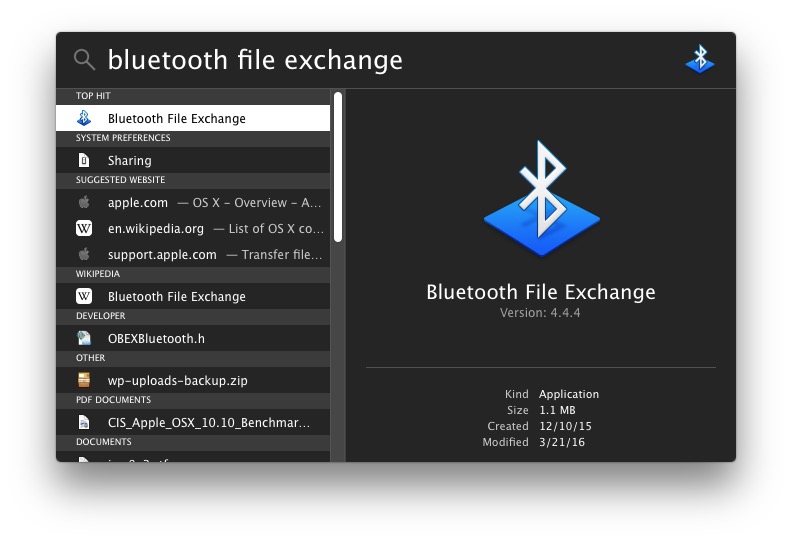
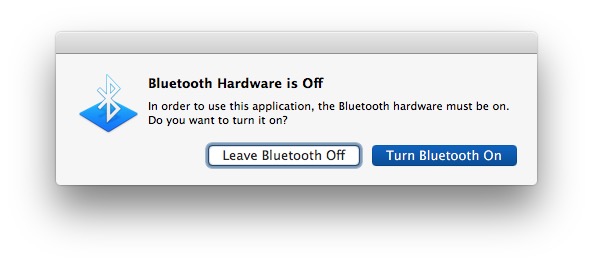
You can also navigate to and through the Bluetooth settings with just
the keyboard, but that’s quite a bit more complex than simply searching
for the app which triggers the service enabler directly.
What type of mouse/how is it connected?
Did you do anything since it last worked OK?
Try resetting the NVRAM
Do you have a USB hub? If so disconnect it from the computer and see what happens.
Just noticed one thing - I know I'm stupid. The actual Bluetooth logo on the very top bar of the comp is blank/faded obviously meaning (I guess) the bluetooth is turned off/not working/not connected?
Let's try one more thing - try restarting in Safe mode - hold the shift key until the Apple menu appears. Does the mouse work?
Well, in the end you bums were no help at all were you !? (j/k) I'm glad to report to everyone that I just kept up with the net searches and found the following page and it actually worked!!!!! Such a huge relief!
anyway for future reference if anyone else encounters the same problem - here http://osxdaily.com/2016/07/16/enable-bluetooth-without-keyboard-mouse-mac/
Do you have a wired mouse to use for testing?
Hi, just tried restarting in safe mode twice - nothing changed, the mouse does not work. lllaass asked "Did you do anything since it last worked OK?" and the answer is still 'no', but . . . reading through the support site the only thing I can think of is in January '18 my local store replaced a HDD (1TB WD Blue HDD - whatever that means) and did a data recovery. Since it is my second comp - but with loads of important data on it I have been sifting through the bulk of the data and deleting and compiling - so not sure if that has triggered something?
Also, probably rather obviously to you all - on my imac when I open up the bluetooth logo it says the Mac mini "Not Connected" and it shoulkd be - they are connected through bluetooth - I have passed data through bluetooth from one to the other before . . .
Hi, it's a logitech M558 with bluetooth connection. Nope haven't done anything except ran disk aid from recovery twice now.
Tried the reset - didn't seem to have any effect whatsoever :(
Nope, no USB hub .
I wonder if the tech disconnect the BT antenna while replacing the drive.
Sadly, that isn't the end of the issue - almost every time I put my comp to sleep when I go back to it the bluetooth has turned itself off again - any ideas friends?
Cursor is stuck on mini mac

