if she’s trying to give commands from her phone, you'll have to set that up in settings to allow speaker access
if you you don’t want guests using it, don’t choose everyone!
https://support.apple.com/en-ca/HT208341#footnote

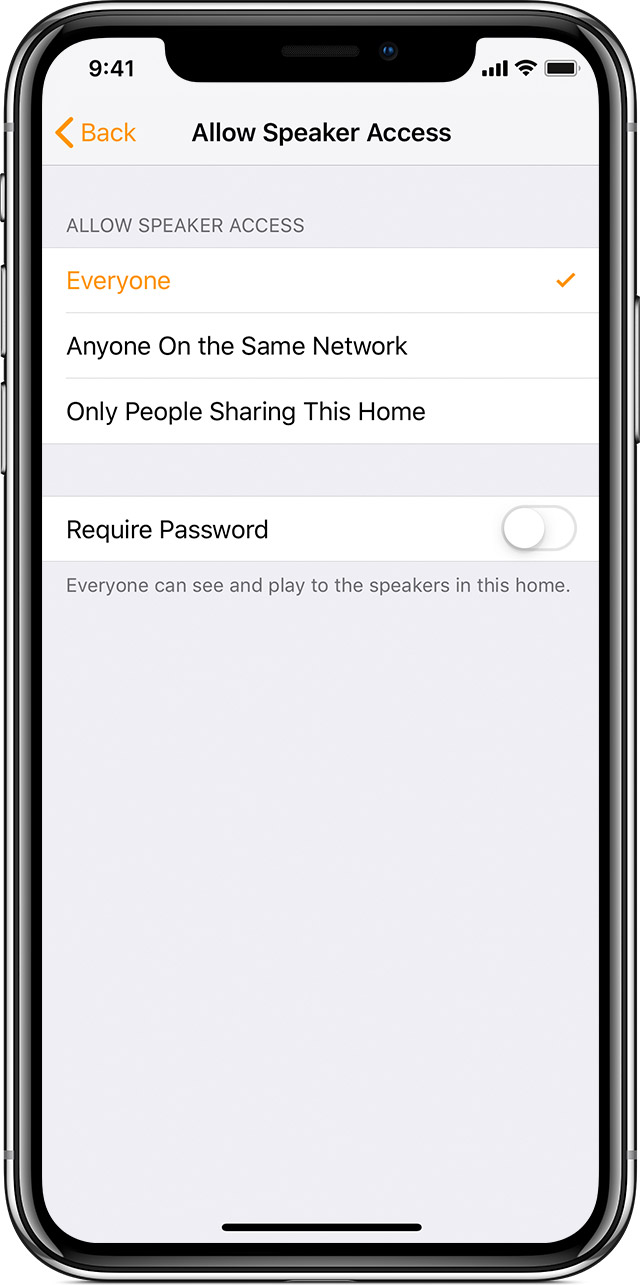
Change AirPlay settings
You can control how others connect to all of your HomePod speakers using AirPlay in Home Settings. Just make sure that your iOS device or Mac is signed in with the same Apple ID used to set up HomePod. You can also change these settings if you're a shared user of a home with admin privileges.
- Open the Home app on your iOS device or Mac.
- On your iOS device, tap
 in the upper-left corner, tap Home Settings, then tap your Home. On your Mac, go to Edit > Edit Home in the menu bar.
 - Under Speakers, Allow Speaker Access then choose from the following:
- Everyone: Anyone within range of your HomePod can see and play to it.
- Anyone On the Same Network: Anyone connected to your home Wi-Fi network can AirPlay to your HomePod.
- Only People Sharing This Home: Only people that you invite to share control of your Home in the Home app can AirPlay to HomePod.
- Require Password: To AirPlay to HomePod, users will need to enter a password.2

