Use the Health app on your iPhone or iPod touch
The Health app gathers health data from your iPhone, Apple Watch, and apps that you already use, so you can view all your progress in one convenient place.

Health highlights four categories: Activity, Sleep, Mindfulness, and Nutrition. Health automatically counts your steps, walking, and running distances. And, if you have an Apple Watch, it automatically tracks your Activity data. The information that you create or gather about yourself is under your control, and it's encrypted with your passcode when you lock your iPhone.
Add your personal information
- Open the Health app and tap the Health Data tab.
- Tap
 , then add your information.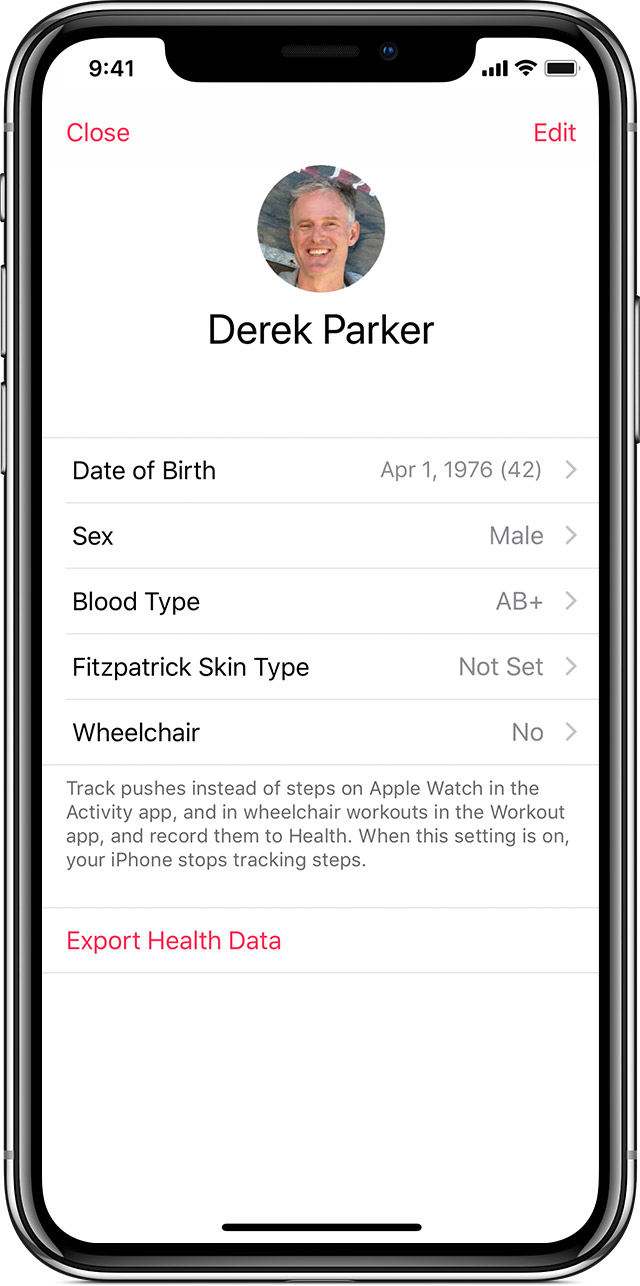
Add data from your apps to Health
Here's how to add apps and choose which categories they track:
- Open the Health app and tap the Sources tab.
- Scroll to Apps. You can see apps that you already own that are compatible with Health. If you don't see an app, it might not be compatible.
- Tap an app.
- Turn on the categories that you want to track.
You can also find compatible apps right in the Health app:
- Open the Health app and tap the Health Data tab.
- Tap a category that you want to track, like Mindfulness.

- Scroll to Recommended apps.
- Download one of the apps recommended for tracking that category.
- After you download the app, open it and set it up.
- Open Health, tap the Sources tab, and tap the app. Turn on the categories that you want to track.
You decide what information goes into the Health app and which apps can get your information from Health. Apps that access HealthKit must have a privacy policy. Review an app's privacy policy before allowing access to your health and fitness information.
If Health doesn’t track steps or other information from your iPhone or another device, try these steps:
- Open the Health app and tap the Sources tab.
- Under Devices, tap your Apple Watch.
- Tap Privacy Settings and make sure that Fitness Tracking is turned on.
View your daily progress
- Open the Health app and tap the Today tab. To view another day, tap a different date on the calendar.
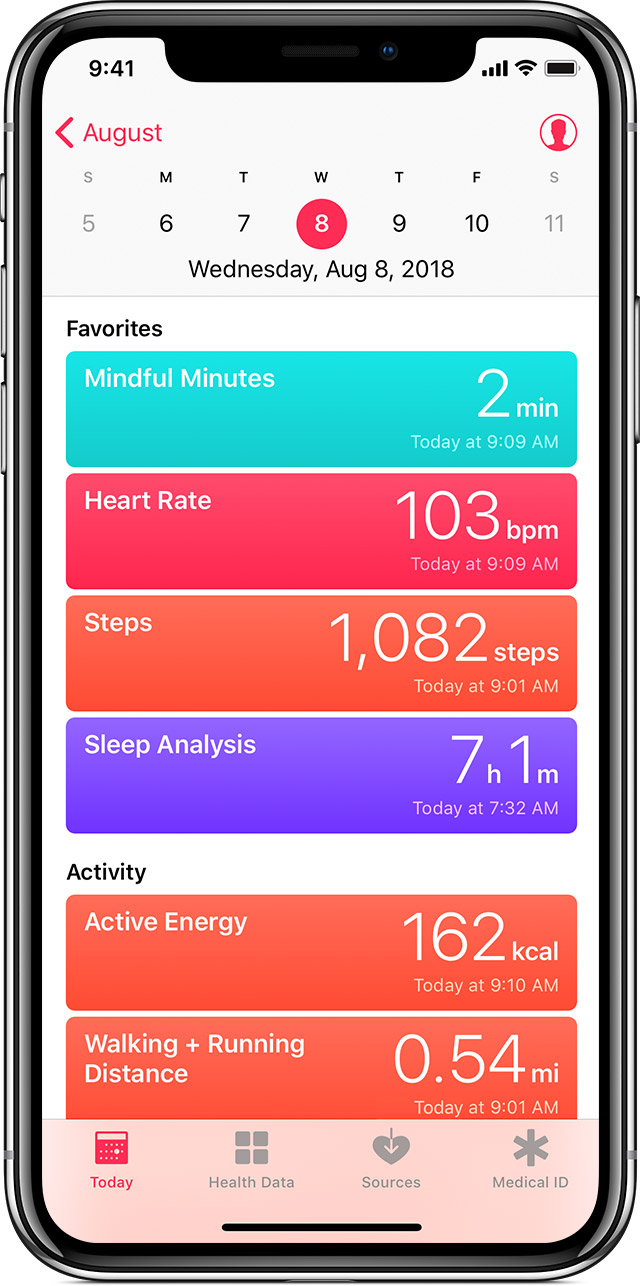
- Tap any metric, like Steps.
- To see more information, tap the chart or graph.
You can also add a metric to Favorites so it appears at the top of the Today screen. Tap the Health Data tab, tap a category, then tap Add to Favorites.
Add data from other sources
Use the Health app on your iPhone or iPod touch - Apple Support
https://support.apple.com/en-in/HT203037

