Ethernet "Self-assigned IP Address" can not use internet.

After exchanging my SWITCH to a ROUTER, I get this message, "Self-assigned IP address."


It states that the ethernet can not use the internet.


And it can not!


I can connect to my Provider using their outside public WIFI. However, it's not safe for all uses and I use my WiFi connection to create a hotspot for my iPhone and iPad.


I looked up my IP address at IPChicken.com to create a manual setup.


I tried to use a manual IP address setting for the DHCP; both "with using manual IP address" and without.


It worked for a minute or two when I turned off WiFi.


Now, it no longer works.


Please help! I fill like I getting too old for this?

MacBook Air 11", macOS 10.14

Posted on Apr 10, 2019 9:01 PM

Reply
3 replies

Apr 15, 2019 6:36 AM in response to HWTech

Dear HWTech,

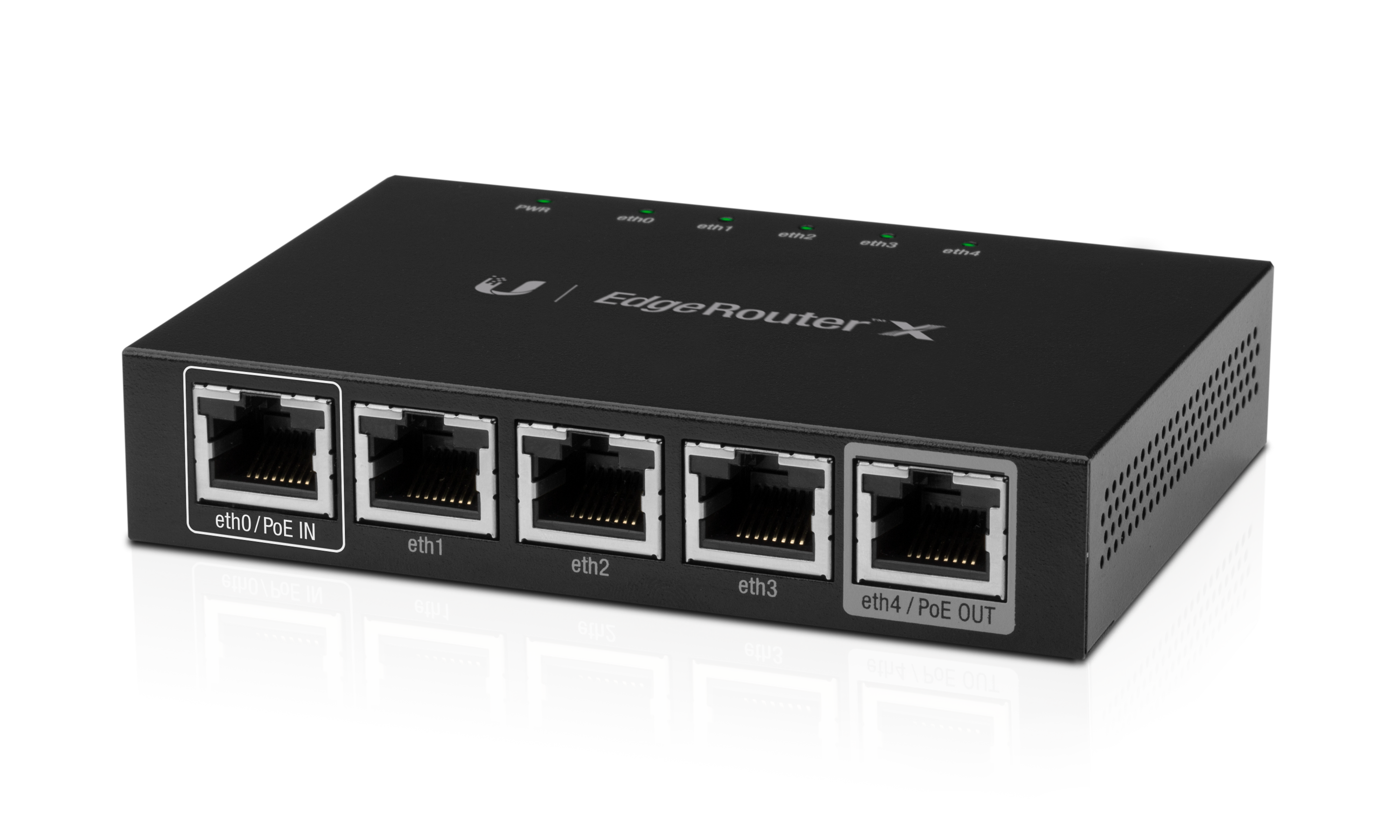
I tried to reset the “router” but it didn’t have a reset button hole. So I looked at what I thought was just a switch. It had a reset button hole. I looked up both products, TP-Link™ TL-SG1008D and Ubiquiti™ EdgeX ER-X.


_____________________________________

**********************************************

_____________________________________

_____________________________________


_____________________________________

__________________________________________________________________________

TP-LinkTL-SG1008D Retail Box with view of front.

_____________________________________

_____________________________________

_____________________________________

TP-Link TL-SG1008D view of back.

_____________________________________

_____________________________________

_____________________________________

by

_____________________________________

_____________________________________
_____________________________________

Ubiquiti™ EdgeX ER-X view of front.

_____________________________________

_____________________________________

_____________________________________

Ubiquiti™ X ER-X view of top.

_____________________________________

_____________________________________

_____________________________________

**********************************************


See where I went wrong. Because the TP-Link™’s style was more for a desktop and the Ubiquiti™ more like it belonged in an IT closet, I mixed them up. The one I thought was a router is a switch and switch was a router. So, I reset the router and *wham bang* my problem was fixed.


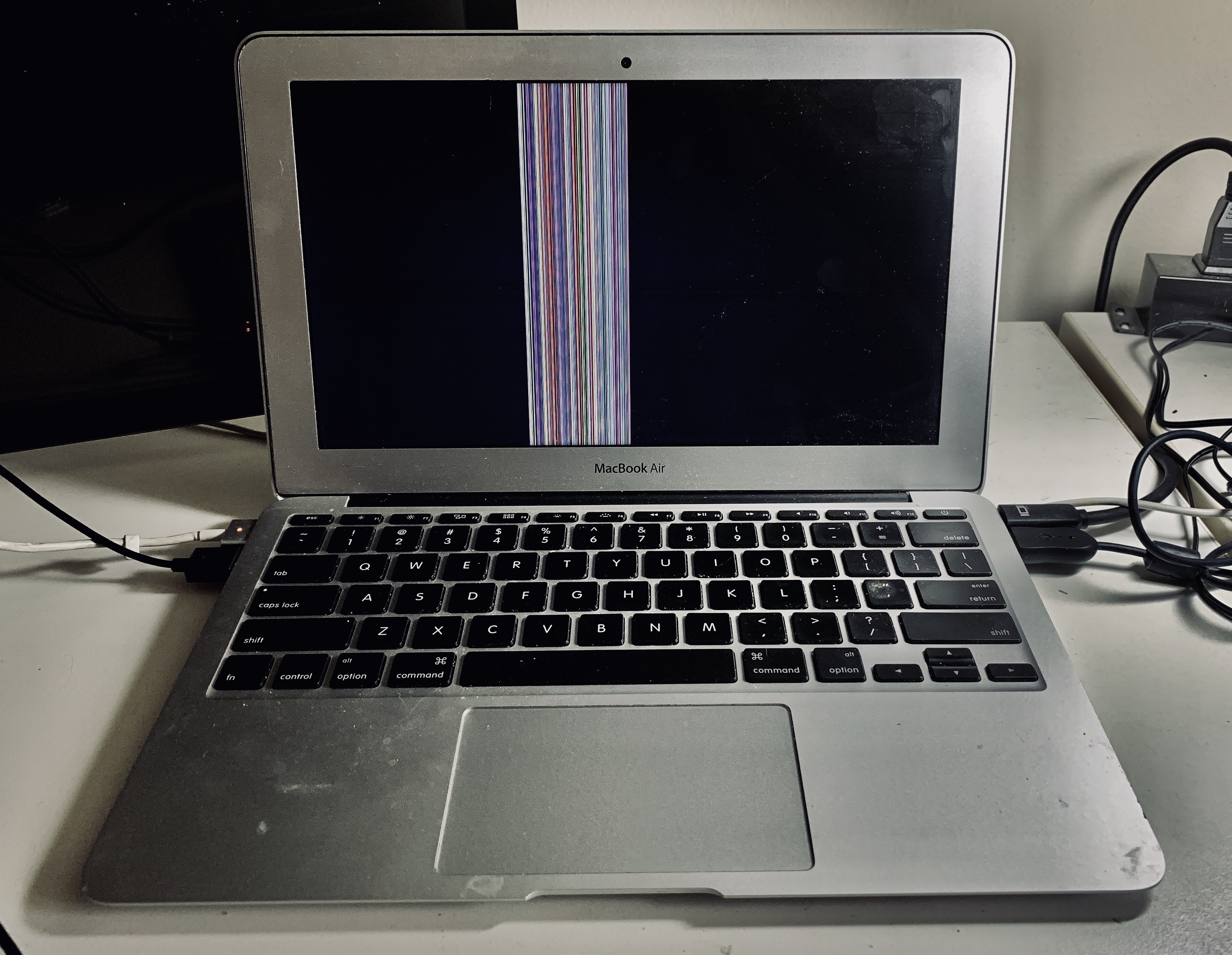
BUT, it doesn’t end there. As soon as I got it connected, my monitor started to do this.

_____________________________________

_____________________________________

Monitor display with vertical colored lines on a macBook Air™.

_____________________________________


I want to do an Apple™ Diagnostic start-up. However, my second monitor will display after I boot-up to macOS™ but not with a diagnostic start-up.


The diagnostic is no good to me useless I can see the codes. It there a way around this?


Sincerely thanks,

Keith Istre

Apr 11, 2019 7:29 PM in response to HWTech

Dear HWTech,


My Apple TV works with the ethernet on the same router fine. On the way home I thought about resetting router to factory specs. Also will replace my thunderbolt I am using with USB ethernet dongle.


Thanks. Will update tomorrow. Sometimes it takes someone else’s feedback to think of the solutions that are obvious. I used to be good at these things. However, lately (as I reach 50) I have been getting a “Hard Disk [Mind] Full” error.


Sincerely,

Keith A. Istré

Apr 11, 2019 7:07 PM in response to Keith Istre

You need to start over using just DHCP assuming the router or other network device is automatically providing IP addresses which is the default setting for most consumer products. Do not manually set your laptop's IP address to the external IP as this is wrong.


Sometimes when you swap networking components you need to power cycle each one.


The first step is to get your laptop connected to your router. If your laptop doesn't connect to the router it will never get to the Internet. If you haven't been able to connect to the router to configure it, then perform a factory reset on the router so all of its settings return to their defaults. You will need to check your router's documentation for the correct procedure. After this is done make sure your laptop's networking prefs are set to DHCP. If it doesn't get a proper IP address, then reboot your laptop for good measure.


If you still don't get a valid IP address, then you may have an issue with the ethernet cable, ethernet dongle or the Thunderbolt port. You need to verify each one works. Do you have another computer with ethernet you can use to connect to the router?

This thread has been closed by the system or the community team. You may vote for any posts you find helpful, or search the Community for additional answers.

Ethernet "Self-assigned IP Address" can not use internet.

Welcome to Apple Support Community
A forum where Apple customers help each other with their products. Get started with your Apple Account.
