
How to get trusted devices back on iphone
This keeps coming up when I try to click on my password im trying to get my trusted devices back on iphone
iPhone 7 Plus, iOS 12
This keeps coming up when I try to click on my password im trying to get my trusted devices back on iphone
iPhone 7 Plus, iOS 12
Set up two-factor authentication for your Apple ID
Two-factor authentication is available to iCloud and iTunes users with at least one device that's using the latest iOS or macOS. Learn more.
You can follow these steps on your iPhone, iPad, or iPod touch to turn on two-factor authentication.


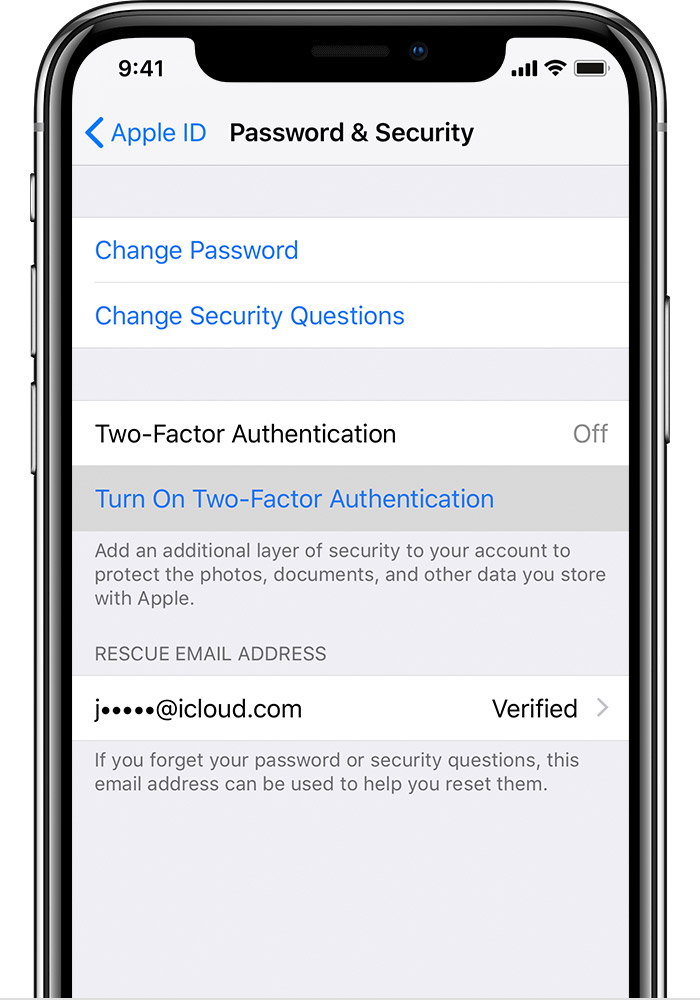
Turn on two-factor authentication in Settings
If you're using iOS 10.3 or later:
If you're using iOS 10.2 or earlier:
You might be asked to answer your Apple ID security questions.

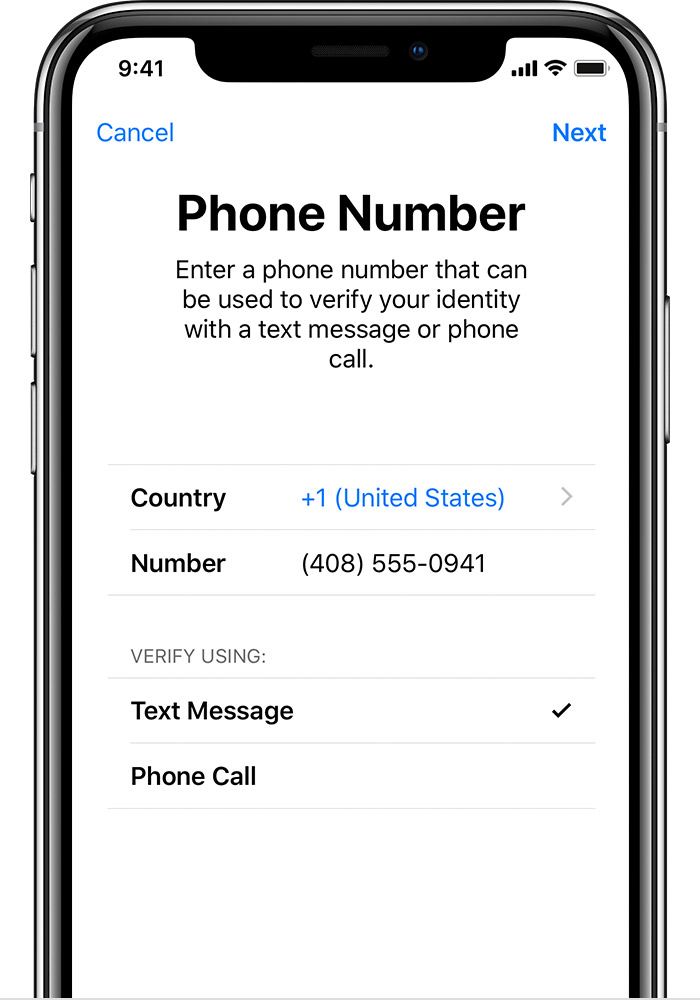
Enter and verify your trusted phone number
Enter the phone number where you want to receive verification codes when you sign in. You can choose to receive the codes by text message or automated phone call.
When you tap Next, Apple sends a verification code to the phone number you provided.
Enter the verification code to verify your phone number and turn on two-factor authentication.
Two-factor authentication for Apple ID - Apple Support
https://support.apple.com/en-in/HT204915
https://www.youtube.com/watch?v=ozx3tprHh5Q
How to get trusted devices back on iphone
