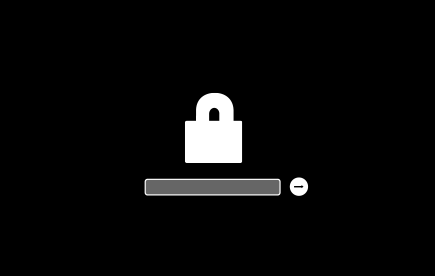
Used circa 2012 Mac Pro cmd-r doesn't work. Option key only shows internal HD. I have a valid tested USB HD attached trying to get it to boot

I have a used circa (I think) 2012 Mac Pro. It has two hard drives in it. Those drives also have the old owner's account on it. I don't want to access that persons data. I just want to wipe the drive and start with a fresh OS X install. I have a USB 2 HD that I installed OS X 10.14 on. It boots fine. I put the app for 10.14 install on the HD. I plugged the HD into both the front and back USB ports.


First I tried the CMD-R option. It didn't work. Then I tried powering on and hitting the Option key. It works kind of. All it shows is the internal HD.


Is there some kind of internal jumper that I need to set to allow for a external USB boot up? Why isn't CMD-R working (it is a Apple keyboard and the key combination works I tested it on another Mac)? How do I get it to allow me to wipe the entire drive and install a fresh copy of OS X on it?


TIA!


Ted

Posted on May 16, 2019 3:57 PM

Reply
Question marked as Top-ranking reply

Posted on May 23, 2019 6:49 PM

What?


You cannot hope to manually place a MacOS image on a drive and boot from it.


To install MacOS, you use the correct MacOS Installer. There are Base systems, drive interlocks, checksums, protected directories, Volume Blessing. No mere mortals keep track of everything needed.


You place the MacOS image somewhere accessible on your Mac, then run the command contained in the image to copy that image to a USB stick, and make the USB-stick bootable, using this procedure:


How to create a bootable installer for macOS - Apple Support


NB> if you name your USB stick exactly "MyVolume", you can cut and paste the commands right out of the article onto the Terminal command-line, no (error-prone) editing required.


Similar questions

16 replies
Question marked as Top-ranking reply

May 23, 2019 6:49 PM in response to tedbronson

What?


You cannot hope to manually place a MacOS image on a drive and boot from it.


To install MacOS, you use the correct MacOS Installer. There are Base systems, drive interlocks, checksums, protected directories, Volume Blessing. No mere mortals keep track of everything needed.


You place the MacOS image somewhere accessible on your Mac, then run the command contained in the image to copy that image to a USB stick, and make the USB-stick bootable, using this procedure:


How to create a bootable installer for macOS - Apple Support


NB> if you name your USB stick exactly "MyVolume", you can cut and paste the commands right out of the article onto the Terminal command-line, no (error-prone) editing required.


May 22, 2019 2:43 PM in response to Grant Bennet-Alder

Thank you for the help! Ultimately I just spent some money and picked up a Sabrent SCSI to USB external reader. This allowed me to remove the drive, mount it on my Macbook , wipe it, and put OS X on it. Sadly I went with Mojave the first time round which does not work on the Pro. I will now track down a lower rev of OS X and redo the install. But at least I got it to work...


If anyone else faces this problem this is what I used:


https://www.amazon.com/Sabrent-External-Duplicator-Function-EC-HD2B/dp/B0759567JT/ref=sxin_3_ac_d_pm?crid=2BFMER20AUQL4&keywords=sabrent+2.5-inch+sata+to+usb+3.0+tool-free+external+hard+drive&pd_rd_i=B0759567JT&pd_rd_r=56e738d7-1332-49f8-aa32-bbc222f7d3bf&pd_rd_w=DjrzK&pd_rd_wg=X7IhS&pf_rd_p=5cc8abfe-8f78-4f34-b19f-d09d6ea0dca4&pf_rd_r=9X2ZR7EPMQ9YHA0YERSC&qid=1558561150&s=gateway&sprefix=sabrent%2Caps%2C186

May 22, 2019 6:30 PM in response to tedbronson

There is a specific procedure required to run 10.14 on that Mac, that requires you to pass through 10.13.6 to get some required firmware updates, along with additional requirements. Without doing it in this fashion, it has no hope of working in 10.14 Mojave:


Install macOS 10.14 Mojave on Mac Pro (Mid 2010) and Mac Pro (Mid 2012) - Apple Support


.

May 23, 2019 8:01 PM in response to tedbronson

You may need to re-partition the USB drive to be GUID format with HFS+ (Journaled). Most USB sticks are partitioned as MBR and Disk Utility will keep this partitioning when erasing the drive unless you explicitly change it. IIRC even the "createinstallmedia" command will just erase the volume and not change the partition layout.


If you create the USB installer using the directions Grant linked to in this post and it would not boot, then perhaps it is an issue with your USB stick. Not all USB sticks will boot on a Mac and some may be extremely slow. Try another USB stick or if you have an extra hard drive, then you can use it as the destination when creating the bootable USB installer as described in the Apple article Grant mentioned. If this won't boot using USB, then you could then install the drive into one of the bays and it should in theory boot.


You must use the "creatinstallmedia" command from within the downloaded macOS installer to create your bootable USB installer.


May 16, 2019 8:17 PM in response to tedbronson

As you can see from the list of computers in this article, some models from about that time could be updated to include Internet Recovery, PROVIDED they received the correct firmware update. If they are older, or did not get updated, then you would need a Snow Leopard Installer DVD from the Apple online store, delivered by mail.


Computers that can be upgraded to use OS X Internet Recovery - Apple Support


.

May 23, 2019 7:30 PM in response to tedbronson

I am with you until you re-installed the drive inside the Mac Pro. Was it booting and working fine in the external enclosure/adapter?


The only versions that will not boot are ones that requires firmware upgrades (like Mojave) or the shipped-in-the box version from a different model Macintosh.


Whatever happened beyond that point is attributable to the "surgery", or to the conditions inside the computer.


Mac Pro drive must be installed can the correct drive sled for that series Mac Pro. It must be installed so that all four drive screws are "just snag" and not over or under tightened. Otherwise, the back of the drive is at the wrong height to mate with the drive connector, and the drive can not be detected.


if you are certain it is correctly seated in the connector, hold the Option key to invoke the all-in-ROM Startup Manager. This will, over the course of several minutes, discover (by brute force) ever potentially-bootable drive, and add an icon to the display for each drive. You then select the drive you like and tell it to proceed.


The Mac notes the drive by name and additional data. The drive noted as the startup drive can be removed from one bay, moved to a different bay, and still boot the Mac on next Startup.


But if you remove the drive from bay 2, re-write its MacOS, and return it to bay 2, it will not boot automatically because it is NOT the same drive, and must be re-selected as the Startup drive..

May 23, 2019 6:19 PM in response to tedbronson

Blinking file folder with a question mark can be caused by two completely different things:


1) the drive last-saved by "Set Startup" as the Boot drive is not present or completely not bootable.

Partially bootable will get you the "Prohibitory" (No Left Turn) sign.


2) the NAME of drive last-saved by "set startup" as the boot drive has been clobbered or forgotten.

This can be caused if the power has been dropped since it the Startup Drive was last set, IF the 3 Volt non-recharging long life Lithium Coin cell Parameter Backup battery has died (declined below 3 Volts).

May 23, 2019 7:09 PM in response to Grant Bennet-Alder

Thank you again for the help!


Humm... Then I have a problem. I removed the HD from the chassis, used the SCSI to USB device I linked to above, mounted the drive on my MBP, found it had the previous users data still on it, ran Disk Utility, erased the existing partition, created a new partition, downloaded 10.13.6 installer from the App Store, ran it, selected the SCSI drive as the destination for the install, completed the installation using my MBP as the computer, and reinstalled the drive in the Pro. Now I get the flashing folder and question mark when I try to boot.


Remember I tried a USB boot but it wouldn’t allow it using a USB HD. It boots to the internal HD...


So it will now allow a installer to in from a USB stick? Or is this now a fatal error because of what I did? If there was a catastrophic unrecoverable hard drive failure there is no way to do a clean from scratch installation?


May 25, 2019 11:47 AM in response to Grant Bennet-Alder

Yes, it was booting fine in the external enclosure. I will check the screws and make sure the drive is making solid contact with the bus. My guess is that I need to do Option-R and tell it that the drive is the new startup drive since the volume name has changed. In addition I used one of the other drives in the Mac. It came with a 250g and two 750g drives. I was planning to run Raid 0 on the two 750's and use the 250 for something else.

May 25, 2019 12:23 PM in response to tedbronson

The boot drive does mostly random reads from dozens of different files, which do not benefit from RAID. Best performance for the entire System will come from a low-latency Boot drive drive such as an SSD drive.


Apple discourages the use for RAID for the Boot Drive. There is no support for making the boot drive a RAID set.


Best RAID performances comes from the second and subsequent reads from the SAME large file, without anything intervening. For best performance, Source and Destination files should go to different drives.


Remember that RAID is not Backup, and a RAID set still needs to have a backup.

This thread has been closed by the system or the community team. You may vote for any posts you find helpful, or search the Community for additional answers.

Used circa 2012 Mac Pro cmd-r doesn't work. Option key only shows internal HD. I have a valid tested USB HD attached trying to get it to boot

Welcome to Apple Support Community
A forum where Apple customers help each other with their products. Get started with your Apple Account.