auto-update of apps

So, it used to be that when there was an update for apps in iOS, not only would there be a notification but they would update automatically when you have that selected in settings. That does not seem to be the case any more, at least on my iPad Air 2. I have the latest update to 12.3... what am I missing?

iPad Air 2, iOS 12

Posted on May 27, 2019 1:27 PM

Reply

Similar questions

5 replies

May 27, 2019 2:57 PM in response to Manfred34

PS Whoops. Looks like I misread. I must have had the update for iOS on my brain, as I’d seen one was available for 12.3.1, this afternoon, when I’d happened on it by accident. Plus, the link I gave was not for the iOS, but for updating apps, as you were specifically asking.


That still should work. Mine update, automatically, unless there is no update available which is a discouraging find, especially for purchased apps. Here’s Apple’s advice on Turning on Automatic Downloads of App Updates: https://support.apple.com/en-us/HT202180#iOS


May 27, 2019 2:39 PM in response to Manfred34

Hi, Manfred34,


I think I know what you mean. When an update was available, there’d be that little ‘red 1’, and it’d ask me if I wanted to update that evening. I saw, too, those notices weren’t happening, like before, and when I looked, I’d discovered an update was available, but just sitting there.


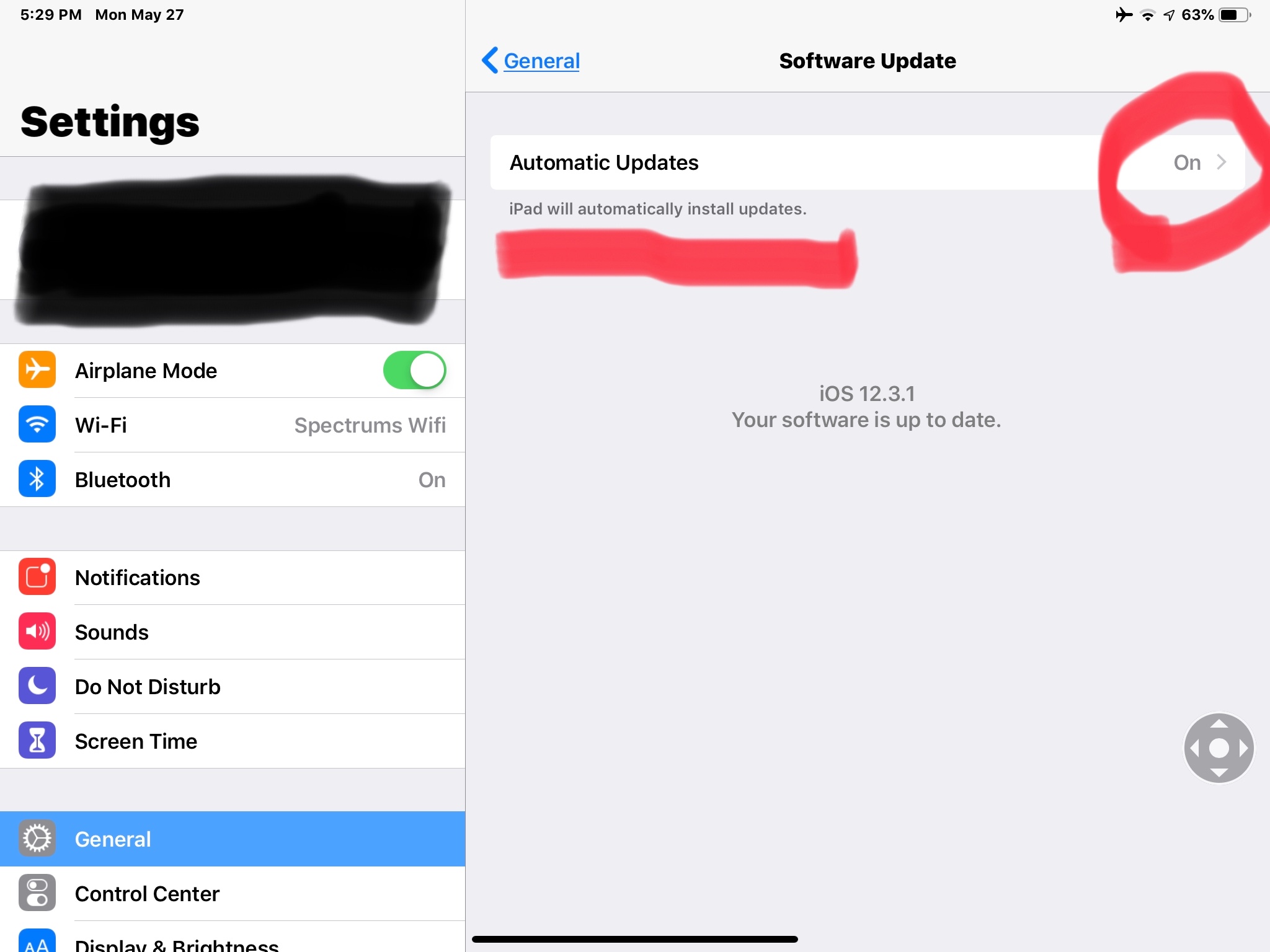
Inquiring here, as I had updates set to automatic — I learned maybe it wasn’t such a good idea, as some updates had glitches, and it might be advisable to wait a couple days? — so I turned updates off. Prior to doing that, though, I’d learned being ‘on’ meant it would download, but I should, still, get notified, as previously, with the little red 1, prior to installing.


Today — being turned off — I found 12.3.1 was available, so I went ahead and installed it, but not before turning the automatic updates back on. I’ll still get the little red one I’d become accustomed to, but it’ll be before installing, rather than how it worked before or, at least, that’s how I’m understanding it’ll work.


Here’s what you’ll need to set. Here’s Apple’s advice, too: https://support.apple.com/en-us/HT202180


Hope this helps!


May 27, 2019 2:30 PM in response to Manfred34

I have not found that to be case either actually. I used to use my iPad all the time for work but have been home on disability for some time now and rarely pick up my iPad and so there is a lot of down time and yet the updates still do not begin automatically... I always find out either when I try to open an app and it begins the update at that moment or I see the little cloud icon next to the name of the app... Before I wrote this post, I saw that there were probably a dozen or more updates available and so I clicked on “Update All” and that has since finished and yet there are still apps that have not been updated, since I see that they have the cloud icon on the home screen next to their name but it does not show in the App Store under updates.... Very frustrating.

This thread has been closed by the system or the community team. You may vote for any posts you find helpful, or search the Community for additional answers.

auto-update of apps

Welcome to Apple Support Community
A forum where Apple customers help each other with their products. Get started with your Apple Account.
