Can a reminder be set for time AND location?

I just set up a reminder (on my MacBook, actually, but mainly for use on my iPhone) for a few days from now, checking off both "On a Day" and "At a Location," the hope being that I'll get the reminder when I arrive in a particular area but ONLY on a particular day and after a certain time.


Will it work that way (both criteria must be met), or will it treat it as either/or?

iPhone 6s, 12

Posted on Jun 2, 2019 5:14 AM

Reply
7 replies

Jun 2, 2019 5:55 AM in response to Scott_R

Set location-based reminders on iPhone

In the Reminders app, you can set a reminder to notify you when you arrive at or leave a location (for example, when you leave work, you can get a reminder to stop at the library).

Ask Siri. Say something like: “Remind me to stop at the grocery store when I leave here.” Learn how to ask Siri.


Be reminded when you arrive at or leave a location

  1. Open a list, swipe left on the reminder, then tap More.
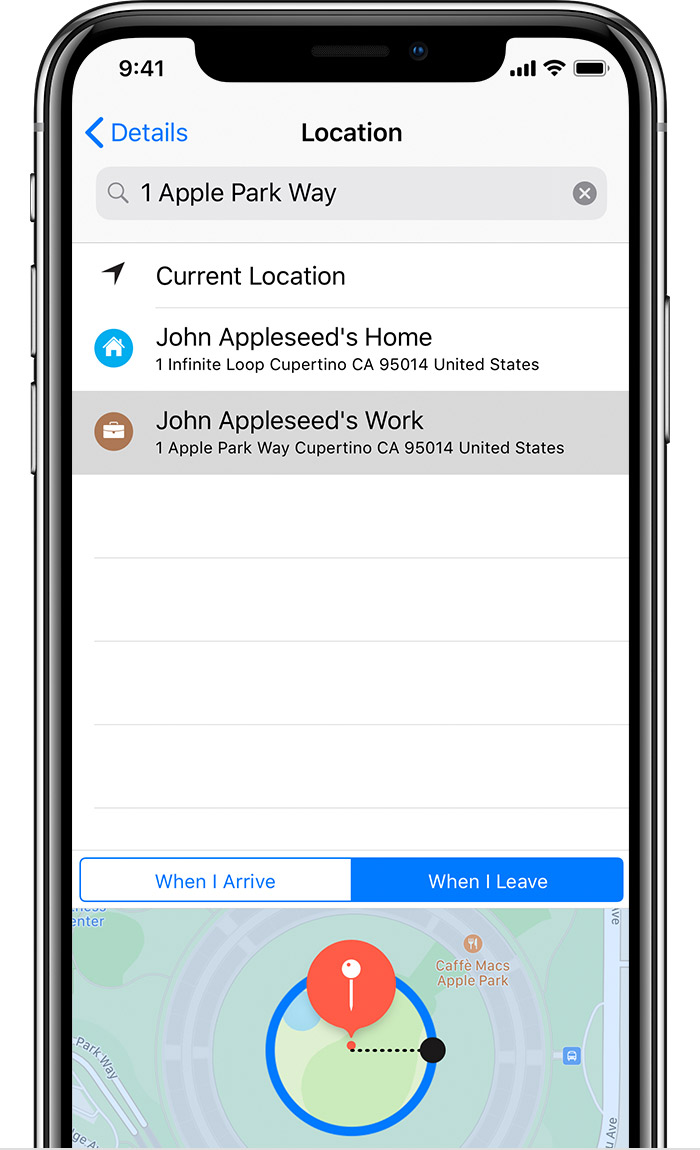
  2. Turn on “Remind me at a location,” then tap Location.
  3. In the search field, enter the address or location where you want to be reminded or choose a location from the list.
  4. Choose if you want a reminder when you leave or arrive at that location.
  5. Drag the black dot on the map in or out to change the perimeter of your reminder area.
  6. Tap Details to return to the previous screen, then tap Done.

When you set a location reminder, locations in the list include addresses from your My Card in Contacts. Add your work, home, and other favorite addresses to your card for easy access in Reminders.

Note: To receive location-based reminders, make sure that Location Services is turned on in Settings > Privacy.


Set location-based reminders on iPhone - Apple Support

https://support.apple.com/guide/iphone/set-location-based-reminders.../ios

Jun 2, 2019 5:56 AM in response to Scott_R

Choose how you're reminded

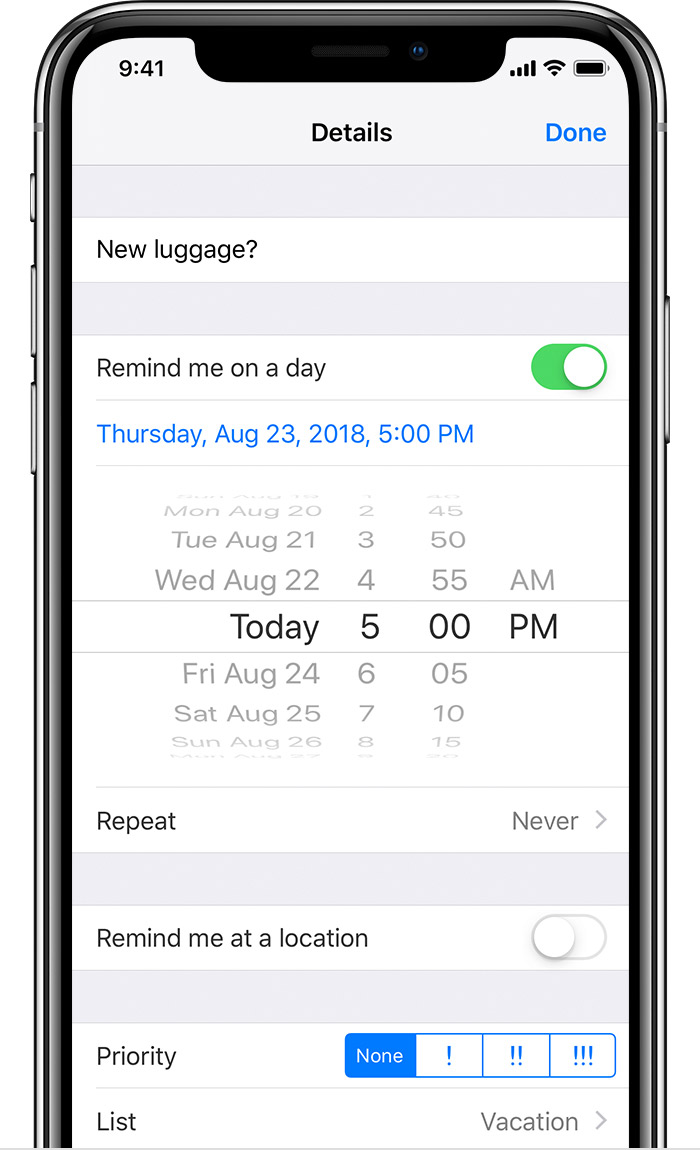
Need to be reminded to pick up your dry cleaning at 10:00 a.m.? With Reminders, you can set notificationsthat alert you when reminders are due, or when you arrive or leave a location, like your home or work. 

Set a time

  1. Open the Reminders app. 
  2. Tap a reminder, then tap the info button  to the right of the reminder. 
  3. Turn on Remind me on a day, then tap the date next to Alarm. 
  4. Set a date and time for your reminder.

  5. Tap Done.

Set a place

  1. Open the Reminders app. 
  2. Tap a reminder, then tap the info button  to the right of your reminder. 
  3. Turn on Remind me at a location, then tap Location.
  4. Search or enter the address where you want to be reminded. You can even use your current location.
  5. Choose whether you want a reminder when you leave or arrive at that location.

  6. Drag the black dot on the circle in or out to change the perimeter of your reminder area.
  7. Tap Details to return to the previous screen, then tap Done.

To receive location-based reminders, make sure that Location Services is turned on and that your device supports this feature.

Location-based reminders are available in iOS 8 or later on iPhone 4 and later, iPad Pro (Wi-Fi + Cellular) and later, iPad (4th generation Wi-Fi + Cellular), iPad Air or later (Wi-Fi + Cellular), iPad mini 4 (Wi-Fi + Cellular) and later, and iPod touch (6th generation).

This thread has been closed by the system or the community team. You may vote for any posts you find helpful, or search the Community for additional answers.

Can a reminder be set for time AND location?

Welcome to Apple Support Community
A forum where Apple customers help each other with their products. Get started with your Apple Account.