Share your Wi-Fi password from your iPhone, iPad, or iPod touch
Learn how to share your Wi-Fi network password with friends and family.
Before you begin
- On both devices, turn Wi-Fi and Bluetooth on; if either of you have Personal Hotspot on, turn it off.
- Make sure your Apple ID is added to the other person's Contacts app.
- Keep the other person's device nearby, within Bluetooth and Wi-Fi range.

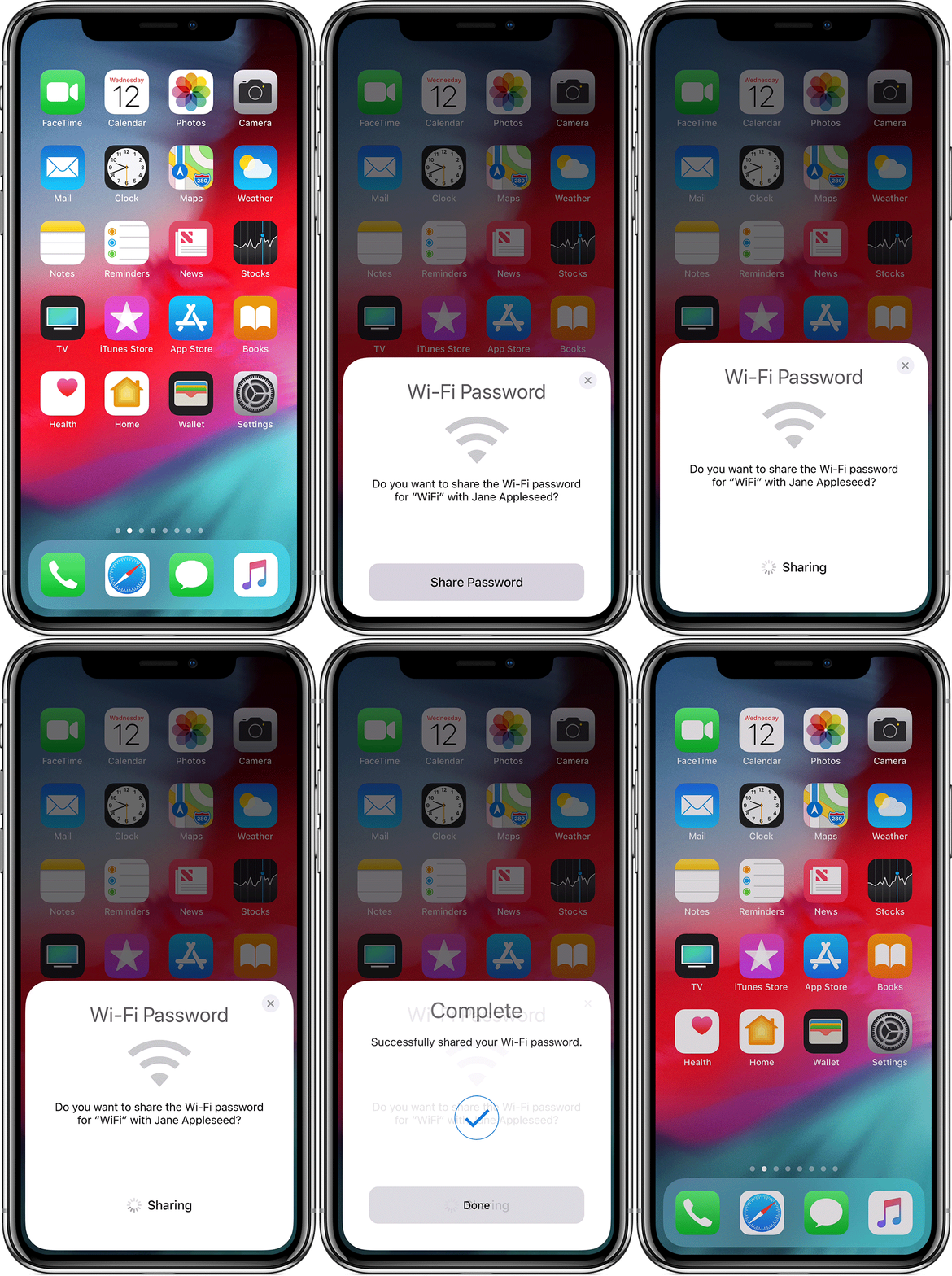
Share your Wi-Fi password
- Make sure your device (the one sharing the password) is unlocked and connected to the Wi-Fi network.
- Select the Wi-Fi network on your friend or family member's device (the device you want to connect).
- On your device, tap Share Password, then tap Done.
Share your Wi-Fi password from your iPhone, iPad, or iPod touch ...
https://support.apple.com/en-us/HT209368



