
How can I set a ringtone from iTunes?
I’ve bought an album from itunes, how can i set a song from that album as a ringtone?
[Re-Titled by Moderator]
I’ve bought an album from itunes, how can i set a song from that album as a ringtone?
[Re-Titled by Moderator]
Use tones and ringtones with your iPhone, iPad, or iPod touch
Customize your ringtone, text tone, new mail alert sound, and more.
There are multiple sounds available on your iPhone, iPad, or iPod touch, but you can also buy ringtones and other tones from the iTunes Store. To buy ringtones and other tones, open the iTunes Store app, tap  More, then tap Tones.
Store availability and features might vary by country or region. Learn what's available in your country or region.
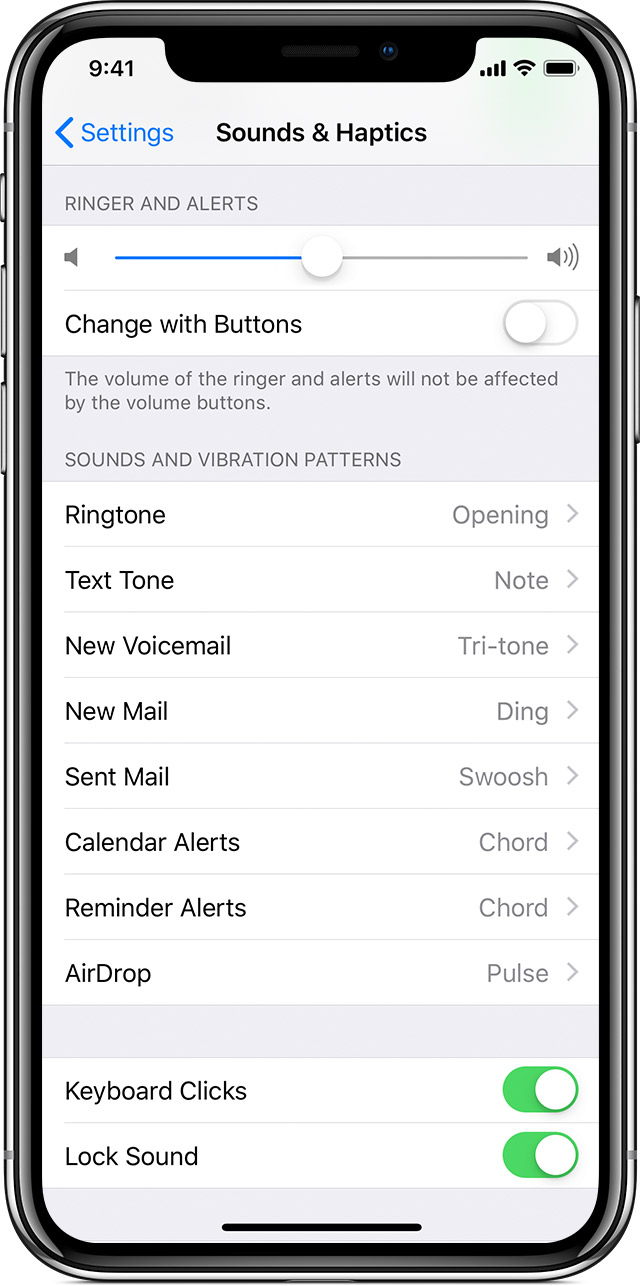
Change your ringtone
You can also set a Ringtone or Text Tone for a specific contact: In the Contacts app, find and tap the specific contact, then tap Edit in the upper-right corner. Tap Ringtone or Text Tone, then choose a new sound.

Redownload previously purchased tones
With iOS 11 or later, you can redownload purchased tones that you bought using your Apple ID.
Go to Settings > Sounds & Haptics, then tap on any sound. At the top of the page, tap Download All Purchased Tones to check for any previously purchased tones that are not currently downloaded to your device. You might not see this option if you've already downloaded your previously purchased tones or if you haven't purchased any tones.
You might not be able to redownload some previously purchased tones.
Move custom ringtones from iTunes to your iOS device
If you have a custom ringtone or tone in iTunes on your Mac or PC that you want to move to your iOS device, you can manually add it to your device using iTunes.
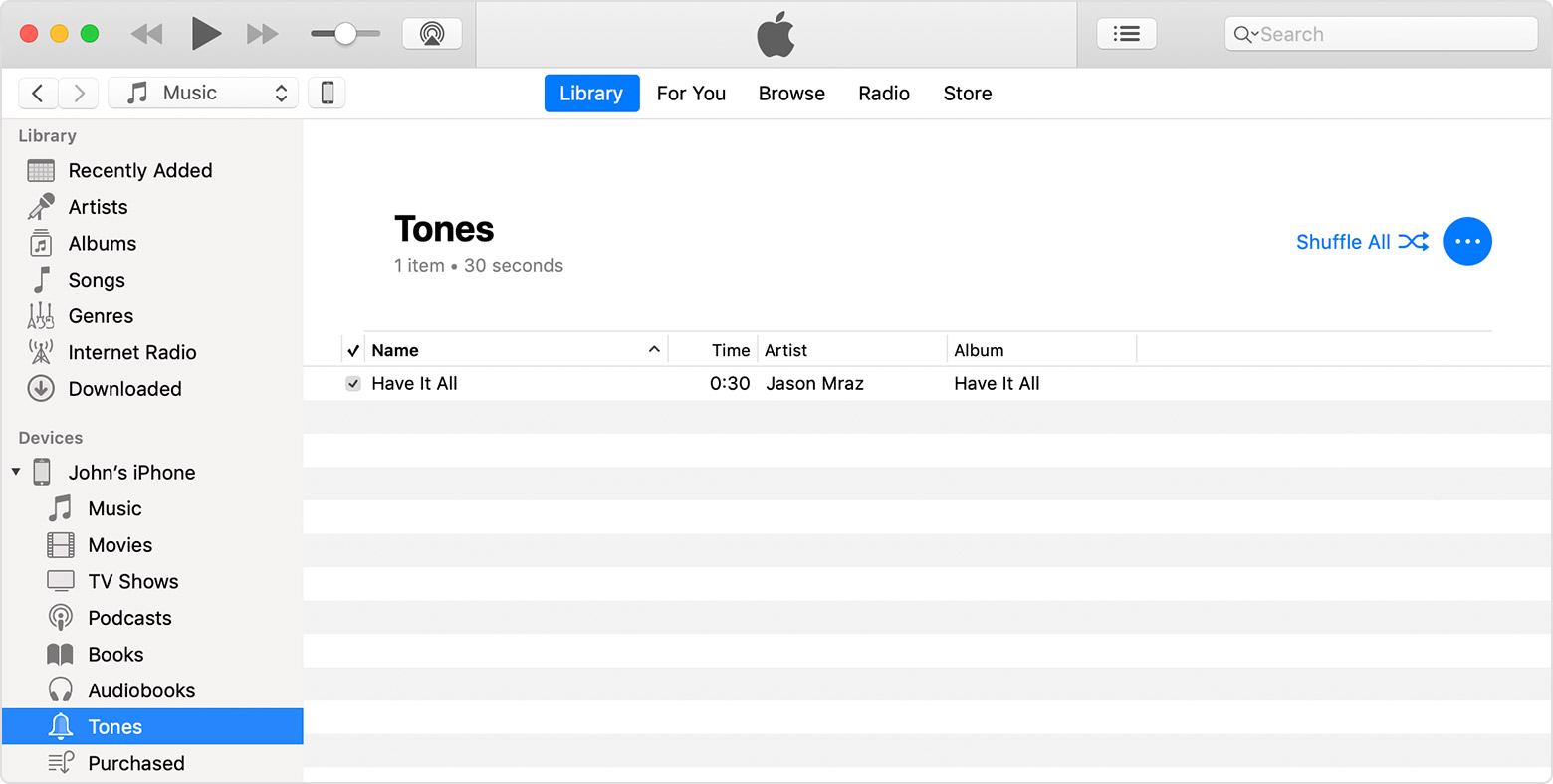
Use tones and ringtones with your iPhone, iPad, or iPod touch - Apple ...
Thank you, brother. God Almighty Trinity Virtue bless your life.
How can I set a ringtone from iTunes?
