iPhone backup failed

In setting iam getting red mark which says iPhone backup failed...

iPhone XR, iOS 12

Posted on Jul 7, 2019 6:22 PM

Reply
1 reply

Jul 7, 2019 7:52 PM in response to rashidamustafa

Get help backing up your device with iCloud Backup

Learn what to do based on the issue that you experience or the message that you see.
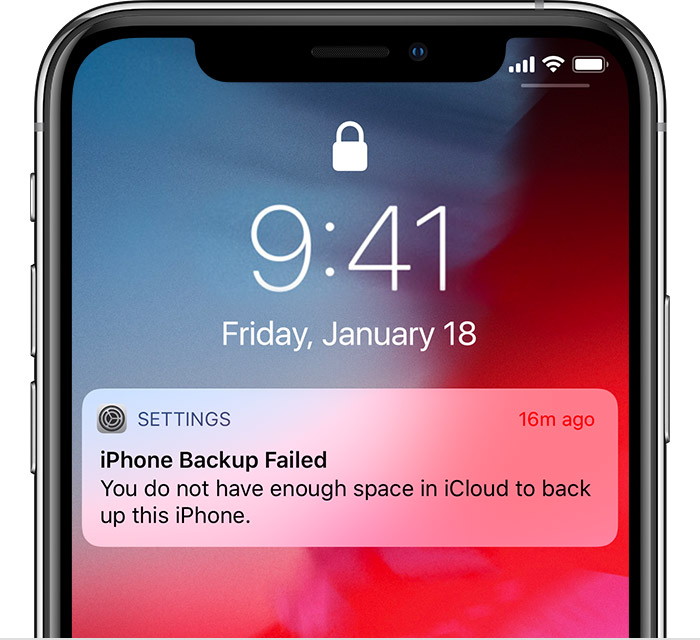
If an alert says that there's not enough iCloud storage

A message appears when you need more iCloud storage to back up (the available space on your iOS device is different than your available space in iCloud). Before proceeding, you need to know your Next Backup Size and how much iCloud storage you have available.

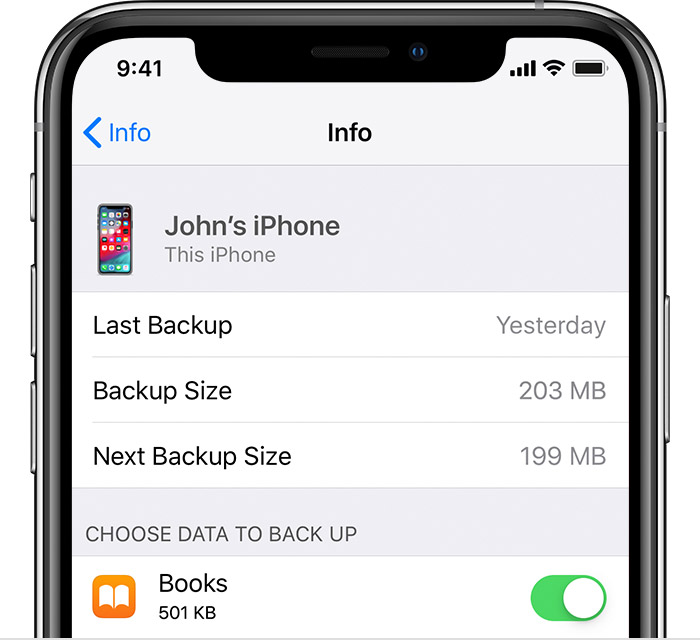
Here's how to find your Next Backup Size:

  • On iOS 11 or later: Go to Settings > [your name] > iCloud > Manage Storage > Backups. Tap the device you're using.
  • On iOS 10.3: Go to Settings > [your name] > iCloud > iCloud Storage > Manage Storage. Tap the device you're using.


After you check to see how much iCloud Storage you have, try these steps to complete your backup:

  1. Upgrade your iCloud storage plan.
  2. Reduce the size of your backup.
  3. Delete any data that you don't need.
  4. If you still need help, contact Apple Support.

If a message says that your last backup couldn't be completed

  1. Check that you're connected to Wi-Fi.
  2. Ensure your device is up to date.
  3. Try to back up on another Wi-Fi network.
  4. If you still need help, contact Apple Support.


If you can't back up to iCloud or restore from iCloud backup failed ...

https://support.apple.com/en-us/HT203516

This thread has been closed by the system or the community team. You may vote for any posts you find helpful, or search the Community for additional answers.

iPhone backup failed

Welcome to Apple Support Community
A forum where Apple customers help each other with their products. Get started with your Apple Account.
