Apple Pay does not work on my iPhone

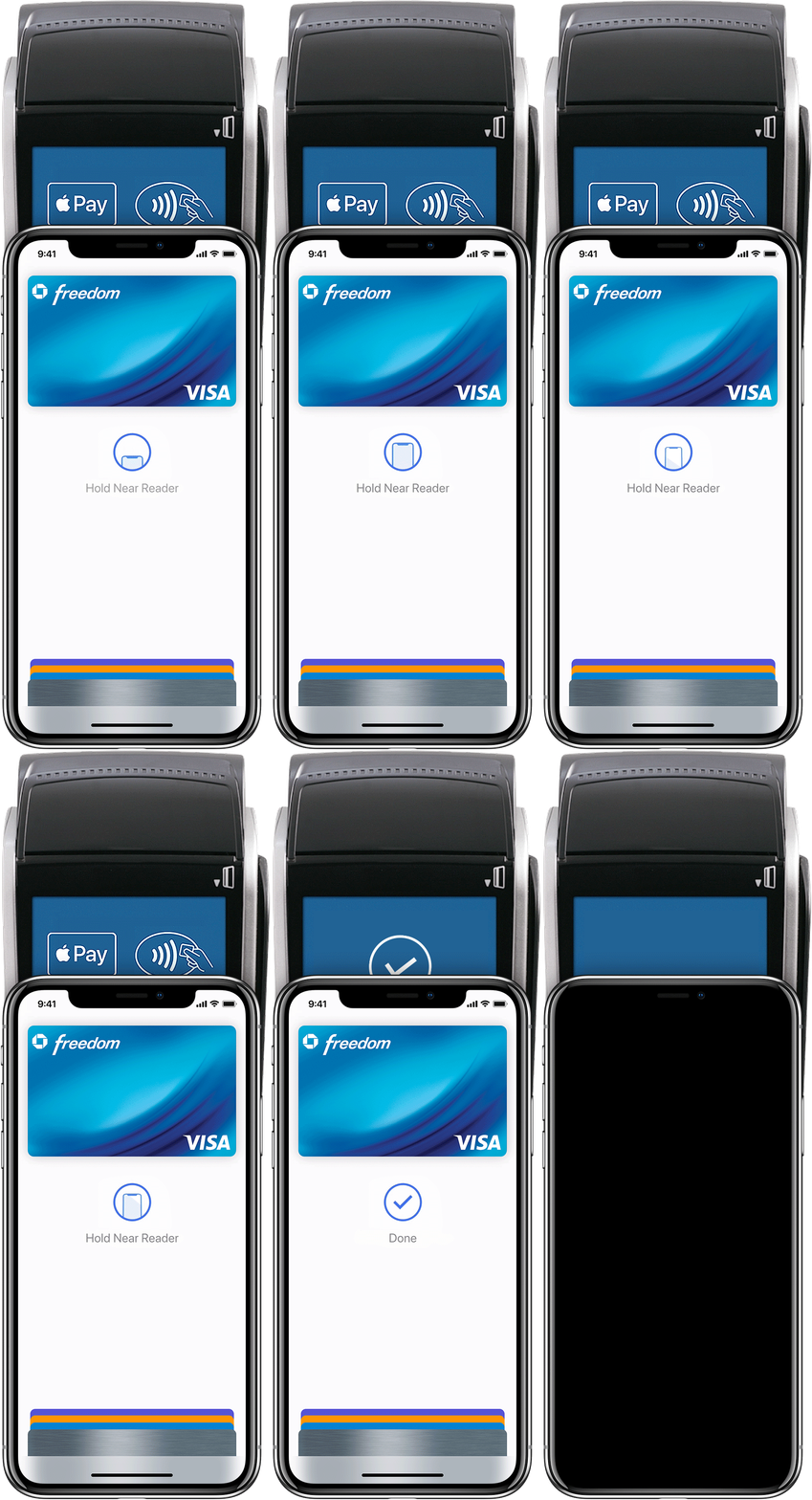
I am new to Apple Pay and added my first bank card to my Wallet. Whenever I try to use it with my iPhone, nothing happens (it just says "Hold Near Reader" - but no matter how I hold it, it does not work). I have tried resetting the phone a few times and removing and adding the same card a few times too.


However, whenever I use my Apple Watch for Apple Pay, it works every time with no problem. This is probably an NFC antenna fault on my iPhone? I don't really have any alternative way to check if NFC works on my phone - is there a way to test it?

iPhone XS, iOS 12

Posted on Jul 15, 2019 3:32 AM

Reply
1 reply

Jul 15, 2019 9:27 AM in response to mantas178

May be the NFC device is faulty.


Pay in stores and other places

With your iPhone or Apple Watch, you can use Apple Pay wherever you see one of these symbols.1,2 You can pay with Apple Pay in stores, restaurants, taxis, vending machines, and many other places.

Pay with iPhone with Face ID

  1. To use your default card, double-click the side button, then glance at your iPhone to authenticate with Face ID, or enter your passcode. 
  2. Hold the top of your iPhone within a few centimeters of the contactless reader until you see Done and a checkmark on the display.

Watch the demo to see how it works.

Pay with iPhone with Touch ID

  1. To use your default card, rest your finger on Touch ID. 
  2. Hold the top of your iPhone within a few centimeters of the contactless reader until you see Done and a checkmark on the display.

Watch the demo to see how it works.


How to use Apple Pay - Apple Support

https://support.apple.com/en-us/HT201239

This thread has been closed by the system or the community team. You may vote for any posts you find helpful, or search the Community for additional answers.

Apple Pay does not work on my iPhone

Welcome to Apple Support Community
A forum where Apple customers help each other with their products. Get started with your Apple Account.