I can’t hear my keyboard clicks or notifications

I can’t hear my keyboard clicks or notification, all my sounds are on and up

please help


[Re-Titled by Moderator]

iPhone XS

Posted on Aug 1, 2019 12:50 PM

Reply
1 reply

Aug 1, 2019 1:16 PM in response to ashlee135

Put your iPhone in Ring/Silent mode

When your iPhone is set to ring, ringtones, alerts, and sounds play through your iPhone speakers.

When your iPhone is set to silent, you won't hear ringtones or alerts, but other sounds will play through your iPhone speakers and your iPhone will vibrate.

These settings affect only your iPhone speaker. If you use a headset, sounds play through your headset, even if your iPhone is on silent.

Ring mode
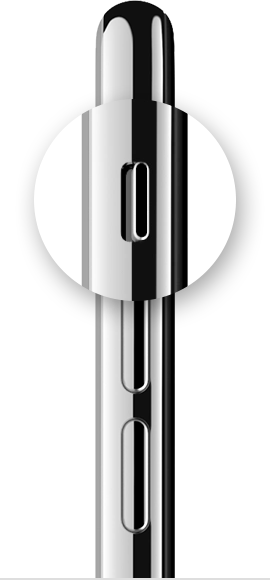
To put your iPhone in Ring mode, move the switch so that orange isn't showing. 

Silent mode
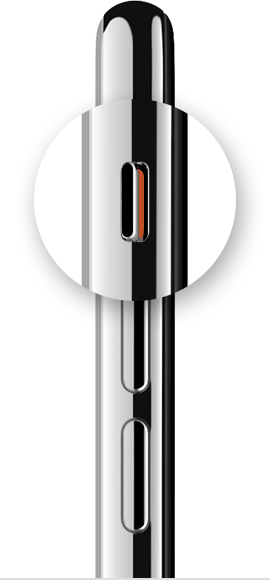
To put your iPhone in Silent mode, move the switch so that orange is showing. 


About the buttons and switches on your iPhone, iPad, or iPod touch

Learn about the buttons and switches on your iPhone, iPad, and iPod touch.
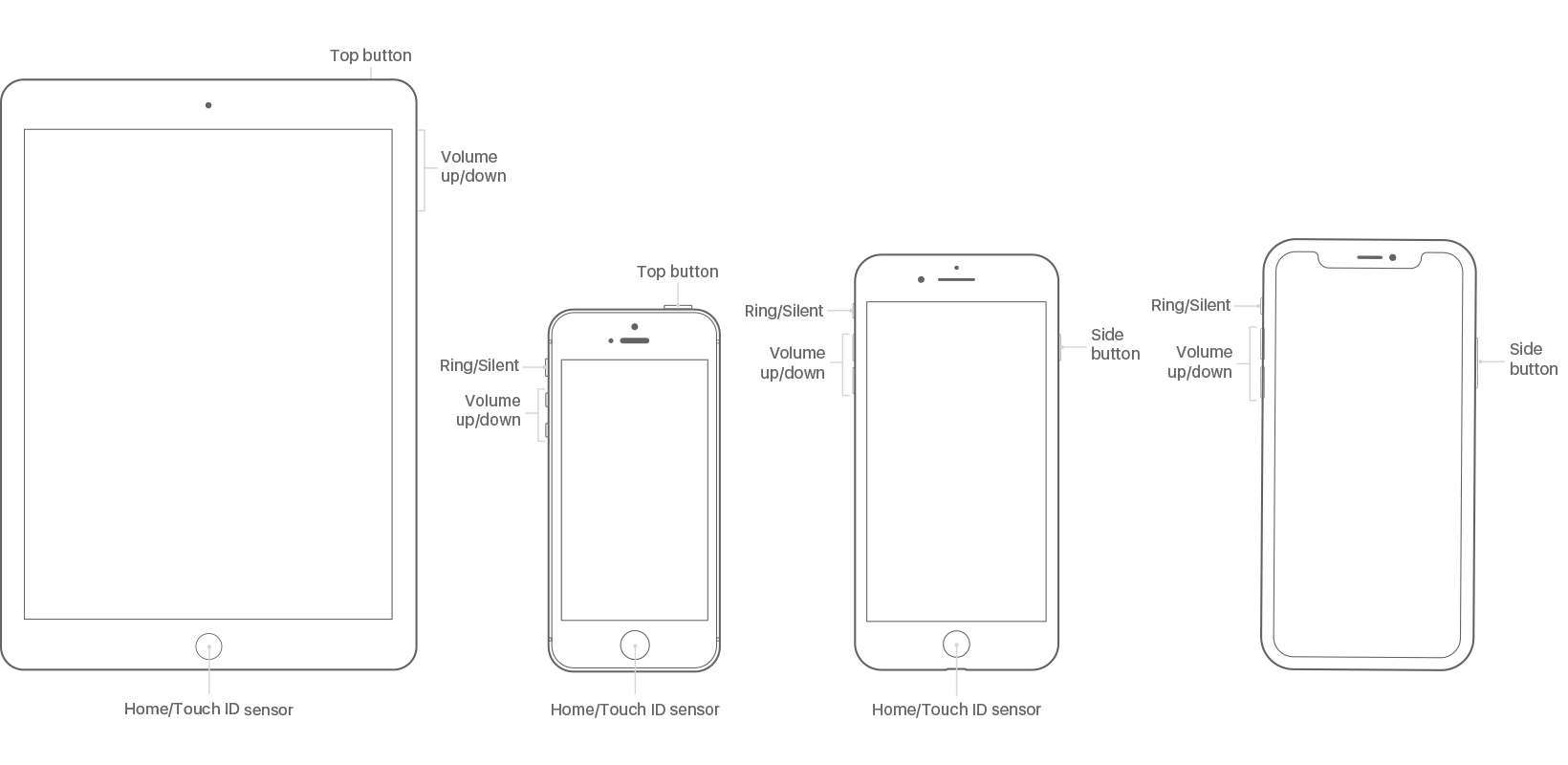


What the buttons and switches do

  • Side button (iPhone 6 and later): Press to wake your iPhone or put it to sleep. You can also use the Side button to turn off your iPhone, and with iPhone X or later you can do a few other things.
  • Top button (iPhone SE and earlier, iPad, iPod touch): Press to wake your device or put it to sleep. Press and hold the button to turn your device off or on.
  • Ring/Silent (iPhone only): Use to mute sounds and alerts on your iPhone. If the switch shows orange, it means your iPhone is in silent mode and will vibrate for incoming calls or alerts. When in silent mode, the alarms you set in the Clock app will still sound, and calls from Favorite contacts will still ring.
  • Side switch (certain iPad models): Use to mute sounds and alerts from your iPad or turn Rotation Lock on or off.
  • Volume up/down: Use to adjust the volume when listening to music, watching videos, or playing games. When you press the buttons, you'll see the Volume under the indicator. When you're not using other apps, the buttons will adjust the ringer volume and you'll see Ringer under the indicator.
  • Home/Touch ID: Use to unlock your device. Press and hold to activate Siri. Press twice from the Home screen or in the app to bring up the App Switcher.


https://support.apple.com/en-us/HT208353

This thread has been closed by the system or the community team. You may vote for any posts you find helpful, or search the Community for additional answers.

I can’t hear my keyboard clicks or notifications

Welcome to Apple Support Community
A forum where Apple customers help each other with their products. Get started with your Apple Account.