Tap Select Printer and choose an AirPrint-enabled printer.
If your printer is AirPrint-enabled
If your printer is AirPrint-enabled for printing from your Mac or iOS device, just make sure that it's connected to the same Wi-Fi network used by the Mac or iOS device.1
If you still can't print, try any of these solutions:
- Restart your Wi-Fi router. Then restart your printer.
- Move your printer closer to your Wi-Fi router.
- Update your printer and Wi-Fi router with the latest firmware from the manufacturer.2
- Update the software for your Mac or iOS device.
If you're using a Mac and you still can't print, it might help to reset the printing system. Otherwise, contact the printer manufacturer for support.

If your printer isn't AirPrint-enabled
If you're printing from your Mac to a printer that isn't AirPrint-enabled:
- If your printer is connected to your Mac with a cable, disconnect the cable from your Mac.
- Turn off your printer.
- Get software updates for your Mac. Your Mac automatically downloads the latest software for most printers as part of these updates, so it's best not to install software from the printer manufacturer.
- Reconnect your printer to your Mac, if applicable.
- Turn on your printer and wait for it to finish starting up.
- Choose Apple () menu > System Preferences, then click Printers & Scanners.
- Select your printer in the list of devices.
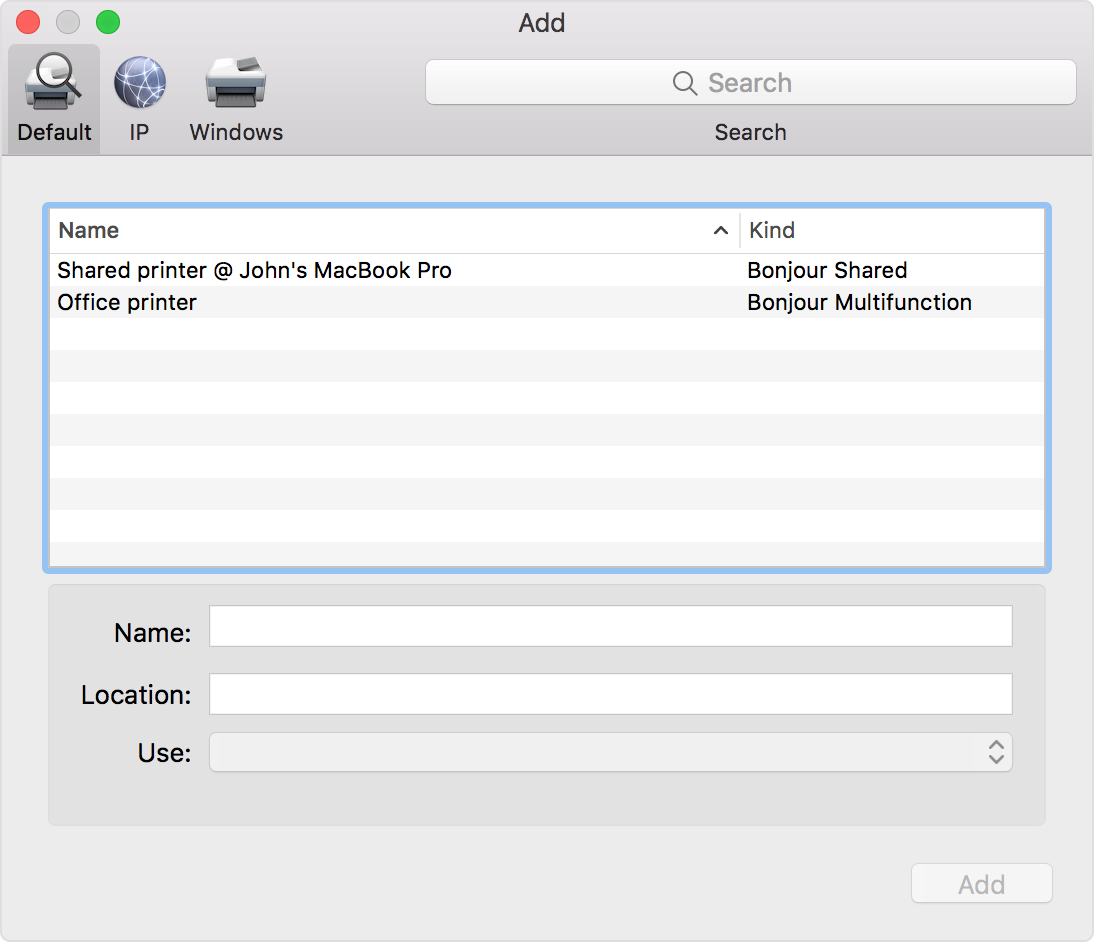
If your printer doesn't appear in the list of devices in Printers & Scanners preferences, click  at the bottom of the list, then choose the command to add a printer or scanner. The window that opens offers more ways to find and add a printer, such as by IP address:
If you still can't print, and your printer is connected via Wi-Fi:
- Restart your Wi-Fi router. Then restart your printer.
- Move your printer closer to your Wi-Fi router.
- Update your printer and Wi-Fi router with the latest firmware from the manufacturer.2
Reset the printing system
If the issue continues, reset the printing system on your Mac. This removes all printers and scanners—including their print jobs and settings—from Printers & Scanners preferences.
- Choose Apple menu > System Preferences, then click Printers & Scanners.
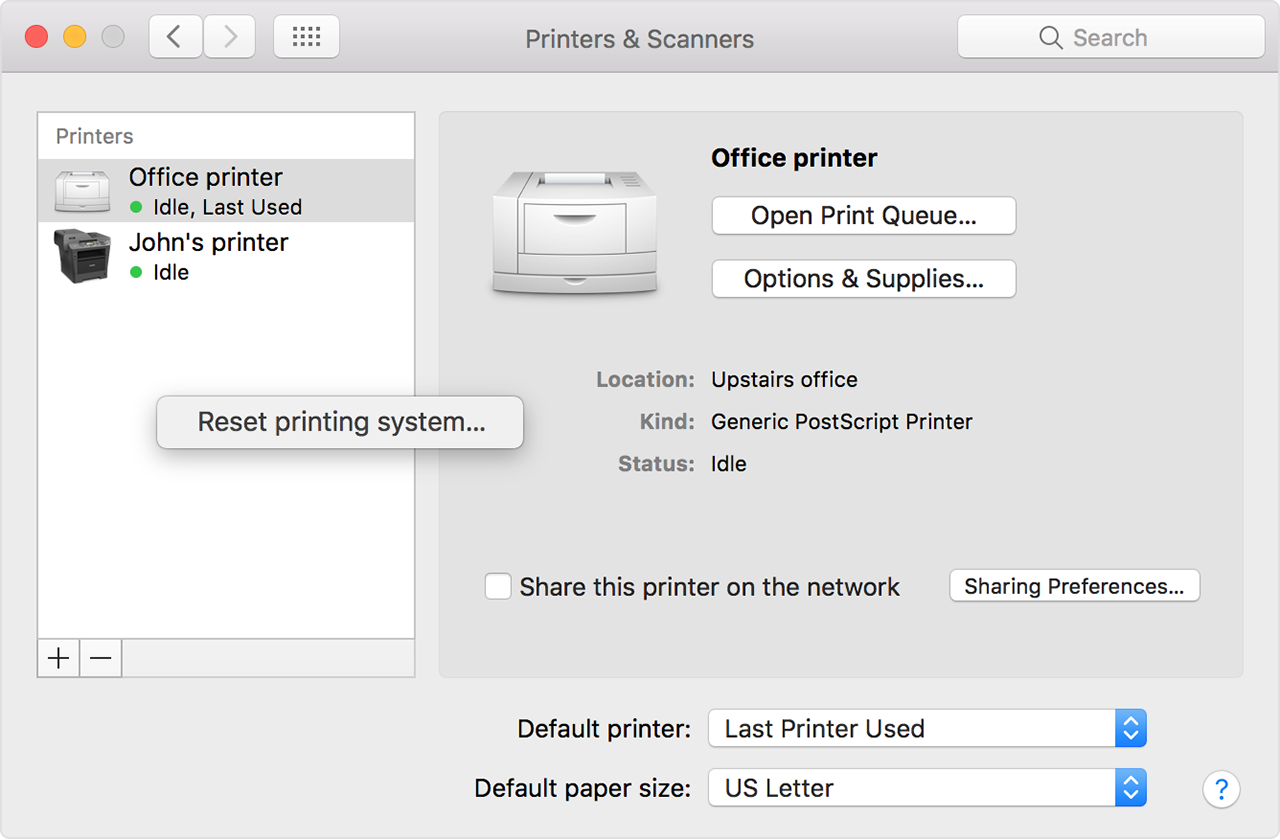
- While holding down the Control key on your keyboard, click anywhere in the list of devices.
- Choose “Reset printing system” from the menu that appears:
Use AirPrint to print from your iPhone, iPad, or iPod touch - Apple ...
https://support.apple.com/en-us/HT201387

