If you hear no sound or distorted sound from your iPhone, iPad, or iPod touch speaker
Get help with the speaker on your iOS device.
Before you follow these steps, see if your speaker works: In Settings > Sounds (or Settings > Sounds & Haptics), drag the Ringer And Alerts slider up or down a few times.
- If you don't hear any sound, your speaker might need service. Contact Apple Support.
- If you do hear sound, use the steps below and check the sound after each step.
Check your sound settings
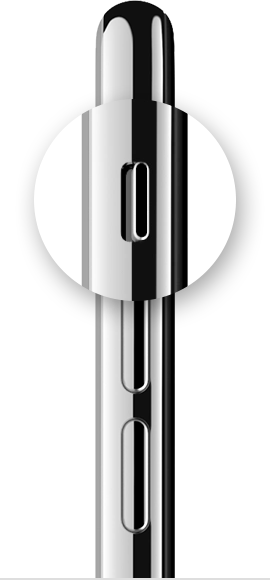
If your device has a Ring/Silent switch, move the switch forward—toward the device's display—so that orange isn't showing.
Open Settings > Do Not Disturb and check that Do Not Disturb is off. If you're using an iPad, you can also swipe down from the top-right corner to view Control Center and make sure the mute button and Do Not Disturb button aren't enabled.
Check sound with an app
Open an app that has music or sound effects, then adjust the volume with your volume buttons or the slider in Control Center.
Plug headphones into your device
If you can hear sound through the headphones but not through your device's speakers, unplug the headphones and clear dust or debris from the headset port on your device.
Turn off Bluetooth
To make sure that your device isn't sending audio to a Bluetooth accessory, go to Settings > Bluetooth and turn off Bluetooth.
Restart your device
Turn off your device, then turn it back on. Check the sound again. If you still don't hear any sound, contact Apple Support.
Learn more
Find out what to do if your iPhone is stuck in headphone mode.
If you hear no sound or distorted sound from your iPhone, iPad, or ...
https://support.apple.com/en-us/HT203794

