Requesting you to be more specific in your queries next time.
"Ask the right questions if you're going to find the right answers." - Vanessa Redgrave
There are two major Updates in an iPhone / iPad:
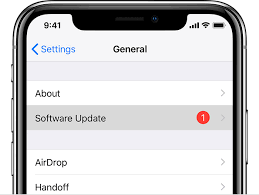
- iOS Update (Optional): Released by Apple Inc basically for improvements, security and bug fixes. Does not affect Data, Calls & SMSs if not updated
- Carrier Update (Required): Released by your Cellular Service provider (Carrier Update), affects your Outgoing / Incoming calls, SMS, Data etc..
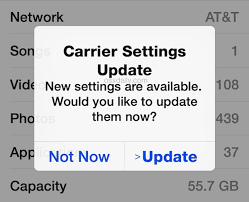
How to Update Carrier Settings
You can manually check for and install a carrier settings update with these steps: Make sure your device is connected to a Wi-Fi or cellular network. Tap Settings > General > About. If an update is available, you'll see an option to update your carrier settings.
Update your carrier settings on your iPhone or iPad - Apple Support
How to update iOS
Go to Settings > General > Software Update > Automatic Updates, then turn off AutomaticUpdates. At any time, you can check for and install software updates. Go to Settings > General > Software Update. The screen shows the currently installed version of iOS and whether an update is available.
Update iOS software on iPhone - Apple Support



