Is you keychain enabled? See the pic below, is this your situation?
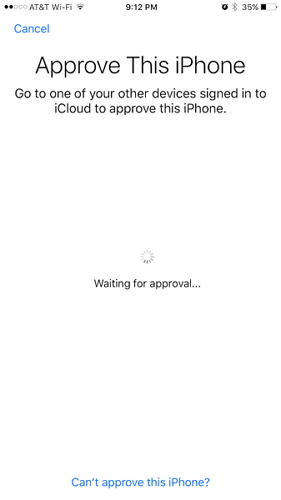
Try these steps in order:
- Turn off iCloud Keychain on both the devices
- On your iPhone, go to Keychain and tap Approve with Security Code
- When prompted for the 4-digit iCloud Security code tap Forgot Code
- Simply follow the prompts and steps to reset the code
- Now this device will have iCloud Keychain enabled and working
- Now on your second device, enable iCloud Keychain
- You should get a notification on the first device about this activity. Enter your iCloud / Apple ID password when asked
- iCloud Keychain should now be enabled
This is almost certainly a keychain issue. Try these steps:
- Turn off iCloud Keychain on both the MacBook and iPhone.
- From your iPhone, go to Keychain and tap Approve with Security Code.
- When prompted for the 4-digit iCloud Security code tap Forgot Code.
- Follow the prompts to reset the code.
- Now this device should have iCloud Keychain enabled and working.
- Now from your MacBook, enable iCloud Keychain.
- You should get a notification on the iPhone about this. Enter your iCloud password in the prompt.
- iCloud Keychain should now be enabled.
Most likely the process will stop "Approve your device" notifications!

