
I phone 7 Mic issues
I have an I phone 7 and when I use the phone people can not hear me half the time. Some calls are fine but others are terrible . I tested each mic and they work perfactly. Any suggestions?
I have an I phone 7 and when I use the phone people can not hear me half the time. Some calls are fine but others are terrible . I tested each mic and they work perfactly. Any suggestions?
There is more than one microphone on your iPhone. (Have you tested all?) Since you did not specify the number of mics tested I am giving below the full information.
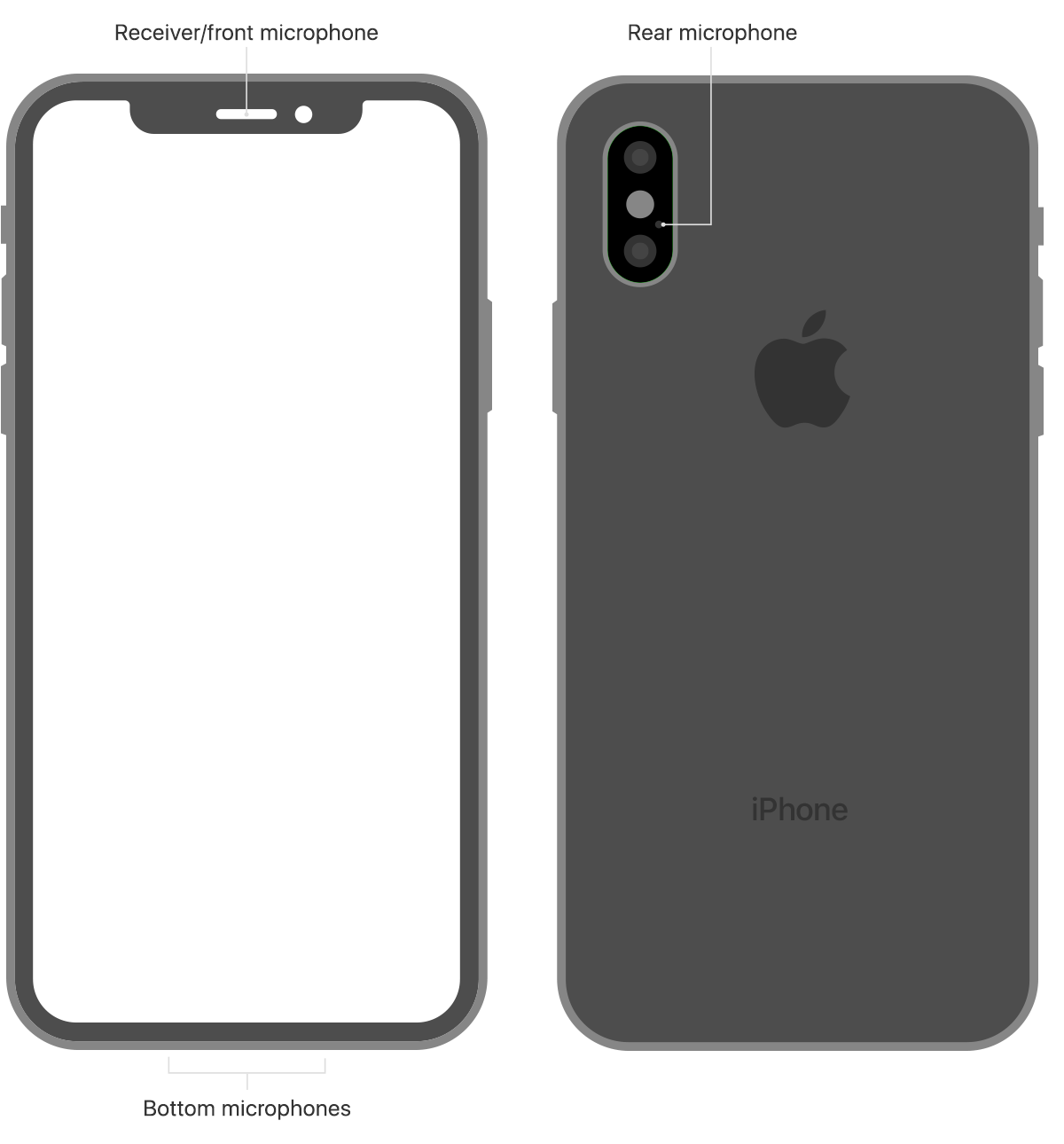
To test the primary microphone on the bottom of your iPhone, open Voice Memos and tap the record icon. Then speak into the microphone and tap the play icon to play back the recording. You should be able to hear your voice clearly.
To test the front microphone, open the Camera app and record a video using the front camera. To test the rear microphone, open the Camera app and record a video using the back camera. When you play back the video you should hear your voice clearly.
If your voice sounds faint when you’re on a phone call, make sure that your rear microphone isn’t blocked or covered.
If Siri can't hear you, make sure that the receiver and front microphone on top of your iPhone aren't covered or dirty.
Yes I have tested all the Microphones and they all work perfectly they have been cleaned and are not obstructed. It is very sporadic issue sometimes it’s very terrible and other times it’s acceptable
I phone 7 Mic issues
