
Group message list adding and removal
On my xs how do I delete or add a name to a txt group?
iPhone XS
On my xs how do I delete or add a name to a txt group?
iPhone XS
Hello Gdanward,
Thanks for posting! I understand you have a question about group messages, and I'm glad to answer.
This resource, Send a group message on your iPhone, iPad, or iPod touch, should help you:
"Add or remove someone from a group conversation
Anyone in a group iMessage can add or remove someone from the conversation. You can remove a person from a group iMessage that has at least three other people. You can’t add or remove people from group MMS messages or group SMS messages.
Add a person
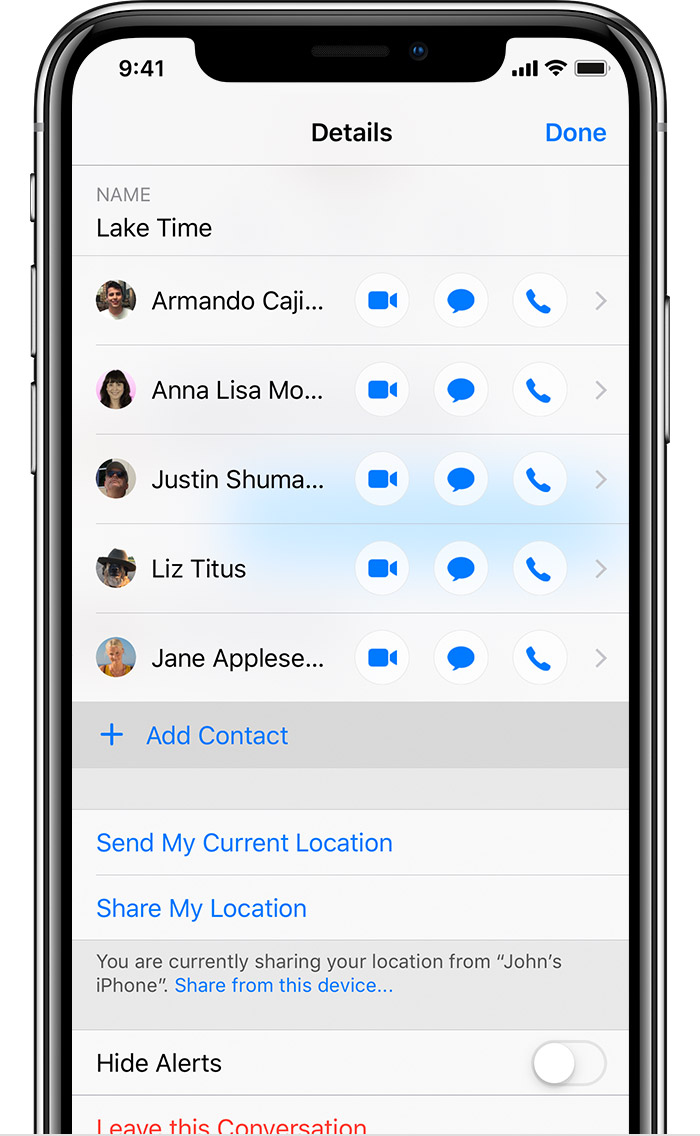
 , then tap Add Contact.
Remove a person
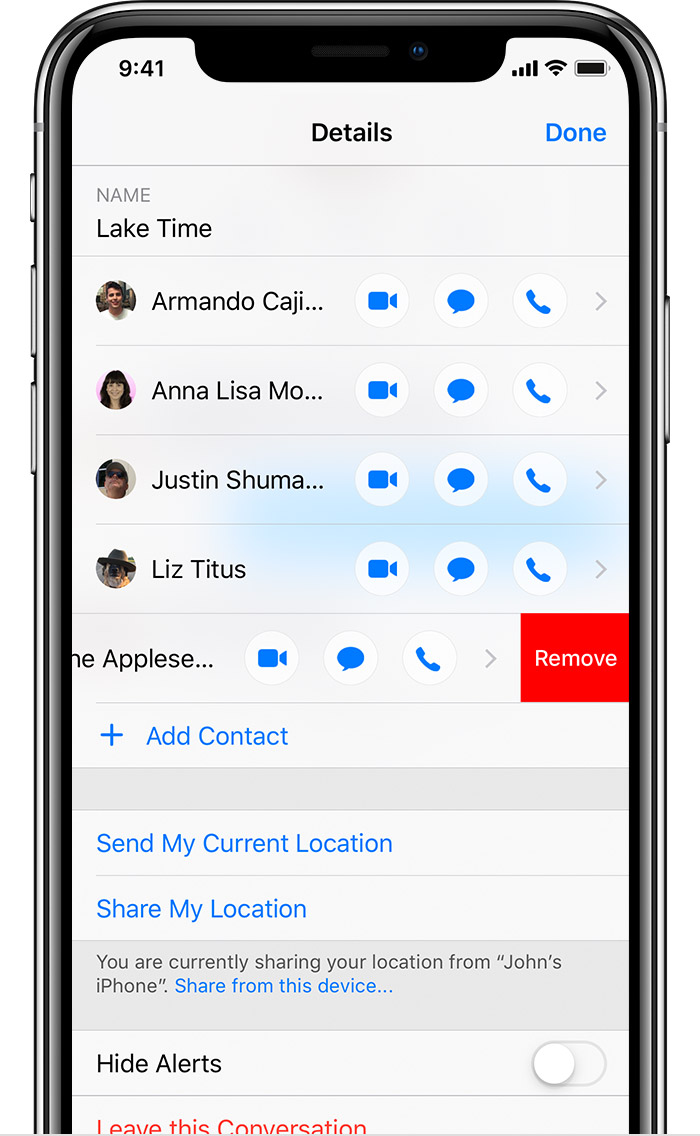
, then swipe left over the name of the person you want to remove.The above should help you with adding and removing people from a group message. If you want to name or rename a group message, try these steps:
"Name your group conversation
Have multiple group iMessages? Name your group iMessages so they're easier to find. To name your group:
.You can name only group iMessages, not MMS group messages."
I hope I've answered your question. Best wishes.
Hello Gdanward,
Thanks for posting! I understand you have a question about group messages, and I'm glad to answer.
This resource, Send a group message on your iPhone, iPad, or iPod touch, should help you:
"Add or remove someone from a group conversation
Anyone in a group iMessage can add or remove someone from the conversation. You can remove a person from a group iMessage that has at least three other people. You can’t add or remove people from group MMS messages or group SMS messages.
Add a person
, then tap Add Contact.Remove a person
, then swipe left over the name of the person you want to remove.The above should help you with adding and removing people from a group message. If you want to name or rename a group message, try these steps:
"Name your group conversation
Have multiple group iMessages? Name your group iMessages so they're easier to find. To name your group:
.You can name only group iMessages, not MMS group messages."
I hope I've answered your question. Best wishes.
Hello Gdanward,
Thanks for the reply. If you don't see the option to add or remove contacts, it sounds like this information from the resource Send a group message on your iPhone, iPad, or iPod touch will explain what's happening:
"You can remove a person from a group iMessage that has at least three other people. You can’t add or remove people from group MMS messages or group SMS messages."
"Types of group messages
The three types of group messages that you might see are: group iMessage, group MMS, and group SMS. The Messages app automatically chooses the type of group message to send based on you and your recipients' settings, network connection, and carrier plan. For example:
Take care.
i don’t have add a contact option on that page
Group message list adding and removal


