
Location not showing on friends phone
I just recently updated my iPhone 8 Plus to iOS 13, but now my friends are unable to see my location, even though in my settings it says that I’m still sharing my location with them. How can I fix this?
I just recently updated my iPhone 8 Plus to iOS 13, but now my friends are unable to see my location, even though in my settings it says that I’m still sharing my location with them. How can I fix this?
Set up Find My on your iPhone and other devices - Apple ...
First things first
Before you use Find My, you need to first turn on location services.
Turn on location services
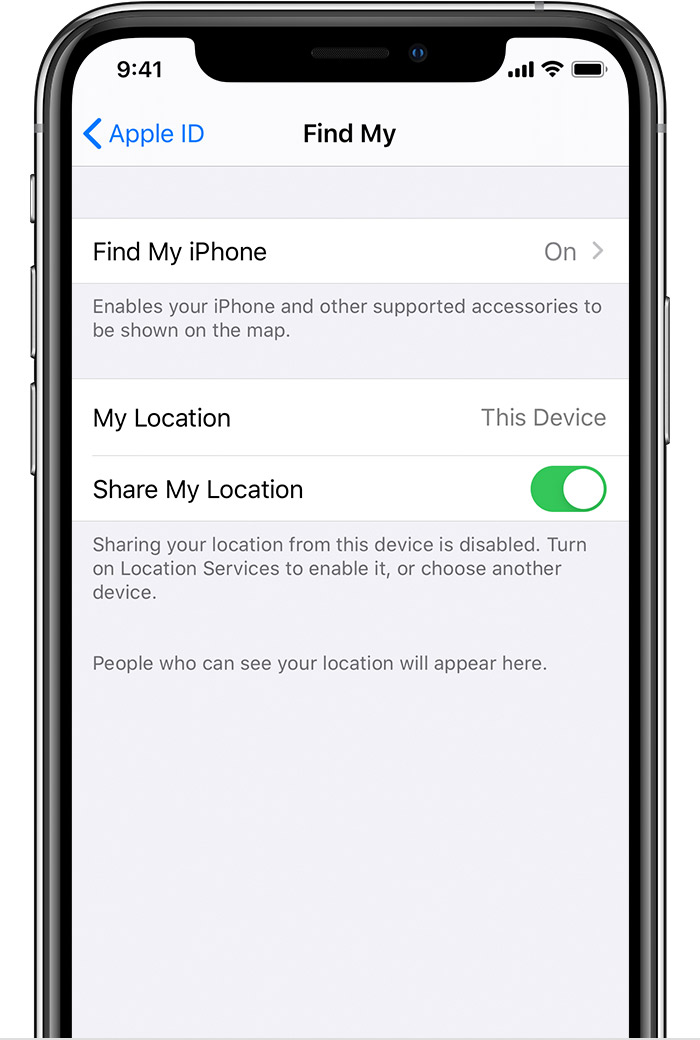
Turn on Share My Location
If you want friends and family to know where you are, turn on Share My location. If they share their location back, you can see where they are too.
If you set up Family Sharing, you'll be able to see the members of your Family Sharing group that you're sharing your location with.
After you turn on Share My Location, learn how to set up and use Find My to share your location.
For family members on devices with iOS 12 or earlier, macOS Mojave or earlier, or watchOS 3 through 5, they need to follow these steps to share their location with friends and family and to set up and use Find My Friends.

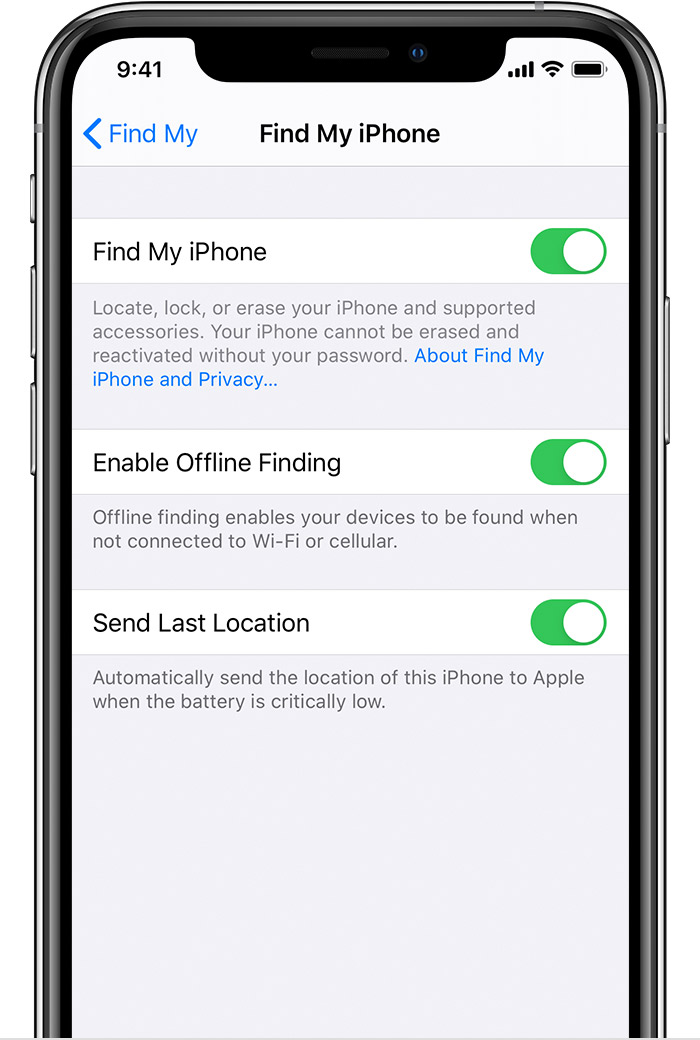
Turn on Find My [device]
Find My shows your device's location on the map. You can even turn on Enable Offline Finding to see your iPhone when it's offline.
If your Apple Watch and your AirPods are paired with your iPhone, they're automatically set up when you turn on Find My iPhone or Find My [device].
After you turn on Find My, see how to find a missing device with Find My.
On a device with iOS 12 or earlier, or macOS Mojave or earlier, follow these steps to set up Find My iPhone.
Set up Find My on your iPhone and other devices - Apple ...
First things first
Before you use Find My, you need to first turn on location services.
Turn on location services
Turn on Share My Location
If you want friends and family to know where you are, turn on Share My location. If they share their location back, you can see where they are too.
If you set up Family Sharing, you'll be able to see the members of your Family Sharing group that you're sharing your location with.
After you turn on Share My Location, learn how to set up and use Find My to share your location.
For family members on devices with iOS 12 or earlier, macOS Mojave or earlier, or watchOS 3 through 5, they need to follow these steps to share their location with friends and family and to set up and use Find My Friends.
Turn on Find My [device]
Find My shows your device's location on the map. You can even turn on Enable Offline Finding to see your iPhone when it's offline.
If your Apple Watch and your AirPods are paired with your iPhone, they're automatically set up when you turn on Find My iPhone or Find My [device].
After you turn on Find My, see how to find a missing device with Find My.
On a device with iOS 12 or earlier, or macOS Mojave or earlier, follow these steps to set up Find My iPhone.
Yes I did all of that already, but even with that all done my friend is still unable to see my location. They’ve all updated their phones as well to iOS 13, and I can see their location no problem, but they can’t see mine... even with everything in the privacy settings all set up & what not...
Location not showing on friends phone
