Well, as research is clearly an important task for you - and you seemingly associate a single “project” with an open window (instance) of Safari - try out this simple workflow...
Save Session
When you are taking a break from your session, you can easily save your all the open tabs for this session in a single step. To do so, touch-and-hold the book icon to the left of the address bar, and from the menu that appears choose the second option - Add Bookmarks for n Tabs (where n = the number of open tabs in this Safari window/instance); a New Folder dialogue will appear - give it a suitable name - and Save.
Close your window if you wish - or just treat this as saving where you are so far. Saving the state of the window saves all your open tabs.
Restore Session
To restore a saved session, with a Safari window open (any window will do), open a new window; a page will appear with all your saved Favourites shown as individual icons. You will notice that your page of favourites includes one or more grouped sets of thumbnail icons (i.e., folders), one or more of which will have the folder name that you chose in the step above.
Touch-and-hold the folder icon that corresponds with the session that you wish to restore - the folder will expand and show an actions menu; choose the second option Open in New Tabs.
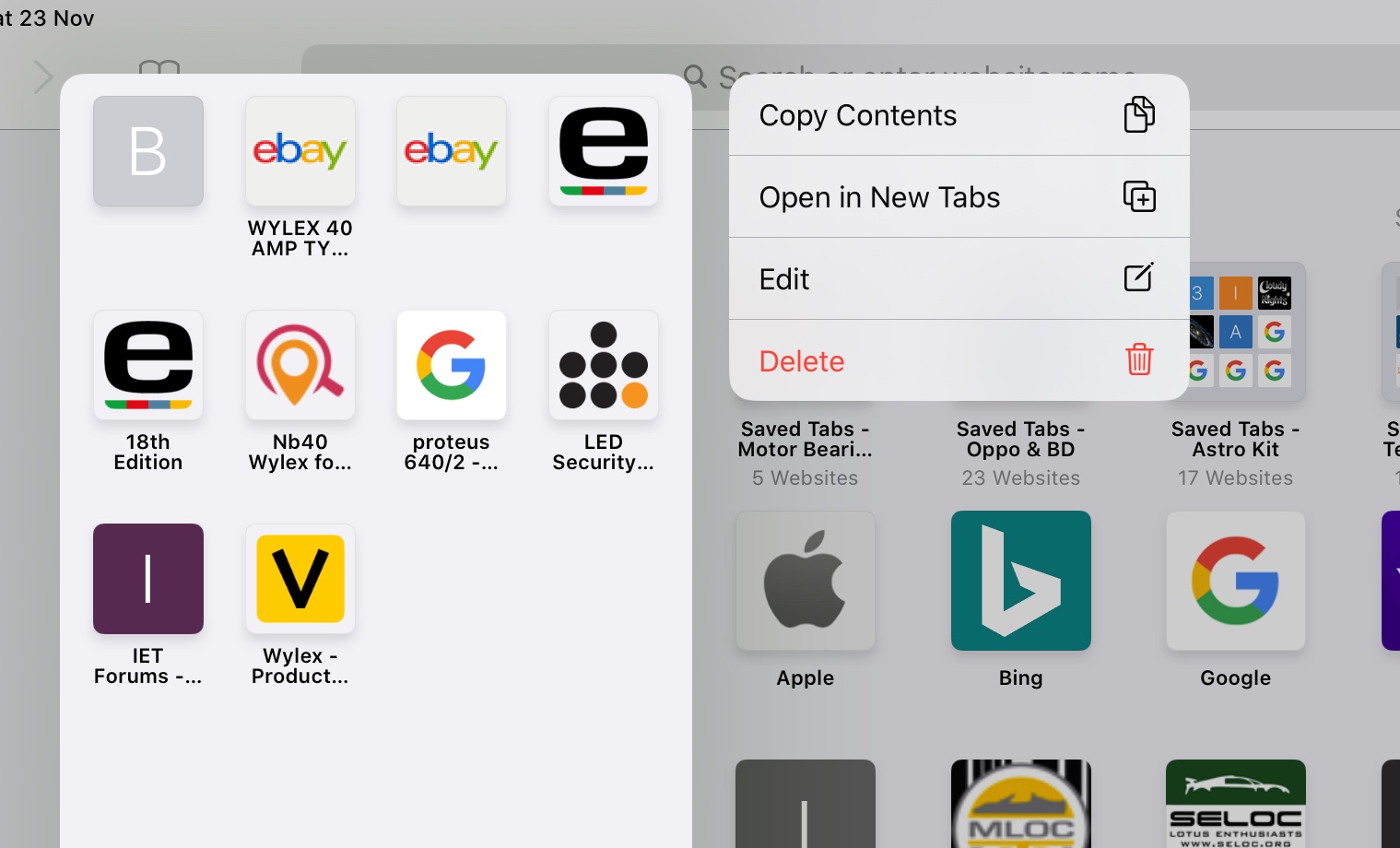
Now, all the tabs (and associated tab histories) will open in the new Safari Window - just as they were when you saved them. The new Safari window, with restored tabs, can be manipulated just like any other Safari window within iPadOS.
You can have as many saved sessions/folders as you like - all with unique names. So you could, for example, save your research project at various stages or times - ready for immediate recall at will. This save/restore process is very powerful - and is completely independent of the other mechanisms within Safari to restore closed windows or individual tabs. The saved sessions will persist and be synchronised with iCloud, like any other saved Favourite, until such time as you delete them.
I use this simple mechanism all the time - to manage individual (open) browsing sessions between, work, research and domestic - easily switching between them as needed. This process also protects you from the frustrations of an accidentally closed Safari window (or multiple windows).
I hope you find these tips helpful.







