
under ios 13 how to update medical id

under ios 13 how to update medical id


iPhone XR

Posted on Oct 2, 2019 5:20 PM

Reply
Question marked as Top-ranking reply

Posted on Oct 2, 2019 8:52 PM

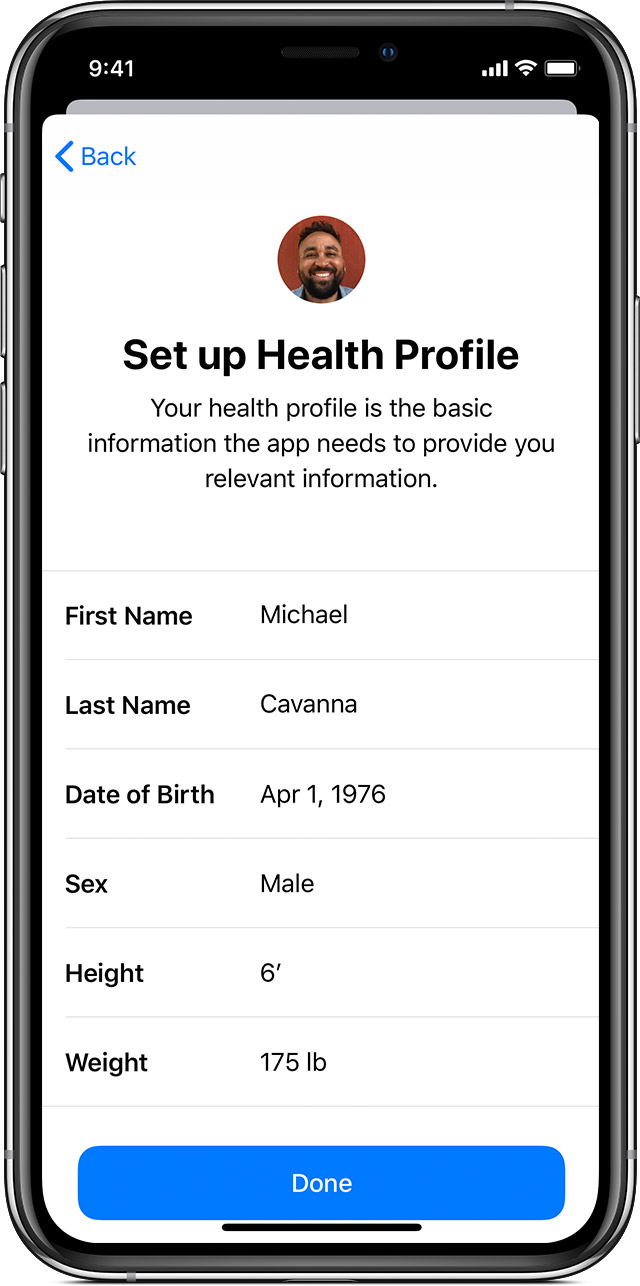
Set up your Health Profile (Medical ID)

  1. Open the Health app and tap the Summary tab. 
  2. Tap your profile picture  in the upper-right corner. 
  3. Tap Health Profile, then tap Edit. 
  4. Add your information, like height, weight, and age. 
  5. Tap Done. 
  6. You can also set up your Medical ID or register to be an organ donor from your profile. 

Your Apple Watch uses your personal information to calculate how many calories you burn and more. You can choose to share this information with other apps and it's kept up to date across all your devices. 

2 replies
Question marked as Top-ranking reply

Oct 2, 2019 8:52 PM in response to sonnyjf

Set up your Health Profile (Medical ID)

  1. Open the Health app and tap the Summary tab. 
  2. Tap your profile picture  in the upper-right corner. 
  3. Tap Health Profile, then tap Edit. 
  4. Add your information, like height, weight, and age. 
  5. Tap Done. 
  6. You can also set up your Medical ID or register to be an organ donor from your profile. 

Your Apple Watch uses your personal information to calculate how many calories you burn and more. You can choose to share this information with other apps and it's kept up to date across all your devices. 


This thread has been closed by the system or the community team. You may vote for any posts you find helpful, or search the Community for additional answers.

under ios 13 how to update medical id

Welcome to Apple Support Community
A forum where Apple customers help each other with their products. Get started with your Apple Account.