You can do this and the custom colour palettes are stored in your local Library Colors folder as .clr files. You can share these between users for consistency.
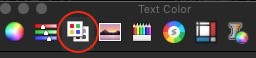
To start, you click the colour globe for text colour, and select its toolbar icon that looks like a palette. In the following, I also have additional tools that I have added which are not available from Apple:
- Click the gear icon on the right-side of the palette name selector and choose New.
- A default name will appear (e.g. Unnamed n) for the colour palette you are about to create. Select the gear icon, the Rename menu item, and give your new colour palette a proper name. This will also be its .clr filename.
- An initial colour will also be added and it will be the current colour selection. You can remove it by only using the [-] button. Change its name by single-clicking and altering its text description. Do not select the deceptive Remove menu option in the gear icon or the palette itself will be removed. There is a prompt to sanity check this mistake.
- New colours are added by selecting the specific colour in the respective RGB/Hex/CMYK/Grayscale slider panel, and then switching the tool to the palette tool and using the [+] button to add the current colour selection to the palette. You repeat this cycle until done. Your palette is autosaved to the external .clr file as you build it.
Here is a simple example where I attempted to self-document the individual colours in the custom palette:
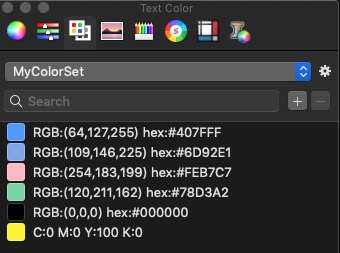
and it resides in my ~/Library/Colors folder as MyColorSet.clr.
Just understand that Pages is not a professional DTP application and it will force all explicit efforts at CMYK work to RGB on output content.

