FCPX 10.4.7. egpu problem

So, i just updated Catalina to my macbook pro and installed FCPX 10.4.7...

Am i missing something or what the heck is going on with the external GPU support here? I'm using Blackmagic eGPU pro btw.

That checkbox is now gone (right click on fcpx program icon) where you could select the use of eGPU on 10.4.6.

FCPX 10.4.7 use now eGPU render/export only. Not for playback what i'm used to. So this 10.4.7 is useless to me right now...

Anyone have same problem?

MacBook Pro with Touch Bar

Posted on Oct 8, 2019 8:08 AM

Reply
Question marked as Top-ranking reply

Posted on Oct 16, 2019 8:51 AM

Let me preface this by saying that this is the fastest FCPX has ever run on any system i have ever had, its amazingly fast - Im super super happy with it.


My setup when i updated to FCPX 10.4.7 & Catalina was as follows:

Late 2014 5K iMac 27inch - 4 GHz Quad-Core Intel Core i7 - 32 GB 1600 MHz DDR3

AMD Radeon R9 M295X 4 GB graphics

MacOS Catalina 10.15

FCPX 10.4.7

Target Display mode with a late 2011 27inch iMac and external 55inch UHD monitor connected to an

Akitio Node Pro - Vega 64 daisy chained to an Akitio SSD bay (4TB Raid0)


The above setup worked very well in FCPX 10.4.6 & Mojave - FCPX would use both internal and external GPU in tandem and never would i experience any lag though i had to open FCPX in low resolution mode for it to work properly. I would force the eGPU & Low Resolution mode from the Finder.
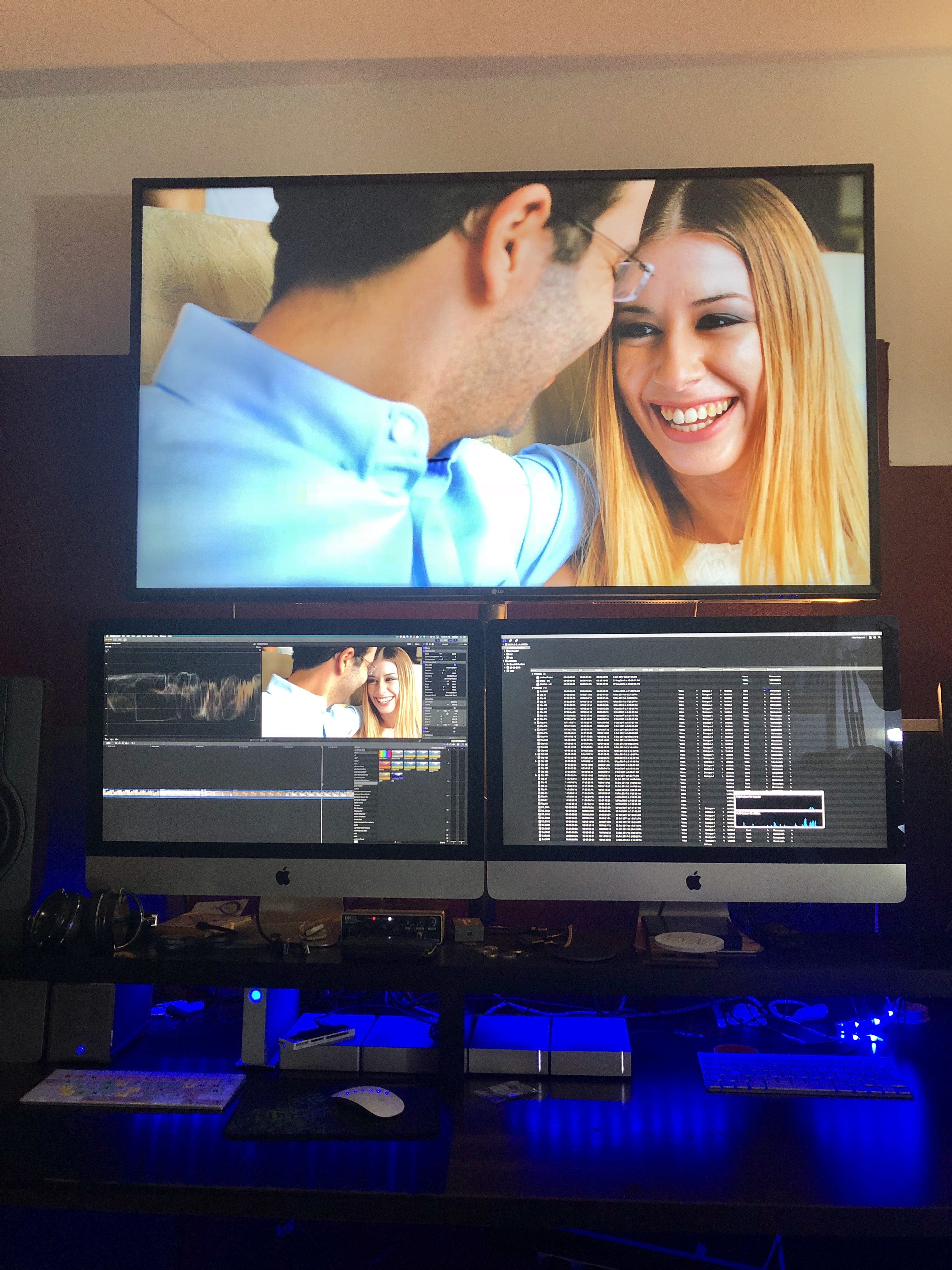

Original Setup with an older iMac as a secondary display.
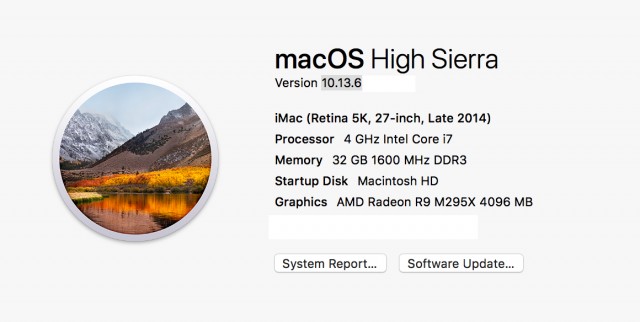
Before the Update - with a Vega64


After the update (to FCPX 10.4.7 & Catalina) only the internal GPU was utilised so i tried testing various setups and options finally concluding to remove the 2nd iMac (Target Display) from the equation and use an external monitor powered from the eGPU directly instead.


From the System Preferences i set one of the external monitors as the main monitor (Dragged the menu bar). Then i opened FCPX and chose through Preferences my external GPU. After that - wow - everything was been running super smooth super fast - with my usual effects maxed out. And the thing is that now the internal GPU is only used for h.264 sharing.
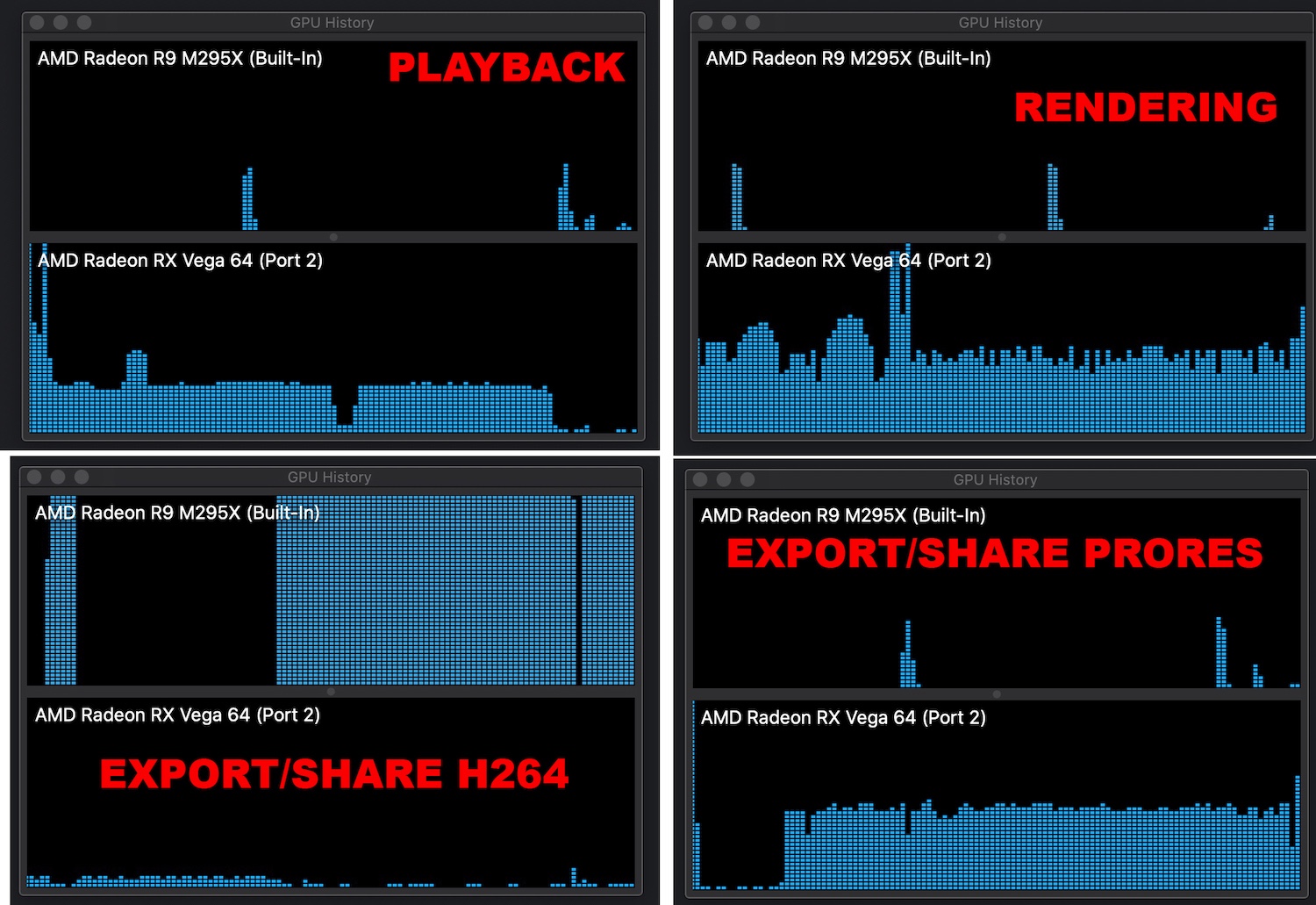

.


Also i have noticed that if you choose an external monitor powered through an eGPU as your main display MacOS will recognise the eGPU as your main graphics card.
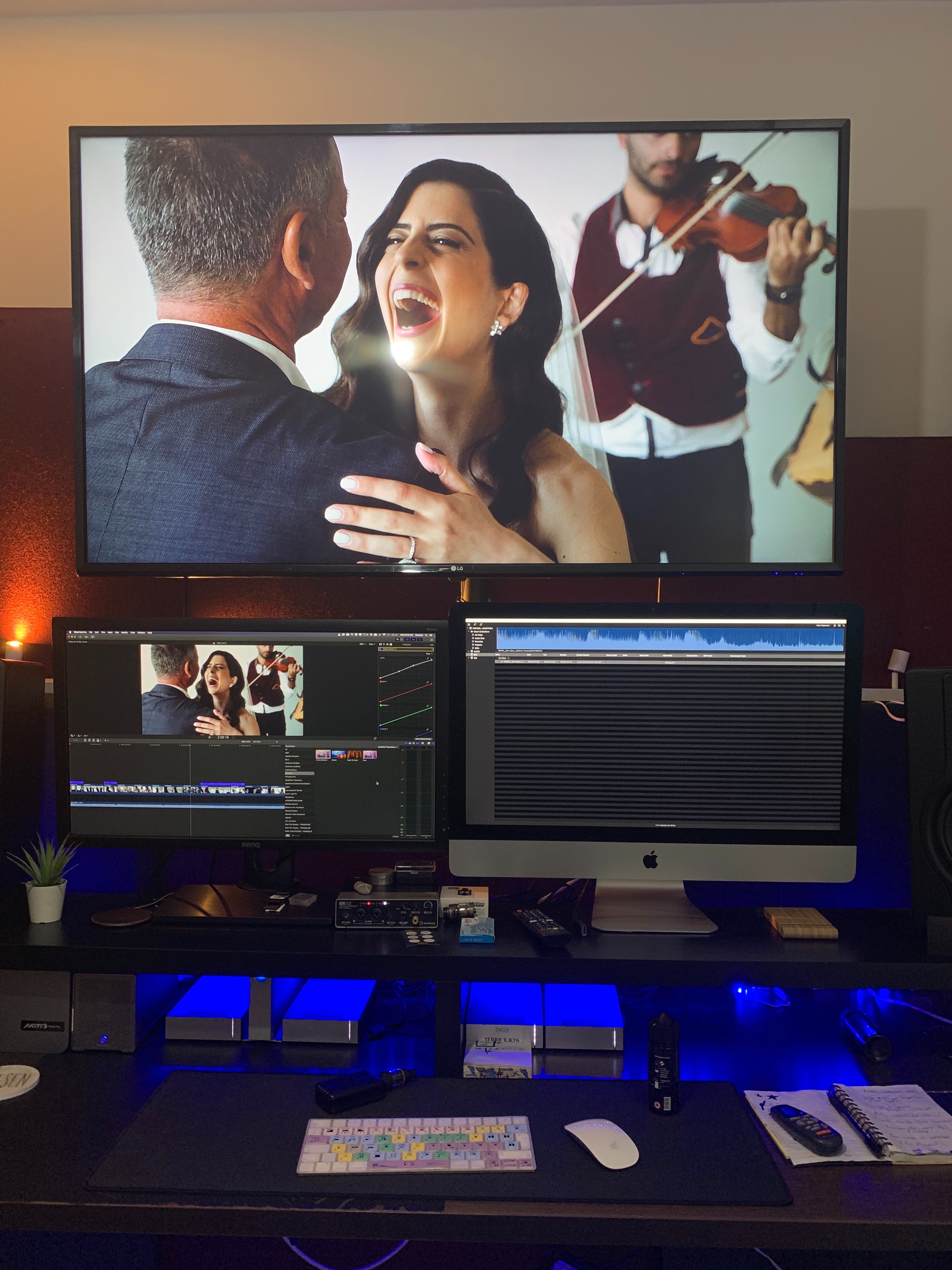
So now my main monitor now is a 27inch BenQ. Doesn't look that nice but if im getting the performance boost who cares.


When external monitor is used as main Display
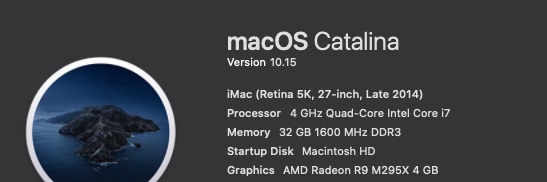

When iMac is used as main Display


Which could essentially mean that we are getting full eGPU support across the board. I don't have the time to test this but im sure someone out there could test it out.

227 replies

Jan 7, 2020 5:49 PM in response to abjacobs

Any idea where all of todays posts have gone?


What was said (in the post from Interceptor121 to my post - which have been deleted with others) all makes sense. However the i9 MBP16 was beaten by the Mac Mini i7. I tried this a few times and it was either very very close or beaten.


Re the upload, from what I can see all the 'hard' work is done until the process reaches 50% then it seems to switch to upload, is this correct? My upload speed is consistently 20Mbit and the 2 Macs were never running uploads at the same time, so were not contending for speed.


The MBP had a 5500m with 4Gb ram (so the mid spec - or high Apple store spec) so middle of the road in the lineup of MBP16's, overall though I have found the system somewhat underwhelming.


I have uploaded a video of my setup running a render then upload below. It shows a render first then render/share to Youtube. The render works well with the eGPU the share does not.


The advice on exporting to h264 then uploading directly to Youtube is useful, can this be automated with compressor if it takes better advantage of the eGPU? and I presume the set-eGPU.sh script is now defunct for Catalina?


https://youtu.be/cXU4pkyY5l4

Jan 7, 2020 10:41 PM in response to MrBroons

The posts have been deleted by the bot that manages the forum as there were a number if inappropriate ones nested with good ones so it clears it up

I didn’t know the mbp was middle of the road and likely the timeline was not rendered but probably you have seen even with 4 GB it was not too far off the mini with eGPU with 8 GB vram.

the script eGPU.sh didn’t do anything else than go into all your app and set the prefer external eGPU flag

regarding YouTube it is bizarre that the path share to you tube and h264 produce different results. However if you notice in the export to YouTube there is a choice of better quality or speed in H264 there isn’t (I presume because is using hardware acceleration) and compressor may do something different in turn


Jan 8, 2020 1:22 AM in response to Interceptor121

Sorry I'm not explaining myself well.


There are 3 general MBP 16" specs CPU/graphics wise.


1) i7 with 5300m with 4Gb vram - Available at any apple store

2) i9 with 5500m with 4Gb vram - Available at any apple store

3) i9 with 5500m with 8Gb vram - BTO


The GPU can be had on either CPU but to keep things simple I have not shown every permutation, the rest of which are all BTO.


I have tried both item 1 and 2 (both of the readily available shop specifications) and can confirm that the Mac Mini was either very close or was better than the Macbook Pro. Again just to confirm this was a Mac Mini i7 3.2 with 32Gb RAM and NO eGPU, just the UHD 630 integrated graphics.


So I'm a little perplexed as to why both the eGPU platform is so useless now and why my Mac Mini is competitive with an i9 MBP with the 5500m graphics.


On a separate note I thought I would give Davinci Resolve a look. I'm not keen on the interface (I've just learned FCPX) but also DR appears to have a broken export to Youtube so that doesn't work either! Who knew this was going to be so difficult getting video's to Youtube. Probably should just stick with iMovie :-)

Feb 28, 2020 5:52 AM in response to Interceptor121

You are wrong, my stopwatch says otherwise.


When the egpu works as it is intended then my renders take about 5 mins. When the egpu is not working they take 30+ mins on a mac mini and 13" mbp.


It 10.4.6 they were 5 mins (Because the egpu was doing the work) 10.4.7. the egpu wasn't working. In 10.4.8 using my export/share method, my renders are back in the 5 minute range.


You can't argue with a stopwatch and actual time to render a project, no matter how much you try, you are just wrong.....Accept this and move on!

Feb 28, 2020 9:14 AM in response to Interceptor121

I have reported and responded to a real issue that I and many others have experienced.


I have provided a work-around that means that my egpu is doing what it was supposed to do (and why I purchased it). My projects take 30+ mins on the mac mini to render but only 5 when using the egpu THOSE ARE THE FACTS! TIME IS MONEY! This has also, as other posts confirm, worked for others!


My videos now take the same time as they did to render/share/export as they did in 10.4.6, that is ALL THAT MATTERS.


Why do you persist in arguing when it's not an issue you've experienced or have any first hand knowledge of???

This thread has been closed by the system or the community team. You may vote for any posts you find helpful, or search the Community for additional answers.

FCPX 10.4.7. egpu problem

Welcome to Apple Support Community
A forum where Apple customers help each other with their products. Get started with your Apple Account.
