
ios 13 update. now stuck on black screen with loading circle. help
I have updated my phone an it’s now stuck on black screen with loading circle. What can I do
iPhone 8, iOS 13
I have updated my phone an it’s now stuck on black screen with loading circle. What can I do
iPhone 8, iOS 13
Hi Lou,
Thanks for reaching out in Apple Support Communities. I understand that after updating your iPhone it's frozen on a screen with a spinning gear. I can see why you'd reach out about this behavior; I'd like to help. First, try these steps to force your iPhone to restart:
If your iPhone, iPad, or iPod touch won't turn on or is frozen
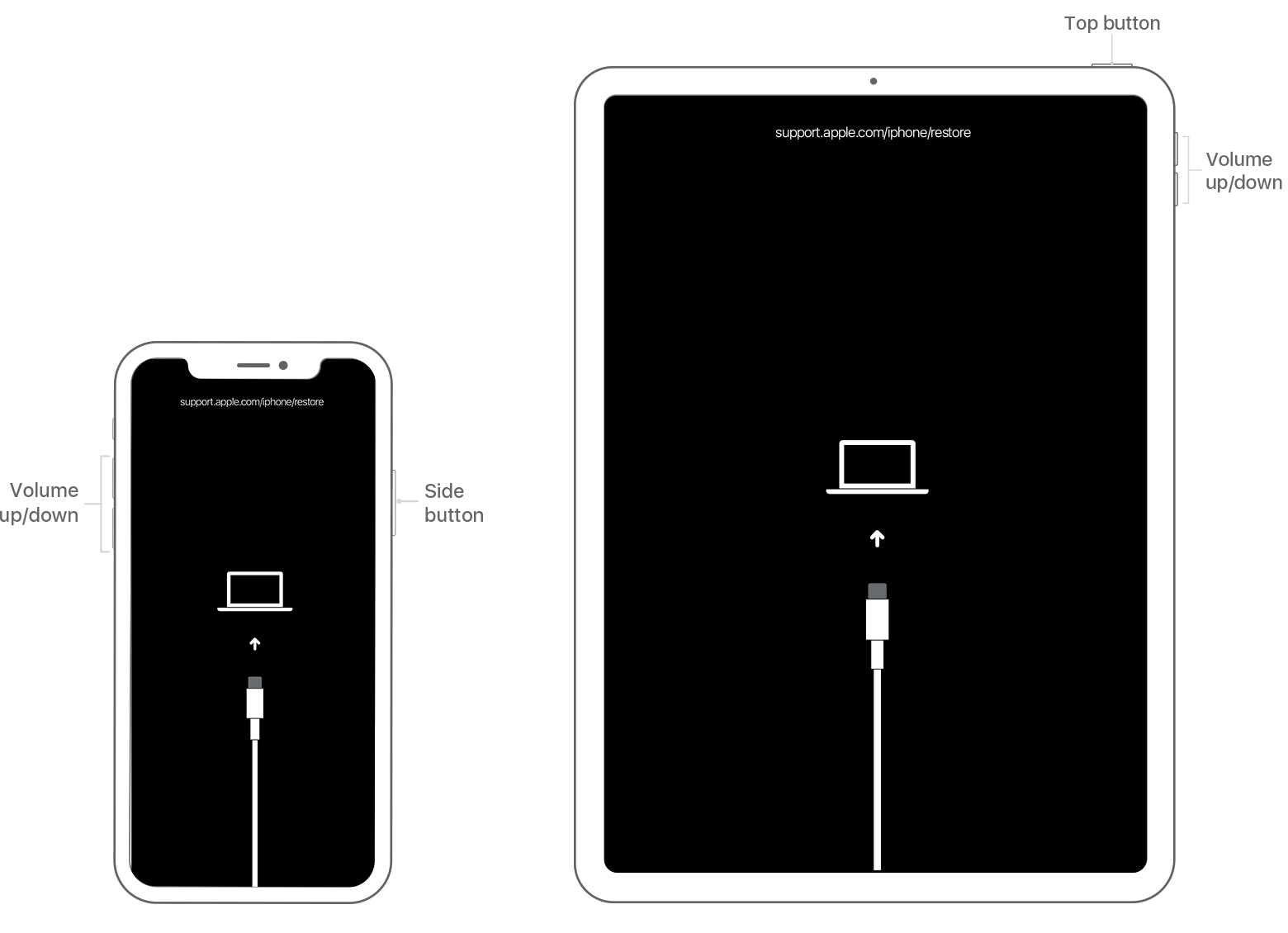
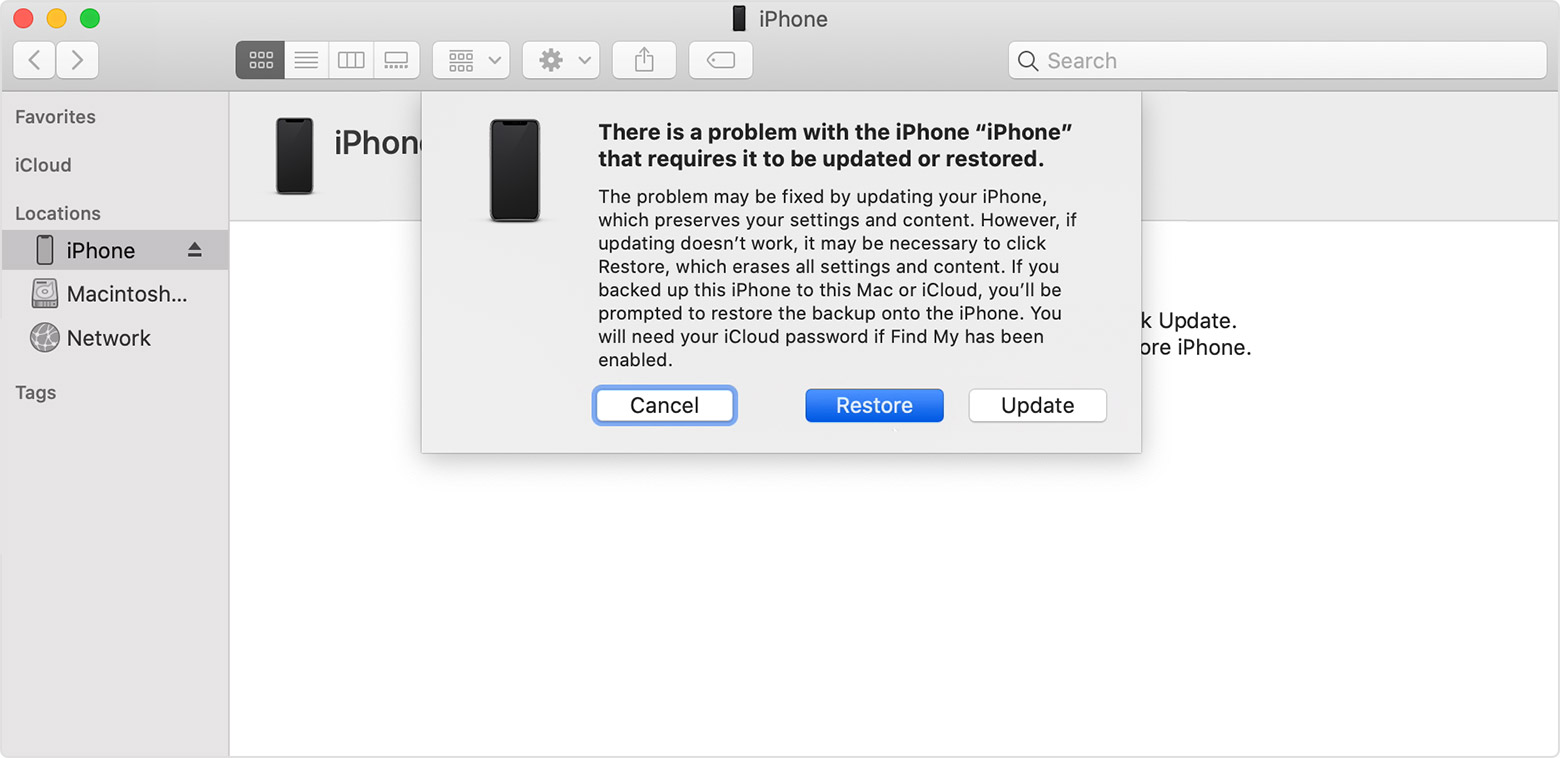
If you continue to see the screen with a spinning gear after restarting your iPhone, you'll want to use these steps to restore the device as new using recovery mode. Please not that this process will erase all personal data from your device:
"If you backed up your device, you can restore your data and settings after restoring your device.

Get more help
If you can't update or restore your device using recovery mode, or you can't use recovery mode because of broken or stuck buttons, contact Apple Support. Then follow the steps to set up service for your iPhone, iPad, or iPod touch."
If you forgot the passcode for your iPhone, iPad, or iPod touch, or your device is disabled
If you have a recent backup for your device, you can use these steps to restore it once the steps above are complete: Restore your iPhone, iPad, or iPod touch from a backup
Best Regards.
Hi Lou,
Thanks for reaching out in Apple Support Communities. I understand that after updating your iPhone it's frozen on a screen with a spinning gear. I can see why you'd reach out about this behavior; I'd like to help. First, try these steps to force your iPhone to restart:
If your iPhone, iPad, or iPod touch won't turn on or is frozen
If you continue to see the screen with a spinning gear after restarting your iPhone, you'll want to use these steps to restore the device as new using recovery mode. Please not that this process will erase all personal data from your device:
"If you backed up your device, you can restore your data and settings after restoring your device.
Get more help
If you can't update or restore your device using recovery mode, or you can't use recovery mode because of broken or stuck buttons, contact Apple Support. Then follow the steps to set up service for your iPhone, iPad, or iPod touch."
If you forgot the passcode for your iPhone, iPad, or iPod touch, or your device is disabled
If you have a recent backup for your device, you can use these steps to restore it once the steps above are complete: Restore your iPhone, iPad, or iPod touch from a backup
Best Regards.
ios 13 update. now stuck on black screen with loading circle. help

