
RTT only shows up on one number, how do I take it off?
RTT only shows up on one number, how do I take it off?
iPhone XS Max, iOS 13
RTT only shows up on one number, how do I take it off?
iPhone XS Max, iOS 13
Hi kadedra97,
Thanks for posting! As I understand it, you might be seeing an RTT option specific to one phone number.
To clarify, where are you seeing the mention of RTT? Is it appearing when you make a call as shown below? Make and receive RTT calls on your iPhone
"Place an RTT call
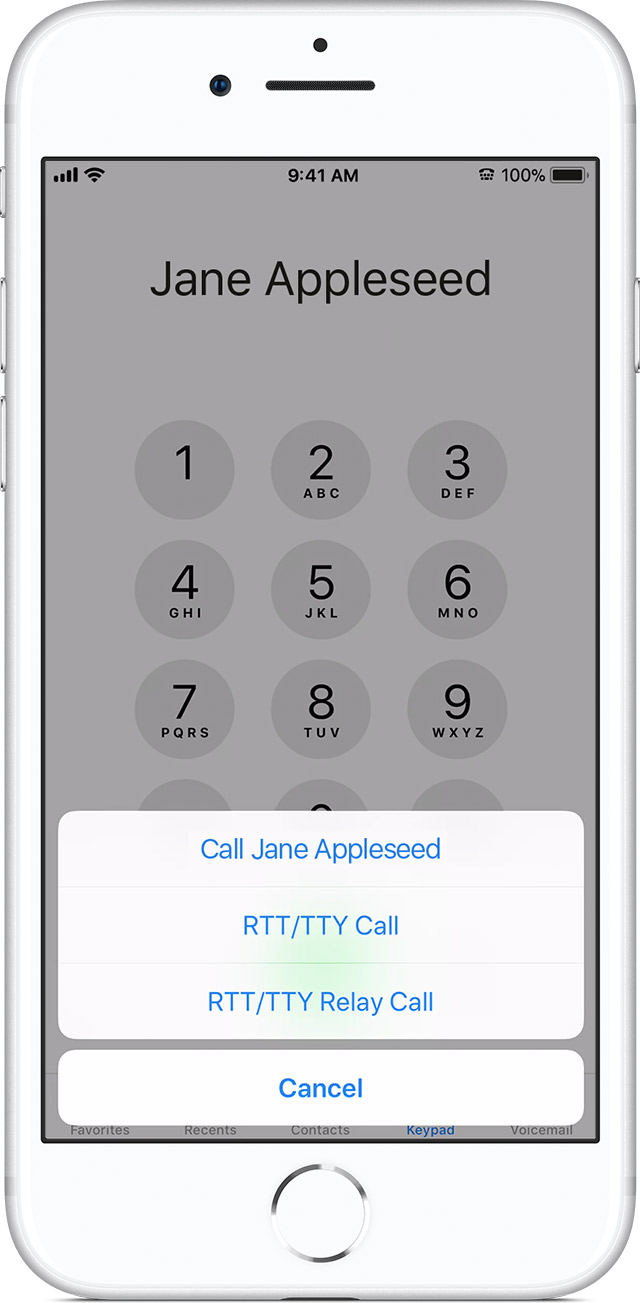 "
"'
If you're not using RTT/TTY, you might tap Settings > Accessibility > RTT/TTY to make sure it's off.
You might also double-check contact details for the specific contact this is happening with: Edit contacts on iPhone
I hope I've answered your question! Take care.
Hi kadedra97,
Thanks for posting! As I understand it, you might be seeing an RTT option specific to one phone number.
To clarify, where are you seeing the mention of RTT? Is it appearing when you make a call as shown below? Make and receive RTT calls on your iPhone
"Place an RTT call
"'
If you're not using RTT/TTY, you might tap Settings > Accessibility > RTT/TTY to make sure it's off.
You might also double-check contact details for the specific contact this is happening with: Edit contacts on iPhone
I hope I've answered your question! Take care.
Hi kadedra97,
Thanks for the reply. If you tap that RTT icon, does it turn it off? Try that, and then make a second call to the person; does the icon come back?
As another possibility, are you using any paired Bluetooth devices with your iPhone? You can check under Settings > Bluetooth.
Cheers.
No, there is a tiny phone symbol next to the number and when I call out the RTT is in the place where mute should be. I have already went to my setting to ensure the RTT was no on.
RTT only shows up on one number, how do I take it off?


