
find my ipad
how can i locate my ipad
iPad mini 4, iOS 12
how can i locate my ipad
iPad mini 4, iOS 12
Read this link please: Locate a lost or stolen device - https://support.apple.com/HT210515#locate
See also the very end of the document for how to see it in iCloud.com
The ability to find a device depends upon which features you selected in:
Set up Find My on your iPhone, Mac, and other devices - https://support.apple.com/HT210400#enablefindmy
Read this link please: Locate a lost or stolen device - https://support.apple.com/HT210515#locate
See also the very end of the document for how to see it in iCloud.com
The ability to find a device depends upon which features you selected in:
Set up Find My on your iPhone, Mac, and other devices - https://support.apple.com/HT210400#enablefindmy
Good morning g. david,
Thanks for reaching out! More details and the information below can be found here: https://support.apple.com/en-ca/guide/iphone/iph09b087eda/12.0/ios/12.0
Use Find My iPhone to locate your device
The Find My iPhone app helps you locate and protect your lost or stolen iPhone, iPad, iPod touch, Apple Watch, AirPods, or Mac. If you lose your device, use the Find My iPhone app on another device, or use the on any Mac or PC, to locate your device on a map, lock it remotely, play a sound, display a message, or erase all its data. Find My iPhone includes a feature called that prevents anyone else from activating and using your device, even if it’s completely erased.helps you locate and protect your lost or stolen iPhone, iPad, iPod touch, Apple Watch, AirPods, or Mac. If you lose your device, use the Find My iPhone app on another device, or use the on any Mac or PC, to locate your device on a map, lock it remotely, play a sound, display a message, or erase all its data. Find My iPhone includes a feature called that prevents anyone else from activating and using your device, even if it’s completely erased.Activation LockFind My iPhone web app
Important: To use these features, you need to set up and turn on Find My [device] on each device (except AirPods) before it’s lost. Also, your device must be able to connect to the Internet. (Find My iPhone is automatically turned on for AirPods you’re using with a device that has Find My [device] turned on.)
There seems to be an increasing disinclination for people to click on links and read articles and for helpers here to copy and paste articles to responses here (I know, it is too much to expect somebody to do a single mouse click to read an article). So I'll join in and provide what I linked earlier.
Find a missing device
If you turn on Find My [device] before your device goes missing, you can use Find My to get it back, even if your device is hidden under a chair cushion, in another room, or somewhere across town. If Offline Finding is on, you can also find a device that's not connected to a network.
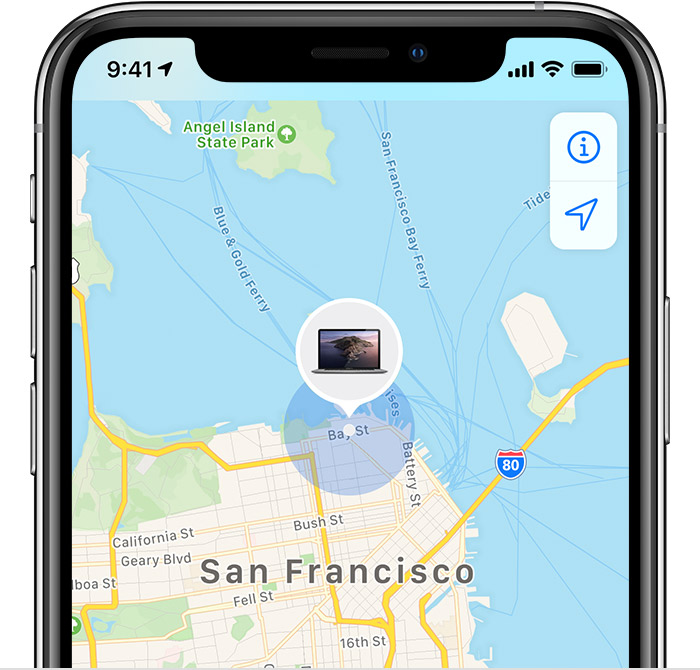
See it on the map
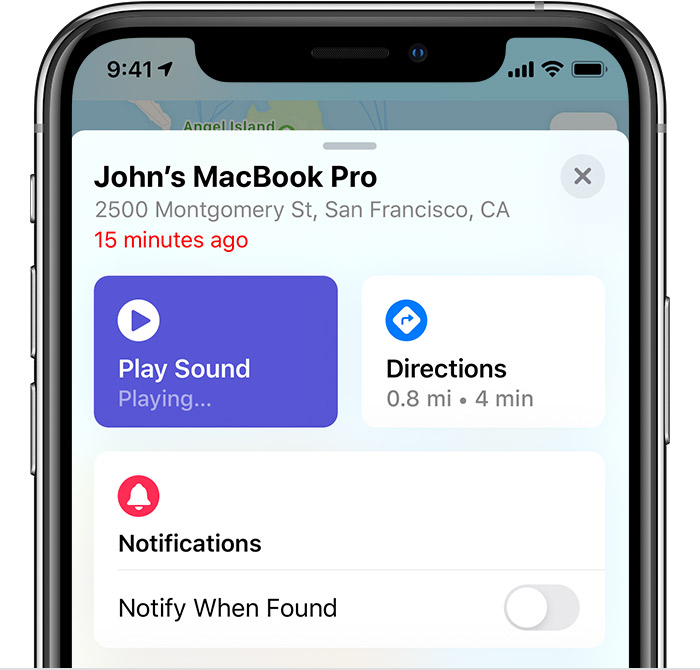
Play a sound
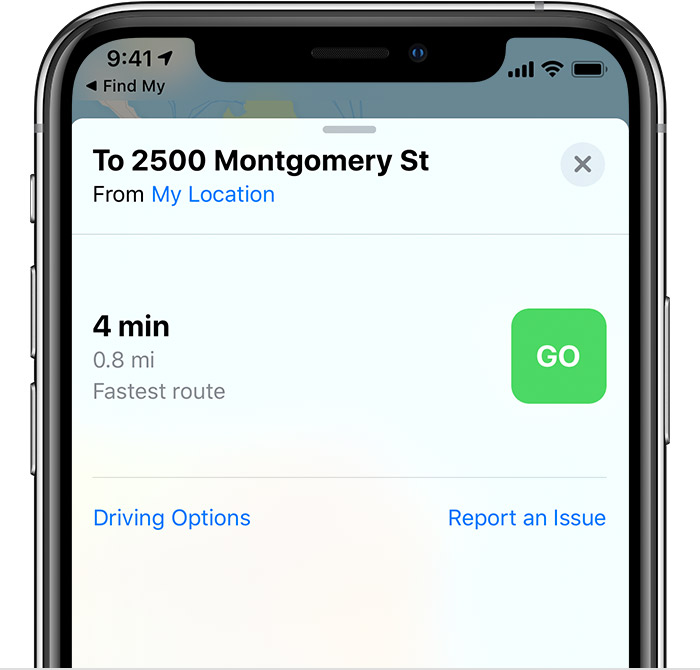
Get directions
Find a missing device from iCloud.com
When you log in to iCloud.com with
the Apple ID that you used to sign in on the missing device, you can
use Find My iPhone to locate the device, have it play a sound, mark it
as lost, or erase it remotely.
The information is based on the information that you provided, iPad mini 4 with iOS 12.
find my ipad

