iMessage not working after upgrading to iOS 13.2

I’ve updated the iOS yesterday and imessage is not working. Can’t log into Apple ID after the prompt on settings-> messages -> use your apple ID for iMessages


the spool keeps spinning to sign on but nothing happening.


ive done toggling iMessages on and off, airplane mode, resetting network settings and turning power off on the phone but still cannot get iMessages to work.


I suspect issue is something to do with new iOS update. Anyone have any ideas or will Apple take this issue and fix it quick please?? Can’t get any message which is annoying :(

iPhone 7 Plus

Posted on Nov 2, 2019 3:17 AM

Reply
Question marked as Top-ranking reply

Posted on Nov 4, 2019 3:24 PM

hi,

after doing what SravanKrA suggested above and nothing worked so I contacted apple support. first support person tried to help me and suggested all the above and I was then escalated to senior support.


long story short, I had to "reset all settings" and it seemed to do the trick. support person said seems like a software issue and just had to clear things out. I also didn't have two-factor authentication set up (I found it too much trouble) but support guy said to turn it on and also seemed to do the trick....


try setting up two-factor authentication and see if that works.

if you still have problems, then a ring to the apple support might help if they could see whether your Apple ID (phone number) is registered/connected. if that's the case they may suggest to "reset all settings" (might still want to do that on your own anyway...as its just settings and nothing else gets wiped).


I'm up and running after probably speaking with apple support for a couple of hours; do let me know how you get on.

7 replies
Question marked as Top-ranking reply

Nov 4, 2019 3:24 PM in response to That_Guy_AppleUser

hi,

after doing what SravanKrA suggested above and nothing worked so I contacted apple support. first support person tried to help me and suggested all the above and I was then escalated to senior support.


long story short, I had to "reset all settings" and it seemed to do the trick. support person said seems like a software issue and just had to clear things out. I also didn't have two-factor authentication set up (I found it too much trouble) but support guy said to turn it on and also seemed to do the trick....


try setting up two-factor authentication and see if that works.

if you still have problems, then a ring to the apple support might help if they could see whether your Apple ID (phone number) is registered/connected. if that's the case they may suggest to "reset all settings" (might still want to do that on your own anyway...as its just settings and nothing else gets wiped).


I'm up and running after probably speaking with apple support for a couple of hours; do let me know how you get on.

Nov 2, 2019 3:18 AM in response to yoda_kuro

This has nothing to do with iOS update.


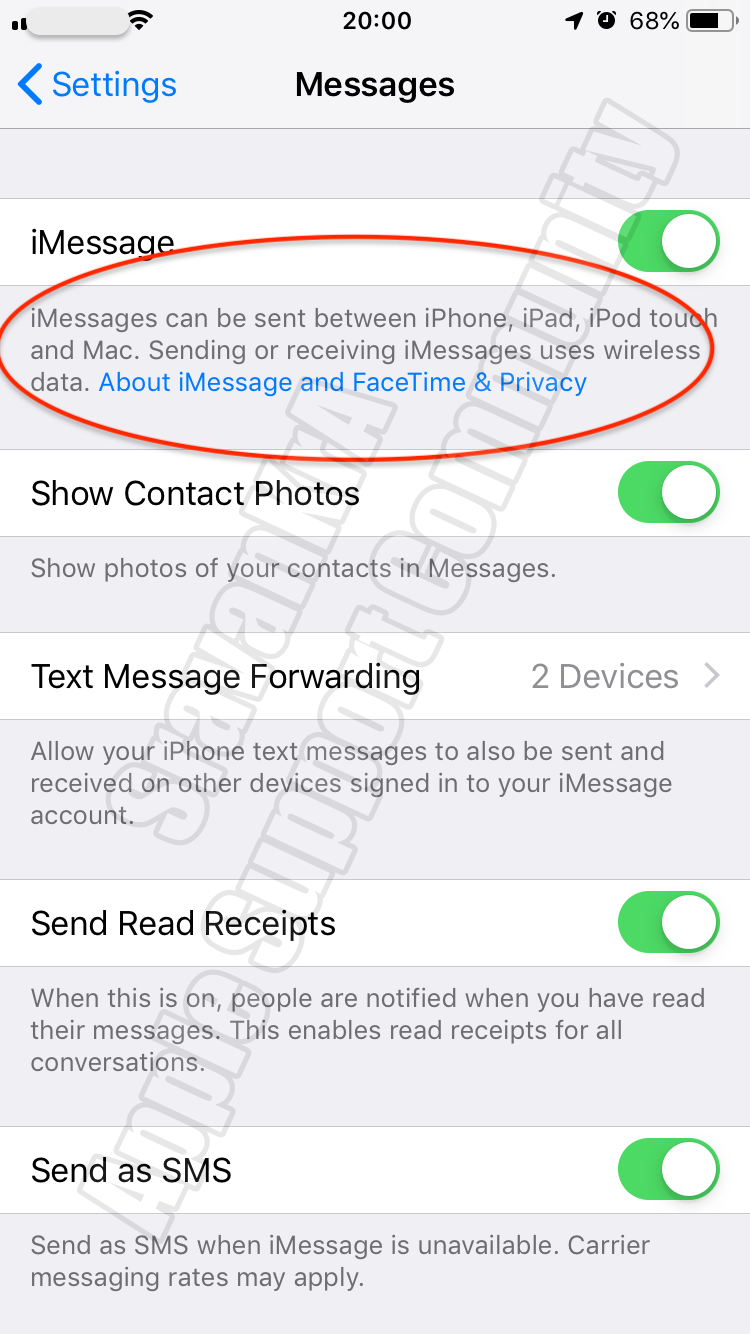
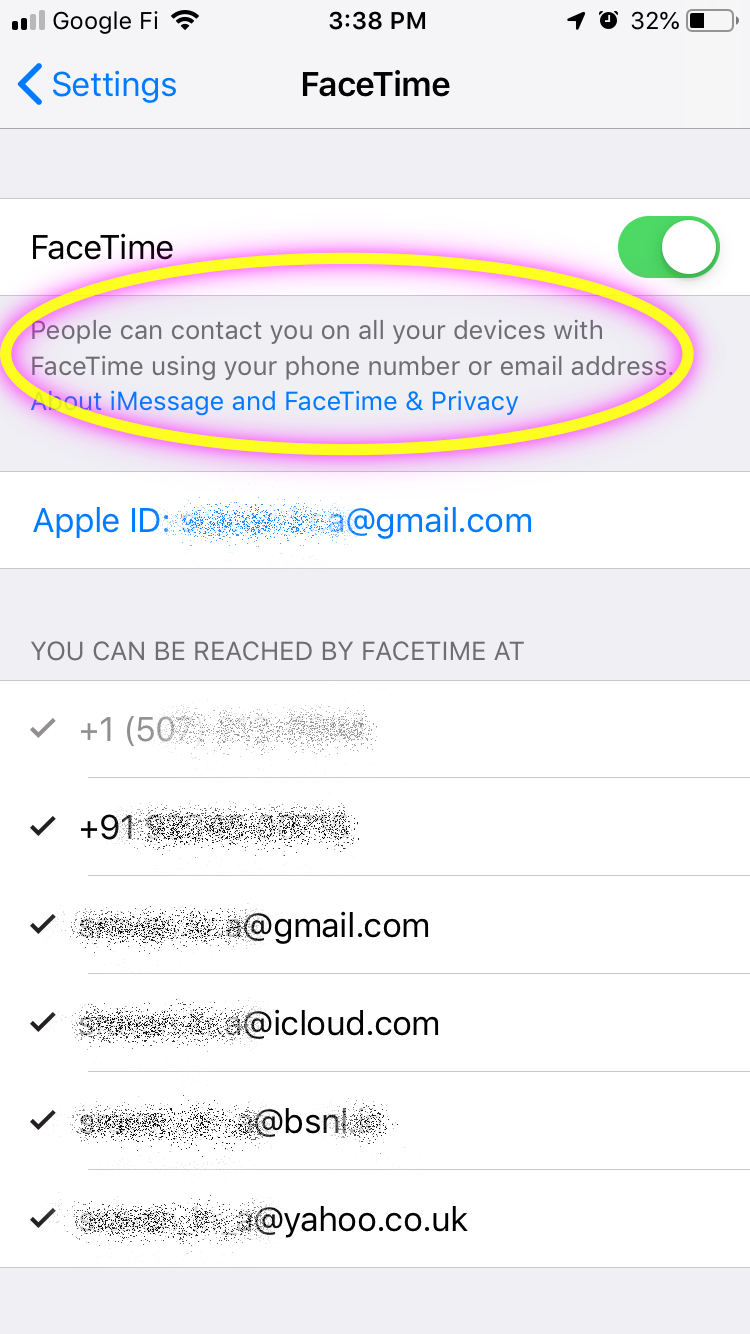
If you get an error when trying to activate iMessage or FaceTime

To use iMessage or FaceTime, you need to activate them on your iPhone, iPad, or iPod touch. If you see an error message during activation, follow these steps.


When activating iMessage or FaceTime, you might see one of these messages:

  • Waiting for activation
  • Activation unsuccessful
  • An error occurred during activation
  • Could not sign in, please check your network connection


Check your device settings

  1. Make sure that you’re connected to a cellular data or Wi-Fi network. If you're using an iPhone, you need SMS messaging to activate your phone number with iMessage and FaceTime. Depending on your carrier, you might be charged for this SMS.
  2. Go to Settings > General > Date & Time and make sure that your time zone is set correctly.


Turn off and restart iMessage and FaceTime

  1. Go to Settings > Messages and turn off iMessage.
  2. Go to Settings > FaceTime and turn off FaceTime.
  3. Restart your device.
  4. Turn iMessage and FaceTime back on.


Still not activated after a day?

It might take up to 24 hours to activate iMessage and FaceTime. If the issue continues after 24 hours, follow these steps:

  1. Make sure that your device has the latest version of iOS.
  2. If you're using an iPhone, contact your carrier to make sure that you can receive SMS messages.
  3. Contact Apple Support.


If you get an error when trying to activate iMessage or FaceTime ...

https://support.apple.com/en-in/HT201422

Nov 2, 2019 6:20 AM in response to SravanKrA

hi, thank you for the above; but I've done everything noted above (and it's been fine before the update). I've turned off iMessage and FaceTime then attempted a restart, then went back to settings to turn back iMessage and FaceTime on but it's already been turned on and says "waiting activation". mobile network fine as I can send text message (sms).


as it says "waiting for activation", and below it, it says 'use your Apple ID for iMessage" you try to sign in but this just hangs in a loop.

have checked iMessage server and its fine so really I am not sure what is wrong with the phone.


if its of any help, I was able to receive iMessage on the same phone with the current issue and I can still receive iMessages on my MacBook (even if it doesn't work on the phone).


maybe I have to contact applesupport


This thread has been closed by the system or the community team. You may vote for any posts you find helpful, or search the Community for additional answers.

iMessage not working after upgrading to iOS 13.2

Welcome to Apple Support Community
A forum where Apple customers help each other with their products. Get started with your Apple Account.