
How to gift apps overseas in countries where Apple Pay is not available ?
How to gift apps overseas in countries where Apple Pay is not available ?
How to gift apps overseas in countries where Apple Pay is not available ?
Good afternoon zafar259,
Welcome to the Apple Support Communities!
I understand you would like to know how to gift apps to friends or family overseas. The best way to do this is to send an email gift certificate so the recipients can purchase the software in the App Store for their country. The resource below explains how:
Send a gift from the App Store, iTunes Store, Apple Books, and more
"Gift Apple ID credit from your iPhone, iPad, or iPod touch
 at the top of the screen. If you're not signed in, sign in with your Apple ID.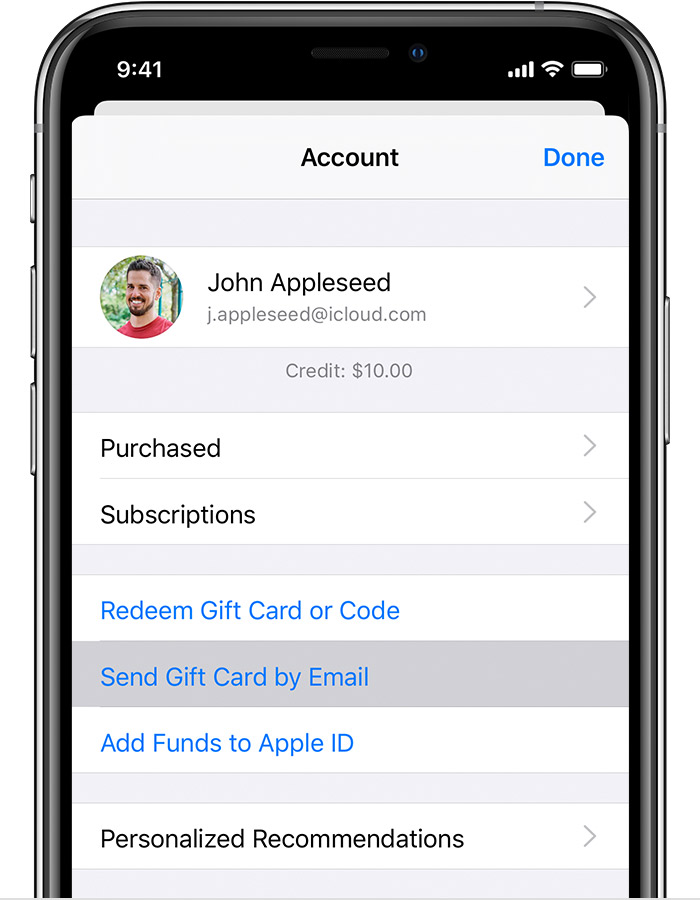
Happy Holidays!
Good afternoon zafar259,
Welcome to the Apple Support Communities!
I understand you would like to know how to gift apps to friends or family overseas. The best way to do this is to send an email gift certificate so the recipients can purchase the software in the App Store for their country. The resource below explains how:
Send a gift from the App Store, iTunes Store, Apple Books, and more
"Gift Apple ID credit from your iPhone, iPad, or iPod touch
at the top of the screen. If you're not signed in, sign in with your Apple ID.
Happy Holidays!
How to gift apps overseas in countries where Apple Pay is not available ?

