Lot's of holiday travel and to-do's so slow on the replies.
That max brightness at boot for both computer (personal iMac and work MacBookPro) happened immediately after Mojave to Catalina upgrades. With the first boot I just assumed something was set to 'max' as part of the upgrade. After a turning down the brightness and rebooting I noticed the issue (especially on the iMac which I keep darker due to location). The work laptop (which I didn't present the report for since it is work and not personal) was updated about a month later than the iMac and exhibited the exact same brightness setting issue only after the update (in fact I was curious if I'd have the same issue on the laptop since I knew about the iMac issue). The work laptop has no changed software at all on it, everything moved over as-is from Mojave.
As to your software installs and extension question for the iMac: Over the past 30 days I updated quite a bit of software as part of a move to Catalina and cleanup purge of my personal system. Migrated from Office for Mac to Office 365, moved from a Parallels/Windows based backup (SyncBack) to a Mac based (ChronoSync) and moved to a new add-blocking Safari add-on (1Blocker). For the Safari Extension: There are actually only 3: 1Blocker, Wipr and WebEx. It is just that 1Blocker and Wipr both require multiple 'extensions' for full functionality (see picture).
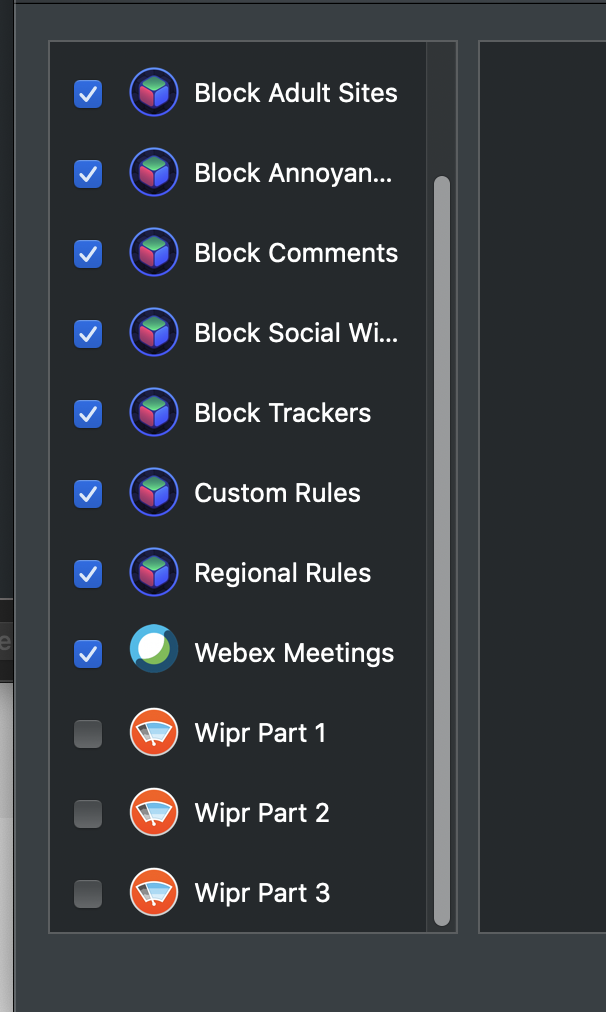
I am pretty happy with 1Blocker (which was added post Catalina as it requires 10.15.x) so I will probably uninstall Wipr.
If need be I can uninstall all of the extensions and reboot just to see if it matters (I'm not sure why a Safari extension would cause max brightness before ever booting up Safari, but I can try it just to eliminate). ChronoSync does boot early and is new since the update on both systems. I'd prefer to not have to uninstall it but I can if we think that might be a cause.
Thanks for any suggestions.


