
How to cancel 2-step verification process
How to cancel 2-step verification process
iPhone 6s Plus, iOS 12
How to cancel 2-step verification process
iPhone 6s Plus, iOS 12
Sign in to your Apple ID account page.
In the Security section, click Edit.
Click Turn Off Two-Step Verification. Click again to confirm.
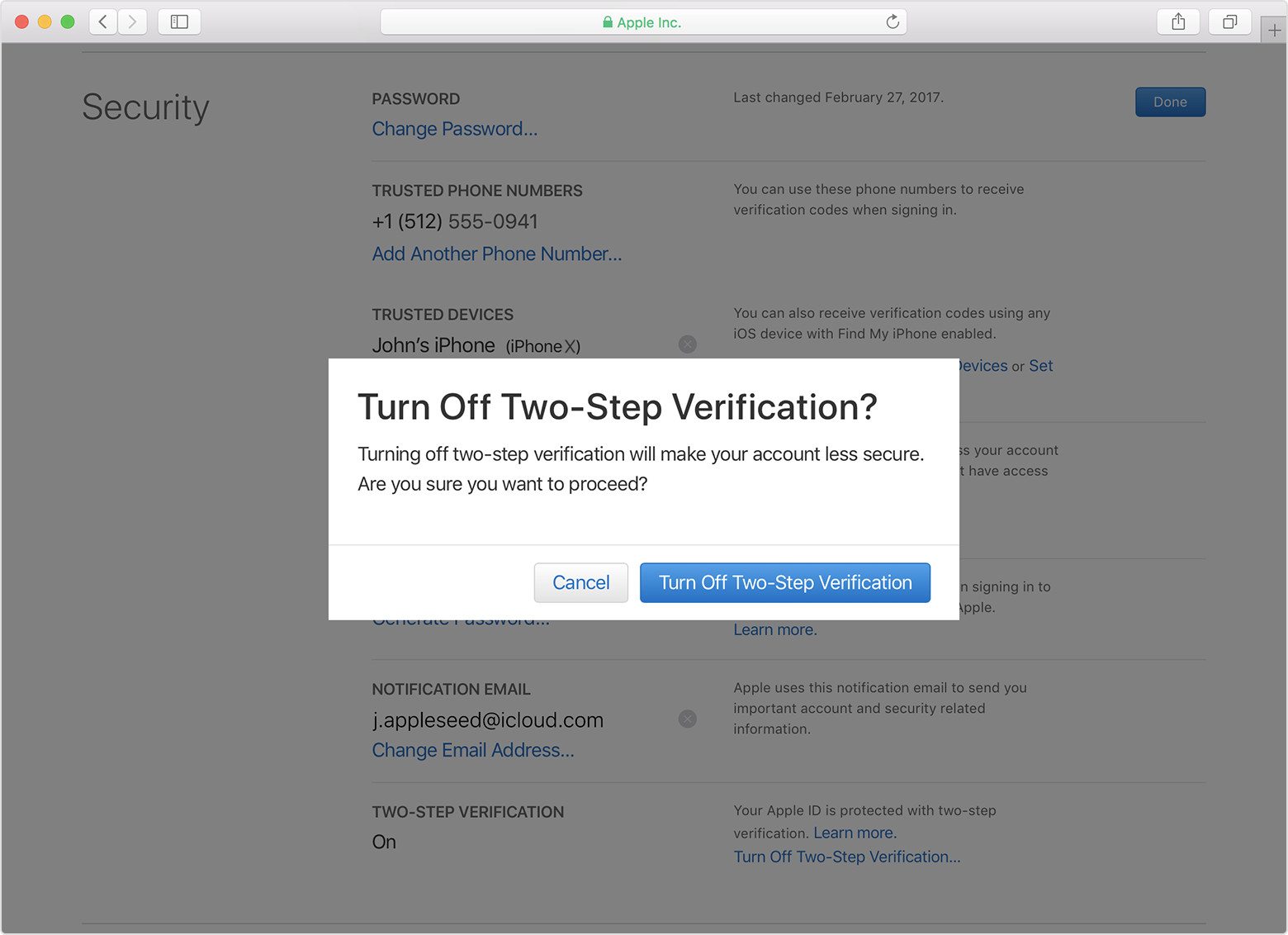
Create new security questions and verify your date of birth. You'll get an email confirming that two-step verification for your Apple ID is off.
Remember to make sure that you're still signed in to iCloud. You might be asked for your Apple ID password.
The process might bug you to get Two Factor Authentication !!
Sign in to your Apple ID account page.
In the Security section, click Edit.
Click Turn Off Two-Step Verification. Click again to confirm.
Create new security questions and verify your date of birth. You'll get an email confirming that two-step verification for your Apple ID is off.
Remember to make sure that you're still signed in to iCloud. You might be asked for your Apple ID password.
The process might bug you to get Two Factor Authentication !!
How to cancel 2-step verification process
