Exporting live photo and then re-importing them as live

Hi I had exported live photos in the past, thinking I wanted to be compatible with other Windows photo processing apps. Now I have moved solely into MAC.


On exporting a Live photo, Photos generates a JPEG file, an .MOV file and a .XMP file.


Is there a way for me to re-import the three files that Photos generates and import as one live pic?


Thanks

MacBook Air

Posted on Feb 3, 2020 3:24 PM

Reply
Question marked as Top-ranking reply

Posted on Feb 3, 2020 3:56 PM

It should work. When you import the three components of a live photo (the JPEG still frame, the .MOV video component, and the XPM sidecar file with the metadata) together at the same time into Photos for Mac, and the filenames have not been changed, they should appear stacked as a Live Photo in Photos.

But you have to make sure, that neither the video component nor the still frame are already in the Photos Library. Otherwise the duplicate detection will prevent the reimport of the components as one stacked Live Photo and you will get only a still image and video.

I just tested again and imported these three files together into a small test Photos Library and they appeared as a Live Photo: IMG_2059.heic, IMG_2059.mov, IMG_2059.xmp

Use "File > Import ..." in Photos to import the files together. You can only select the .MOV and the .JPEG files, the XMP sidecar files will be dimmed, but Photos will read and apply them nevertheless, when they are in the same folder as the other two files.


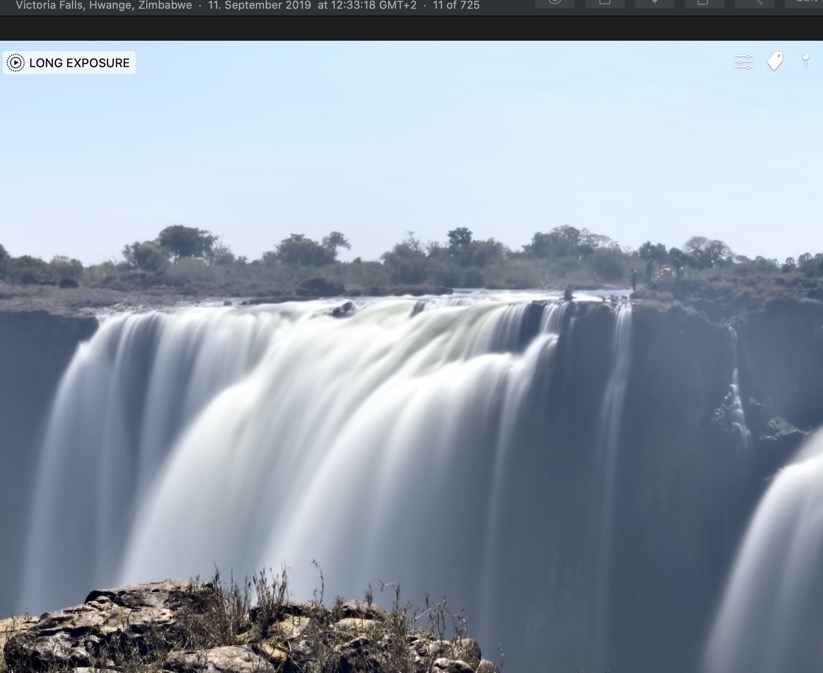
After reimporting the photo is again a Live Photo and I can add the effects like Loop or Long Exposure.

4 replies
Question marked as Top-ranking reply

Feb 3, 2020 3:56 PM in response to Rajiv Roy

It should work. When you import the three components of a live photo (the JPEG still frame, the .MOV video component, and the XPM sidecar file with the metadata) together at the same time into Photos for Mac, and the filenames have not been changed, they should appear stacked as a Live Photo in Photos.

But you have to make sure, that neither the video component nor the still frame are already in the Photos Library. Otherwise the duplicate detection will prevent the reimport of the components as one stacked Live Photo and you will get only a still image and video.

I just tested again and imported these three files together into a small test Photos Library and they appeared as a Live Photo: IMG_2059.heic, IMG_2059.mov, IMG_2059.xmp

Use "File > Import ..." in Photos to import the files together. You can only select the .MOV and the .JPEG files, the XMP sidecar files will be dimmed, but Photos will read and apply them nevertheless, when they are in the same folder as the other two files.


After reimporting the photo is again a Live Photo and I can add the effects like Loop or Long Exposure.

This thread has been closed by the system or the community team. You may vote for any posts you find helpful, or search the Community for additional answers.

Exporting live photo and then re-importing them as live

Welcome to Apple Support Community
A forum where Apple customers help each other with their products. Get started with your Apple Account.
