iphone sending sms by itself

i recently found a sms that had been sent by me, but that i know ive not sent . the text reads.

"acc6dab541df1161b796094649f4acf8 - be careful not to remove any symbols from here"

I did not know the number it was sent to and when i searched it i came up empty. now do i have to worry about this? I mean it feels wierd that it says that ive sent something when in reality i have not. i would be happy if any of you have a thought what this is.

iPhone XS Max, iOS 13

Posted on Mar 11, 2020 8:56 AM

Reply
Question marked as Top-ranking reply

Posted on Mar 11, 2020 9:03 AM

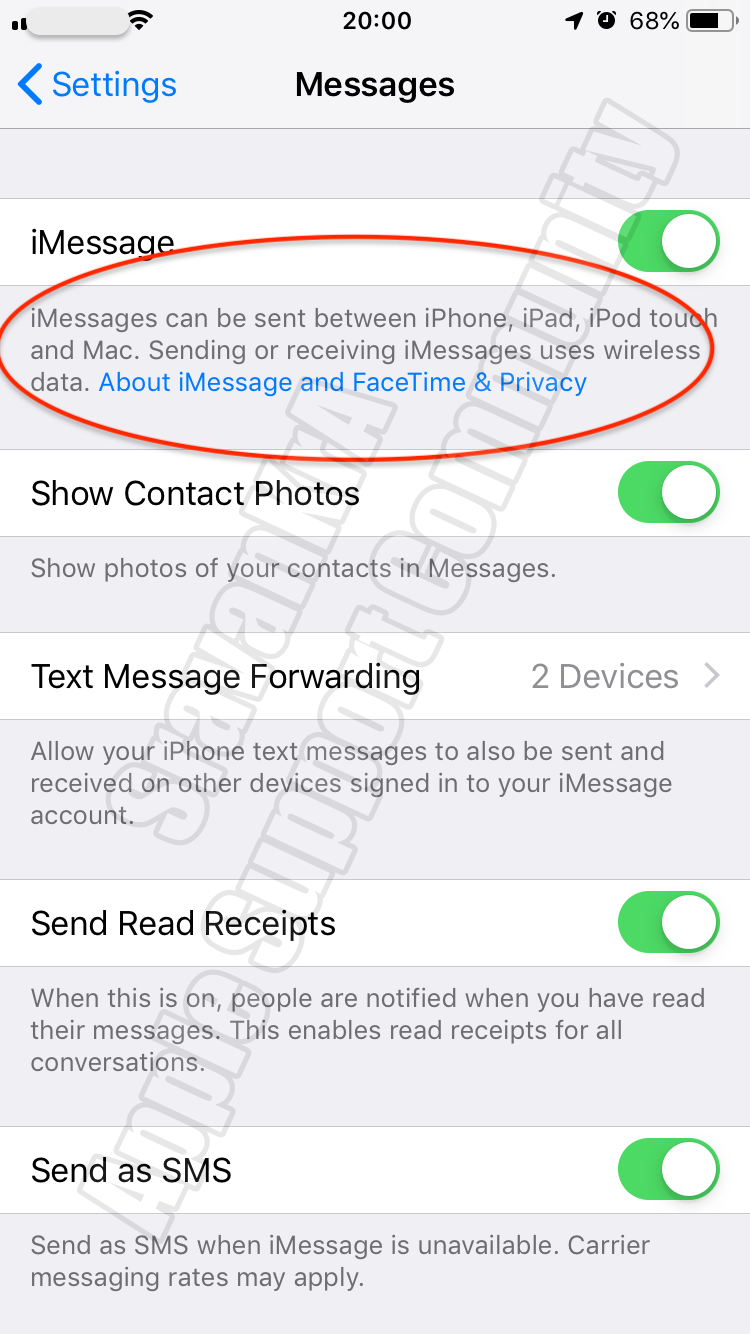
Were you trying to activate iMessage? That is the only time iPhone sends SMS, never ever.


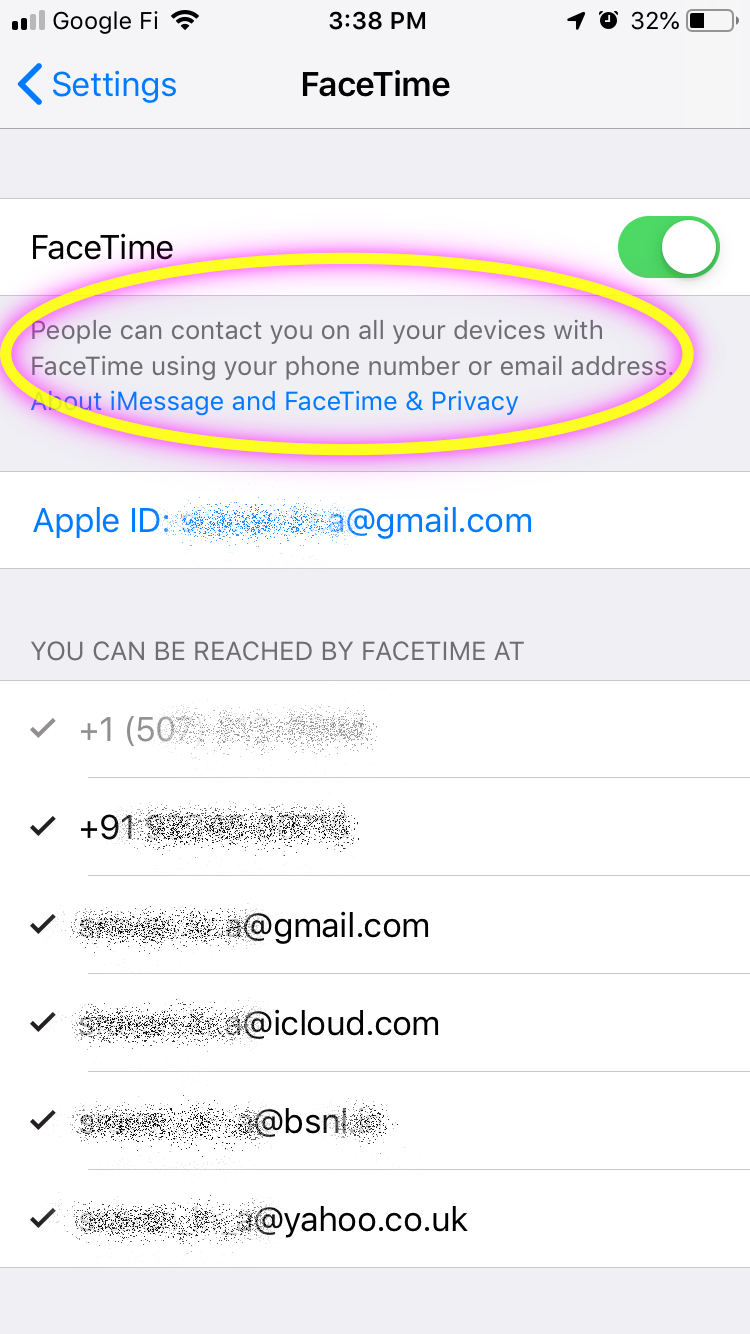
If you're using an iPhone, you need SMS messaging to activate your phone number with iMessage and FaceTime. Depending on your carrier, you might be charged for this (for iMessage activation only) SMS.


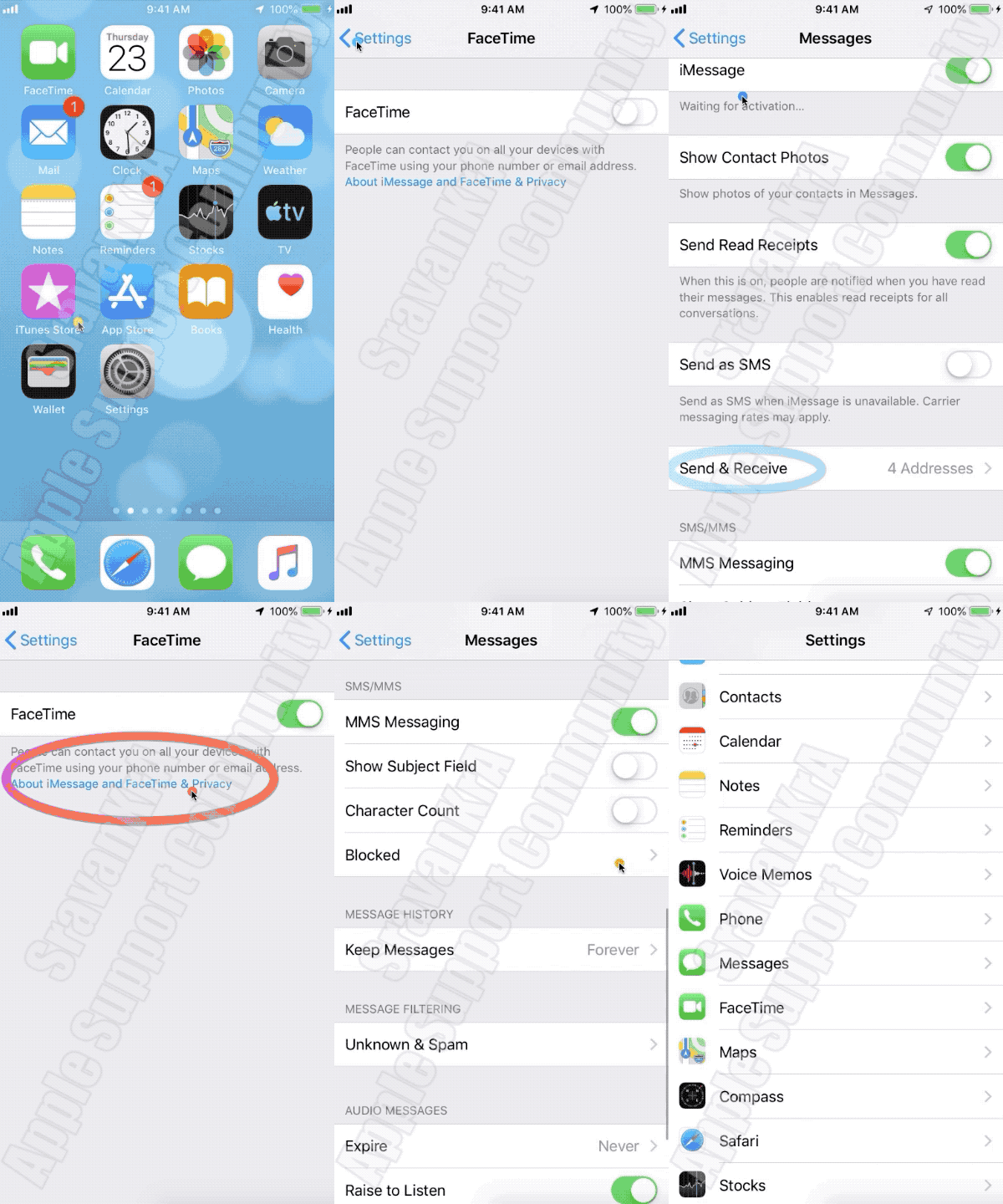
Turn off and restart iMessage and FaceTime (The order / sequence is very important)

  1. Go to Settings > Messages and turn off iMessage.
  2. Go to Settings > FaceTime and turn off FaceTime.
  3. Restart your device.
  4. Turn iMessage and FaceTime back on. (Watch the GIF below)


  • Still not activated after a day?
  1. It might take up to 24 hours to activate iMessage and FaceTime. If the issue continues after 24 hours, follow these steps:
  2. Make sure that your device has the latest version of iOS.
  3. If you're using an iPhone, contact your carrier to make sure that you can receive SMS messages.
  4. Contact Apple Support.


If you do not want to use Phone Number for iMessages then you can send it over WiFi without SIM through your Apple ID.


If you get an error when trying to activate iMessage or FaceTime ...

2 replies
Question marked as Top-ranking reply

Mar 11, 2020 9:03 AM in response to jerker64

Were you trying to activate iMessage? That is the only time iPhone sends SMS, never ever.


If you're using an iPhone, you need SMS messaging to activate your phone number with iMessage and FaceTime. Depending on your carrier, you might be charged for this (for iMessage activation only) SMS.


Turn off and restart iMessage and FaceTime (The order / sequence is very important)

  1. Go to Settings > Messages and turn off iMessage.
  2. Go to Settings > FaceTime and turn off FaceTime.
  3. Restart your device.
  4. Turn iMessage and FaceTime back on. (Watch the GIF below)


  • Still not activated after a day?
  1. It might take up to 24 hours to activate iMessage and FaceTime. If the issue continues after 24 hours, follow these steps:
  2. Make sure that your device has the latest version of iOS.
  3. If you're using an iPhone, contact your carrier to make sure that you can receive SMS messages.
  4. Contact Apple Support.


If you do not want to use Phone Number for iMessages then you can send it over WiFi without SIM through your Apple ID.


If you get an error when trying to activate iMessage or FaceTime ...

This thread has been closed by the system or the community team. You may vote for any posts you find helpful, or search the Community for additional answers.

iphone sending sms by itself

Welcome to Apple Support Community
A forum where Apple customers help each other with their products. Get started with your Apple Account.