
Cinema HD display
I am trying to connect my MacBook Pro 16 inch to a cinema HD that was given to me. The best resolution I can get is 1280 x 800.
How can I change the resolution ?
I am trying to connect my MacBook Pro 16 inch to a cinema HD that was given to me. The best resolution I can get is 1280 x 800.
How can I change the resolution ?
Greetings, s2rcardona!
Thanks for reaching out to the Apple Support Communities! It sounds like you're having some issues changing the resolution when connecting an external display to your MacBook Pro. First, check out this article to Use external monitors with your Mac and be sure you're following the proper steps and using the correct cables for the display.
If you continue to have issues, check out this article to Get help with video issues on external displays connected to your Mac. This article will give you troubleshooting steps you can take, as well as the next steps to take if you are unable to resolve the issues changing the resolution.
"Change your display resolution
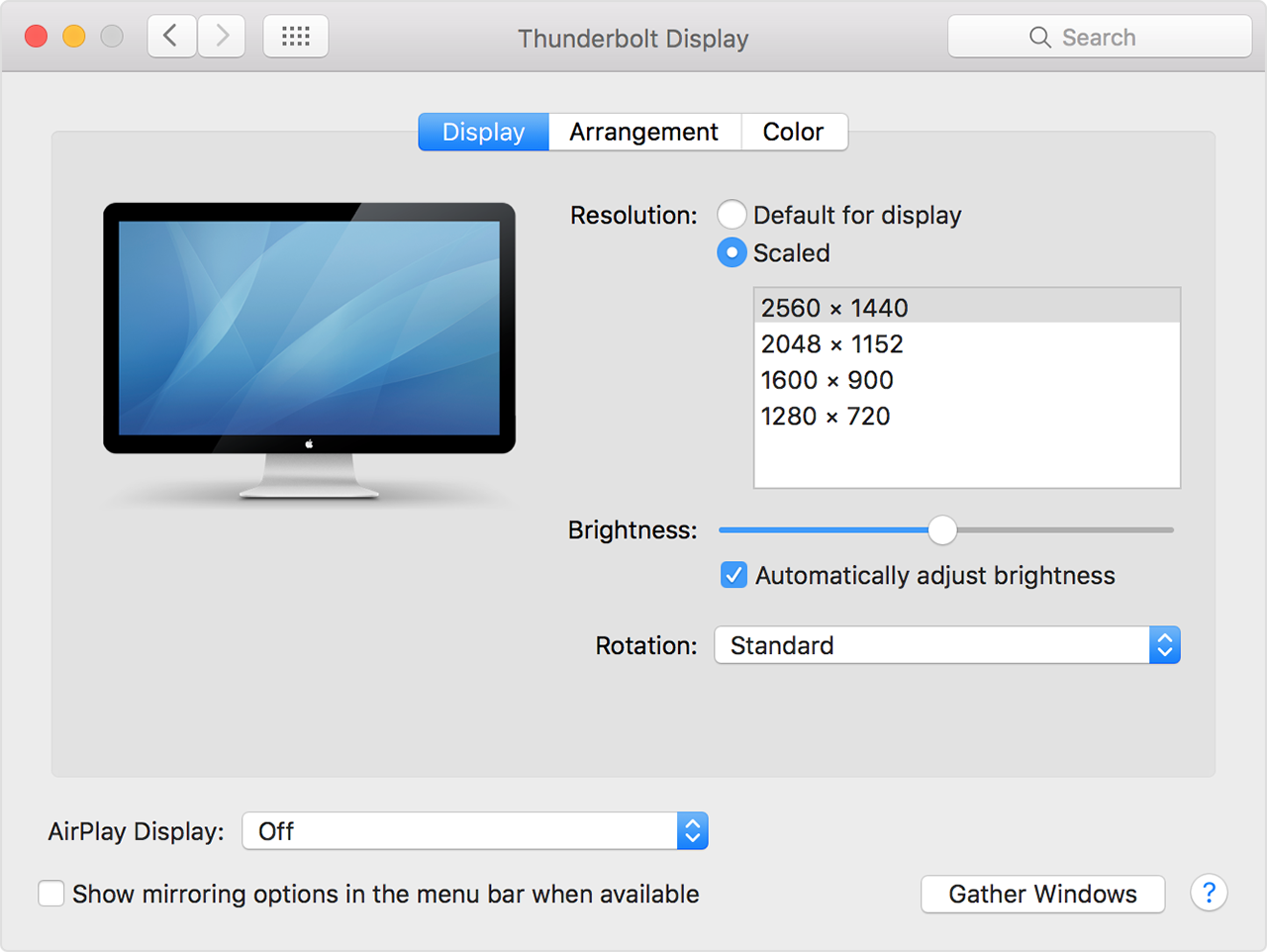
If you can't change the resolution of your display because you can't see an image, restart your Mac in safe mode to reset the display resolution to defaults.
If starting in safe mode doesn't resolve the issue, reset your Mac's NVRAM and SMC to reset the video ports on your Mac to their defaults."
Have a great day!
Cinema HD display

