
Flickr Auto Uploader no longer works
I use Flickr as a backup to my ICloud Photos backup. Flickr Auto Uploader used to work on my Photos Library but no longer does detect new photos. Does anyone know why?
iMac 27", macOS 10.15
I use Flickr as a backup to my ICloud Photos backup. Flickr Auto Uploader used to work on my Photos Library but no longer does detect new photos. Does anyone know why?
iMac 27", macOS 10.15
Hello Tallmaninco,
Thank you for using Apple Support Communities! I understand that Flickr Uploadr is no longer automatically backing up photos on your Mac. I would be happy to help point you towards a resolution.
I suggest first ensuring that your Flickr account and the content you want to upload meet the requirements for this feature outlined here:
About the Flickr Uploadr for Mac
Also make sure that you Designate a System Photo Library in Photos, and that it's the Photos library currently open:
Move your Photos library to save space on your Mac
"Open another Photos library
If you have multiple libraries, here's how to open a different one:
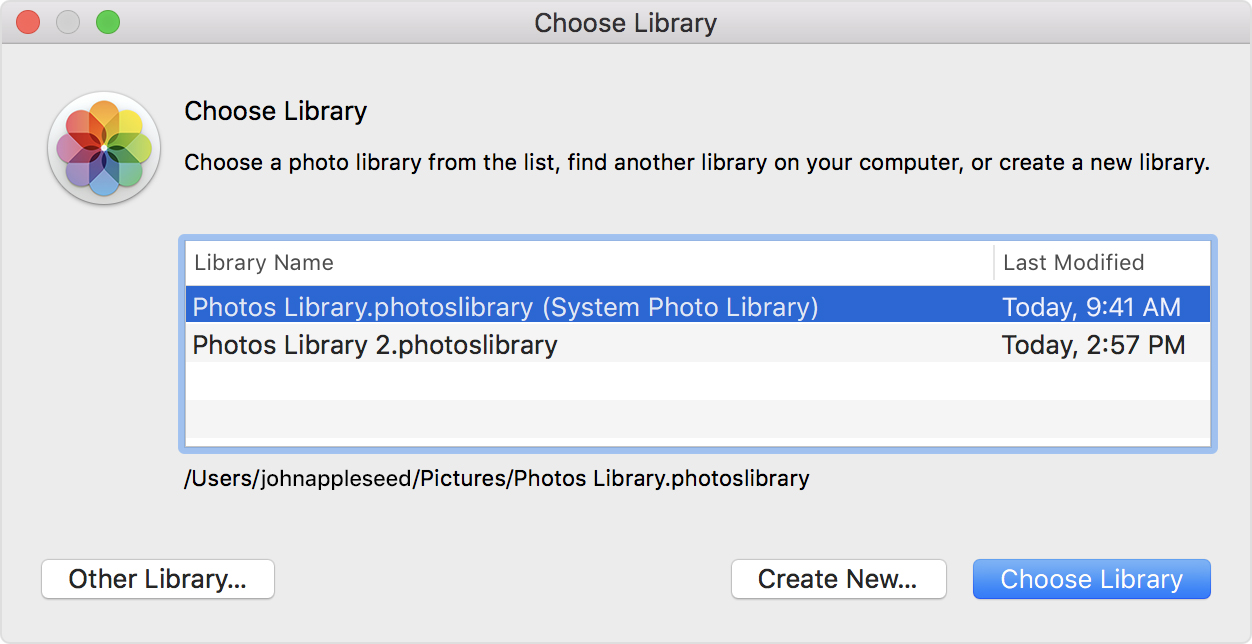
Photos uses this library until you open a different one."
If Flickr Uploadr still isn't working properly after, you'll want to reach out to Flickr support for additional troubleshooting.
Cheers!
Hello Tallmaninco,
Thank you for using Apple Support Communities! I understand that Flickr Uploadr is no longer automatically backing up photos on your Mac. I would be happy to help point you towards a resolution.
I suggest first ensuring that your Flickr account and the content you want to upload meet the requirements for this feature outlined here:
About the Flickr Uploadr for Mac
Also make sure that you Designate a System Photo Library in Photos, and that it's the Photos library currently open:
Move your Photos library to save space on your Mac
"Open another Photos library
If you have multiple libraries, here's how to open a different one:
Photos uses this library until you open a different one."
If Flickr Uploadr still isn't working properly after, you'll want to reach out to Flickr support for additional troubleshooting.
Cheers!
Flickr Auto Uploader no longer works

