stuck on attempting data recovery

I can not get past attempting data recovery ....... originally I forgot my passcode took all steps to get where I am and now it is stuck


iPhone 8 Plus

Posted on Apr 11, 2020 9:52 AM

Reply
Question marked as Top-ranking reply

Posted on Apr 12, 2020 3:19 AM

Remove your passcode

If you backed up your device, you can restore your data and settings after restoring your device. If you never backed up your device before you forgot your passcode, you won't be able to save the data on your device. 
  1. You need a computer to follow these steps. If you don't have a computer, borrow one from a friend, or go to an Apple Retail Store or Apple Authorized Service Provider.
  2. Make sure that your device isn't connected to your computer, then choose your device below and follow the steps:
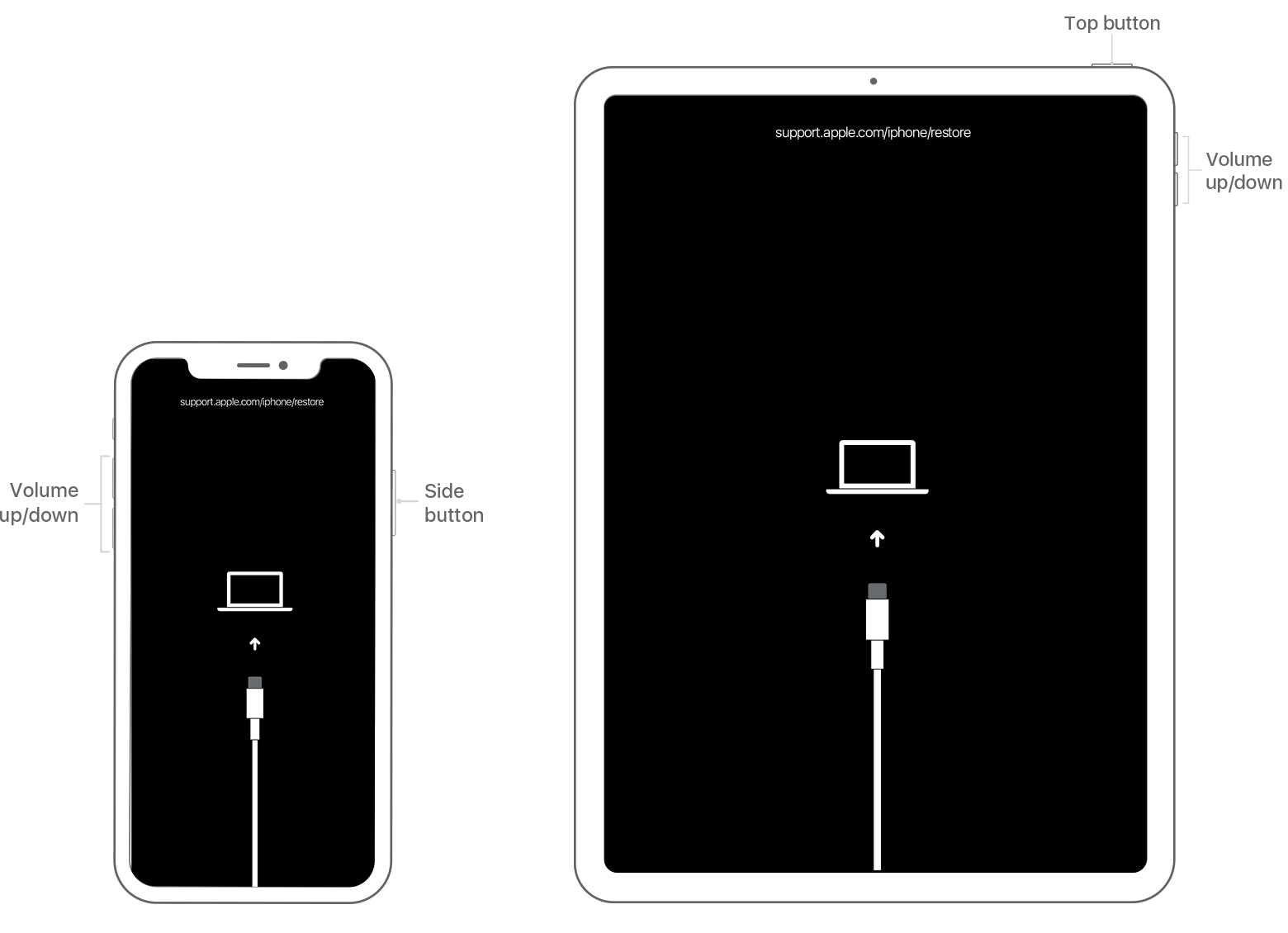
  3. iPhone X or later, and iPhone 8 and iPhone 8 Plus: Press and hold the Side button and one of the volume buttons until the power off slider appears. Drag the slider to turn off your device. Connect your device to your computer while holding the Side button. Keep holding the Side button until you see the recovery mode screen.
  4. Locate your device on your computer. When you see the option to Restore or Update, choose Restore. Finder or iTunes will download software for your device. If it takes more than 15 minutes, your device will exit recovery mode and you'll need to repeat steps 2-4.
  5. Wait for the process to finish. Then you can set up and use your device.


7 replies
Question marked as Top-ranking reply

Apr 12, 2020 3:19 AM in response to Travel99vac

Remove your passcode

If you backed up your device, you can restore your data and settings after restoring your device. If you never backed up your device before you forgot your passcode, you won't be able to save the data on your device. 
  1. You need a computer to follow these steps. If you don't have a computer, borrow one from a friend, or go to an Apple Retail Store or Apple Authorized Service Provider.
  2. Make sure that your device isn't connected to your computer, then choose your device below and follow the steps:
  3. iPhone X or later, and iPhone 8 and iPhone 8 Plus: Press and hold the Side button and one of the volume buttons until the power off slider appears. Drag the slider to turn off your device. Connect your device to your computer while holding the Side button. Keep holding the Side button until you see the recovery mode screen.
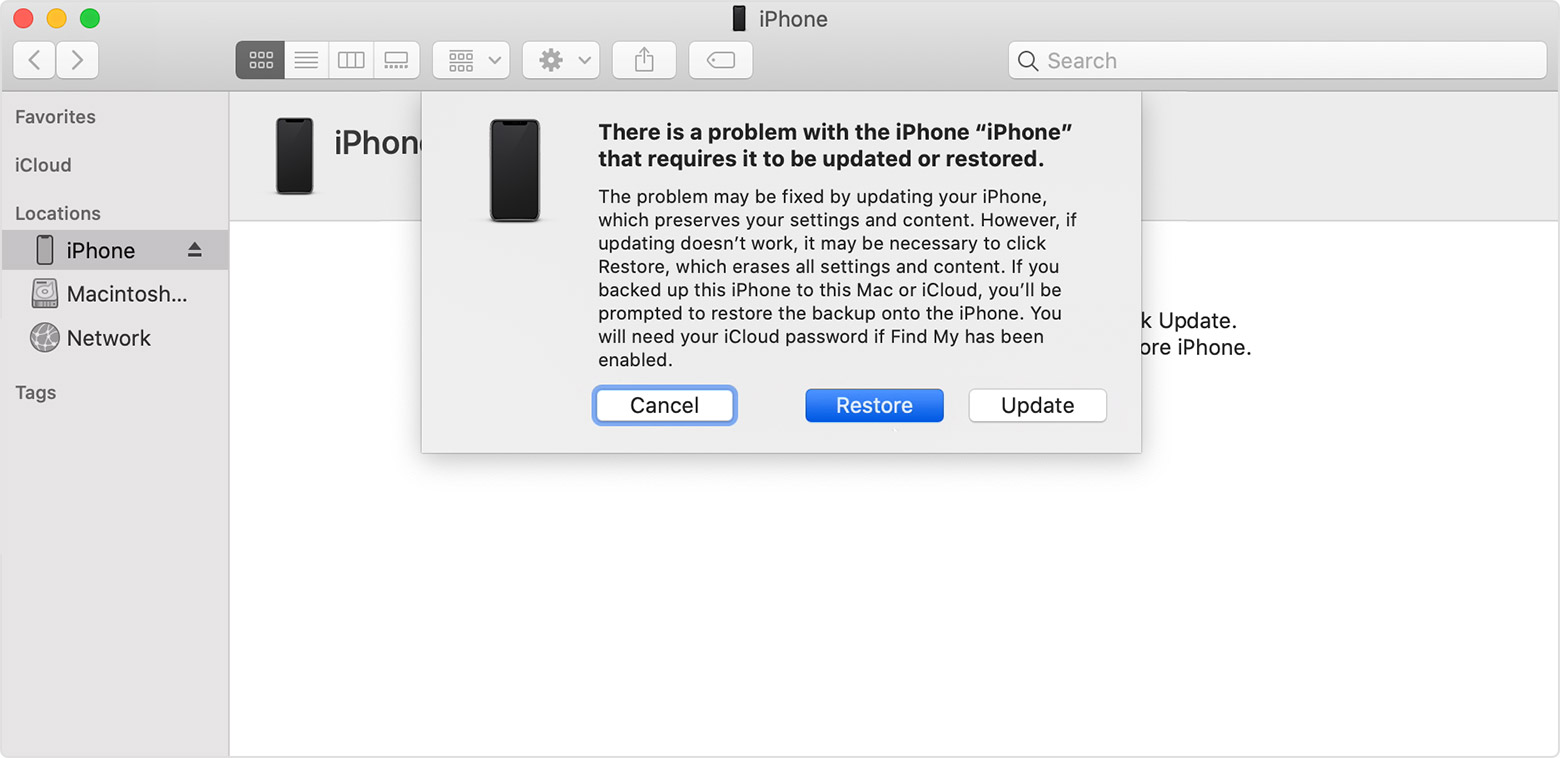
  4. Locate your device on your computer. When you see the option to Restore or Update, choose Restore. Finder or iTunes will download software for your device. If it takes more than 15 minutes, your device will exit recovery mode and you'll need to repeat steps 2-4.
  5. Wait for the process to finish. Then you can set up and use your device.


This thread has been closed by the system or the community team. You may vote for any posts you find helpful, or search the Community for additional answers.

stuck on attempting data recovery

Welcome to Apple Support Community
A forum where Apple customers help each other with their products. Get started with your Apple Account.

