If your Photos and Videos are stored in iCloud and you share it before downloading the original then it may look blury
Your photos and videos are stored on your device in their original, high-resolution version. This means that they use a lot of space on your iPhone, iPad, and iPod touch. With iCloud Photos, you can make more space available on your device and have your entire collection, everywhere you go.
Get started with iCloud Photos:
- Tap Settings > [your name] > iCloud > Photos.
- Turn on iCloud Photos.
- Select Optimize iPhone Storage to save space on your device.
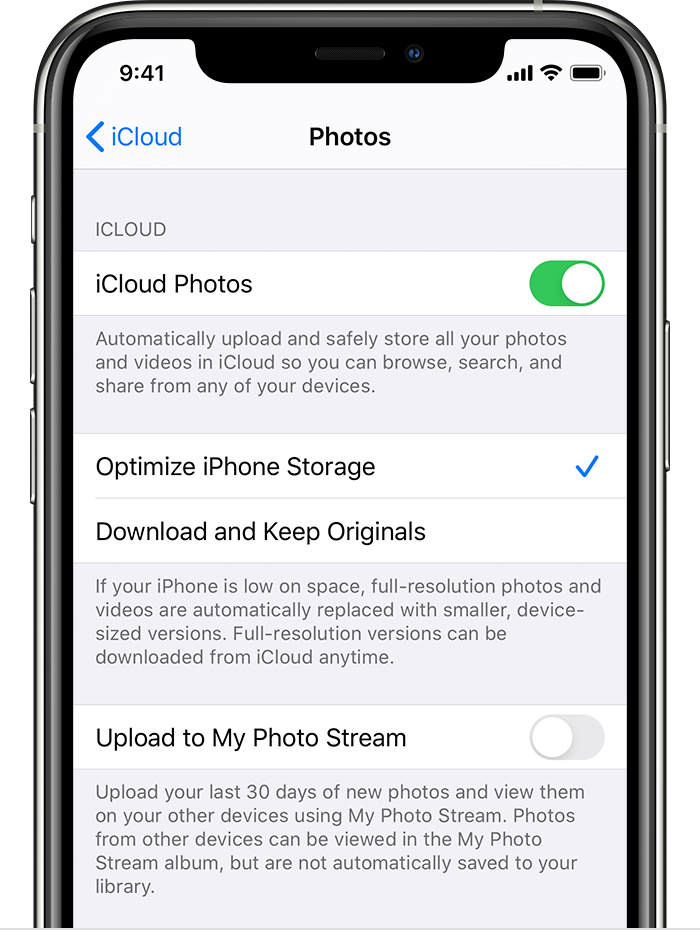
With Optimize Storage, smaller, space-saving photos and videos are kept on your device while all of your original, full-resolution versions are stored in iCloud. And as long as you have enough space in iCloud, you can store as many photos and videos as you want.

