keya240 wrote:
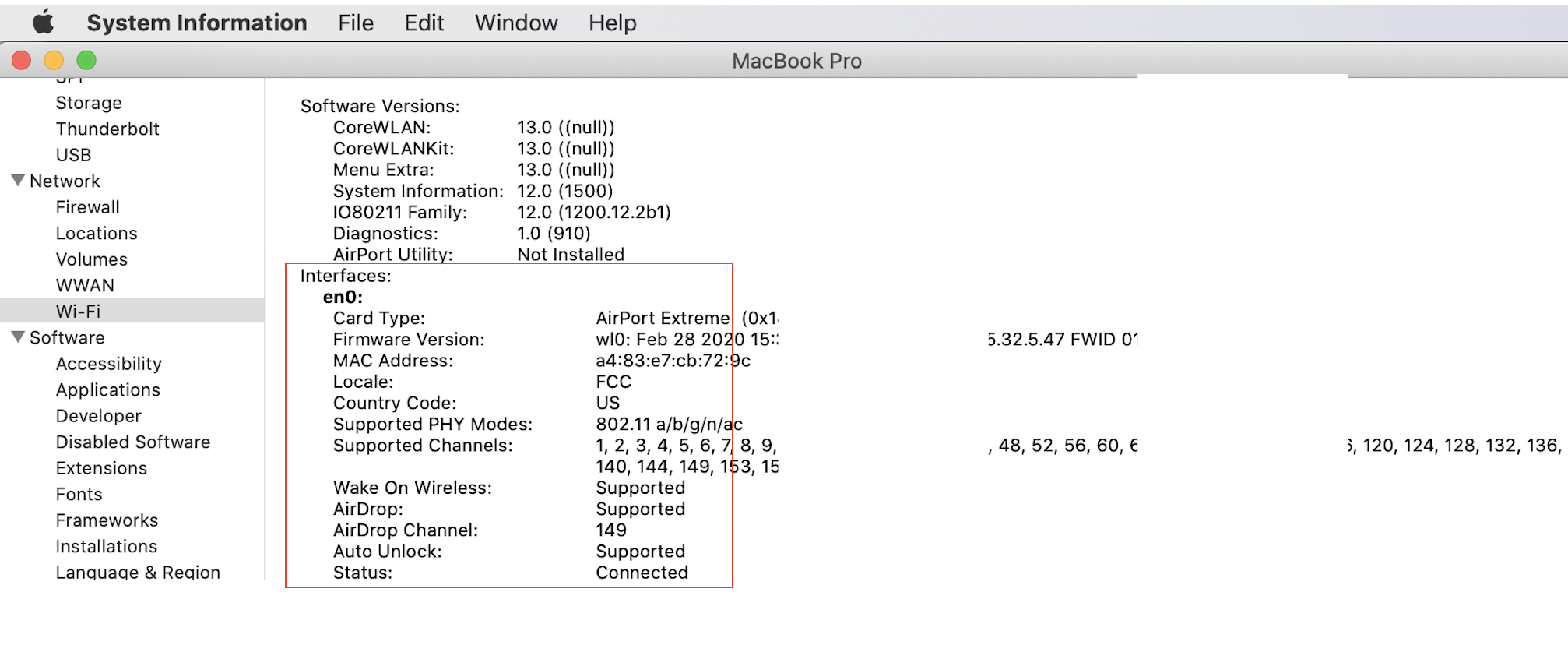
Airport Utility shows as "Not Installed" under Wifi in System Information on my MacBook Pro.
Happened after installing macOS Catalina.
Wifi also no longer shows up as an interface in my Network Preferences.
Wireless Diagnostics doesn't seem to work either, it opens for a fraction of a second before closing itself.
I've already tried reseting PRAM and SMC
And booting on safe mood
Reinstalled Catalina with no resolve
With this coronavirus situation I can't even take it to the store for a fix.
Please help cause it's only computers that are helping me work right now
~/Applications/Utilities/Airport Utility.app
AirPort Utility User Guide for Mac - Apple Support
If your System Information does not recognize your WiFi card—then you have a hardware issue, and the resolve is take it in.
In or out of warranty you can get a free over the counter 'Apple Service Diagnostics' test /assessment
Make an appointment for a "hardware issue"—
https://www.apple.com/retail/geniusbar/
Outside the USA
https://locate.apple.com/country
From iOS device using the app to make a online Genius Bar appointment is easy:
https://itunes.apple.com/us/app/apple-support/id1130498044?mt=8
(note: due to the temporary closure of Apple Stores and the staggered reopening there may be some delays.
ref: https://www.apple.com/shop/browse/store/temporary_closures )
Call (800) MY–APPLE (800–692–7753)
or on line https://getsupport.apple.com/
or call AppleCare Support at 1-800-APLCARE.
From the > (Option key) System Information>Network>Wifi
something similar to—