iPhone alarms

Hi, for the past few weeks I've been setting alarms for 3am but often times they don't ring. When I wake up and check the app, the alarm is turned to green but it's way passed the set time. I turn on Do Not Disturb and make sure my ringer is on and turned all the way up each night. This has never been a problem in the past until now.

iPhone 8 Plus

Posted on May 3, 2020 2:41 AM

Reply
Question marked as Top-ranking reply

Posted on May 3, 2020 2:48 AM

Check the following

  1. Do you have any third party Alarm App installed which is interfering with the default Alarm app?
  2. Do you want to say there was no Vibration even?
    1. Settings > General > Accessibility > Vibration > Vibration [Enabled] or [Disabled]
    2. Settings > Sound > Vibration [Enabled] or [Disabled]
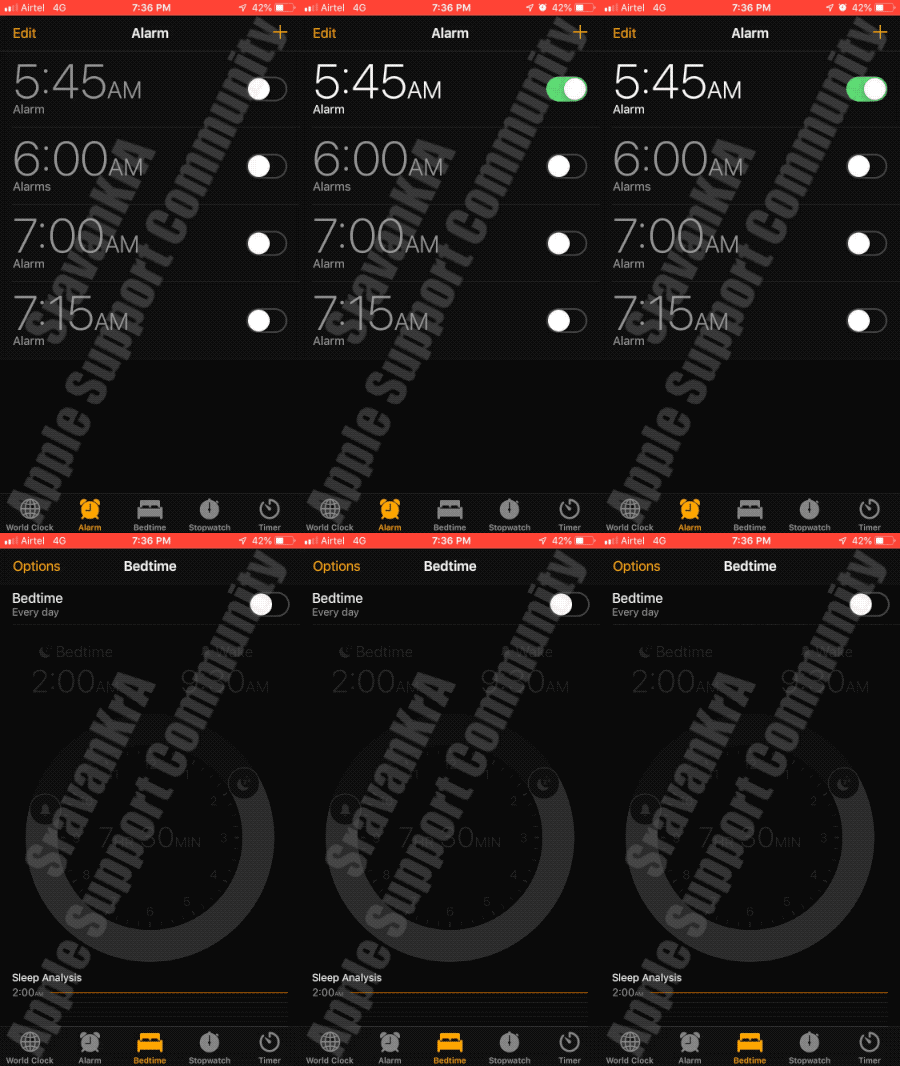
  3. Was there any Alarm symbol on status bar on top (Watch the GIF below). Though this shows up on your device (As per your post)
  4. Turn on Set Automatically1 in Settings > General > Date & Time. This automatically sets your date and time based on your time zone. If there’s an available time zone update, your device lets you know.
  5. Allow your device to use its current location to determine the correct time zone. To do this, go to Settings > Privacy > Location Services > System Services and select Setting Time Zone.
  6. Check that your device shows the correct time zone in Settings > General > Date & Time > Time Zone.


Get help with alarms

Do Not Disturb and the Ring/Silent switch don't affect the alarm sound. If you set your Ring/Silent switch to Silent or turn on Do Not Disturb, the alarm still sounds.


If you have an alarm that doesn’t sound or is too quiet, or if your iPhone only vibrates, check the following:

  • Set the volume on your iPhone. If your alarm volume is too low or too loud, press the volume button up or down to adjust it. You can also go to Settings > Sounds & Haptics and drag the slider under Ringers And Alerts.
  • If your alarm only vibrates, make sure that your alarm sound isn't set to None. Open the Clock app, tap the Alarm tab, then tap Edit. Tap the alarm, then tap Sound and choose a Sound.
  • If you use iOS 11 or later and you connect headphones or speakers to your iPhone, the alarm plays at a set volume through the built-in speakers on your iPhone as well as wired headphones and speakers. It doesn't play through wireless headphones and speakers.


Manually adjusting your iPhone’s time in Settings to change app behavior, like game timers, isn’t recommended and can affect alarms.

1 reply
Question marked as Top-ranking reply

May 3, 2020 2:48 AM in response to Reena_17

Check the following

  1. Do you have any third party Alarm App installed which is interfering with the default Alarm app?
  2. Do you want to say there was no Vibration even?
    1. Settings > General > Accessibility > Vibration > Vibration [Enabled] or [Disabled]
    2. Settings > Sound > Vibration [Enabled] or [Disabled]
  3. Was there any Alarm symbol on status bar on top (Watch the GIF below). Though this shows up on your device (As per your post)
  4. Turn on Set Automatically1 in Settings > General > Date & Time. This automatically sets your date and time based on your time zone. If there’s an available time zone update, your device lets you know.
  5. Allow your device to use its current location to determine the correct time zone. To do this, go to Settings > Privacy > Location Services > System Services and select Setting Time Zone.
  6. Check that your device shows the correct time zone in Settings > General > Date & Time > Time Zone.


Get help with alarms

Do Not Disturb and the Ring/Silent switch don't affect the alarm sound. If you set your Ring/Silent switch to Silent or turn on Do Not Disturb, the alarm still sounds.


If you have an alarm that doesn’t sound or is too quiet, or if your iPhone only vibrates, check the following:

  • Set the volume on your iPhone. If your alarm volume is too low or too loud, press the volume button up or down to adjust it. You can also go to Settings > Sounds & Haptics and drag the slider under Ringers And Alerts.
  • If your alarm only vibrates, make sure that your alarm sound isn't set to None. Open the Clock app, tap the Alarm tab, then tap Edit. Tap the alarm, then tap Sound and choose a Sound.
  • If you use iOS 11 or later and you connect headphones or speakers to your iPhone, the alarm plays at a set volume through the built-in speakers on your iPhone as well as wired headphones and speakers. It doesn't play through wireless headphones and speakers.


Manually adjusting your iPhone’s time in Settings to change app behavior, like game timers, isn’t recommended and can affect alarms.

This thread has been closed by the system or the community team. You may vote for any posts you find helpful, or search the Community for additional answers.

iPhone alarms

Welcome to Apple Support Community
A forum where Apple customers help each other with their products. Get started with your Apple Account.