It is possible that your home WiFi router is unexpectedly blocking access to some internet/server resources. A restart of your router may resolve this problem.
To restart your router, disconnect power from the router for at least 30 seconds, then reconnect power to the router. After your router completes it reboot (which may take several minutes), force-restart your iPad:
- On an iPad with a Home button: Press and hold the top button and the Home button at the same time. When the Apple logo appears, release both buttons.
- On an iPad with Face ID: Press and quickly release the volume up button, press and quickly release the volume down button, then press and hold the top button. When the Apple logo appears, release the button.
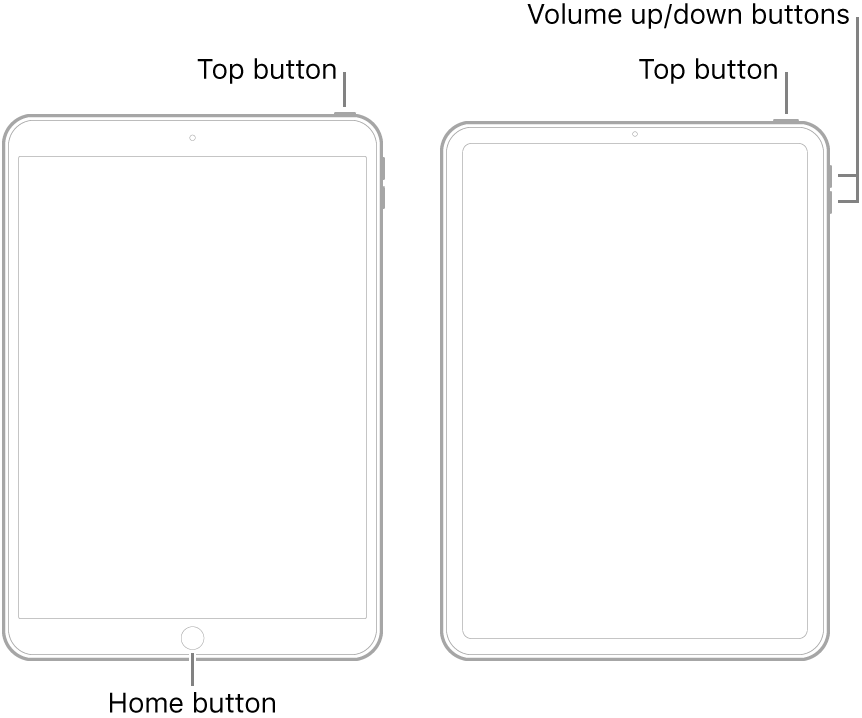
After restart of your iPad, you can re-try the Software Update process.


