
Download button on music app
I'd like to know why i don't have the download button/option to download a whole playlist or an album. If someone knows how to fix it tell me please.
MacBook Pro 16", macOS 10.15
I'd like to know why i don't have the download button/option to download a whole playlist or an album. If someone knows how to fix it tell me please.
MacBook Pro 16", macOS 10.15
Good afternoon Mariuuus,
Welcome to the Apple Support Communities!
I understand you are trying to download albums and playlists from Apple Music to your Mac. The resources below will help you with this.
Add and download music from Apple Music or buy music from the iTunes Store
"On your computer
 . To add an entire album or playlist, click +Add.
 . Or find a playlist in the sidebar and click the download button .
Create and share Apple Music playlists
"By default, the songs in the playlist stay separate from your main library. If you want to add each song in the playlist to your library, you can change your settings."
On your Mac
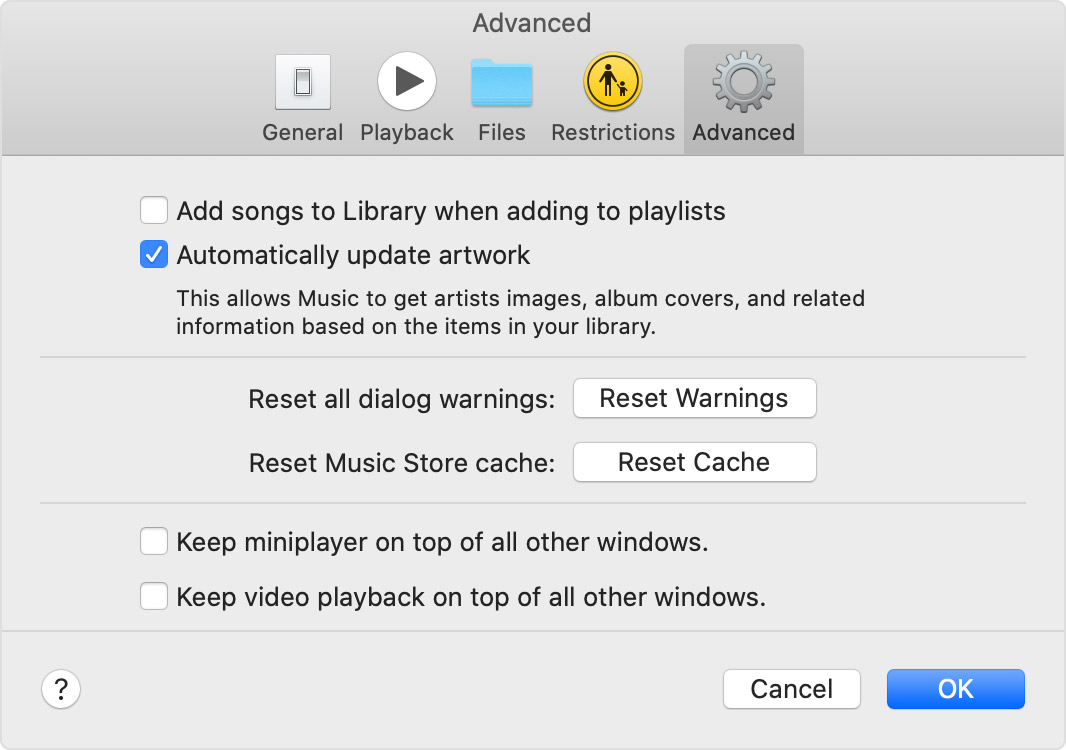
Source: Add a song to a playlist in Apple Music without adding it to your library
Add music to iPhone and listen offline - iPhone User Guide
"Add music from Apple Music to your library
Do any of the following:
 to add individual songs.
 , then tap Add to Library.
To delete music from the library, touch and hold the song, album, playlist, or music video, then tap Delete from Library.
Music you add to iPhone is also added to other devices where you’re signed in to the iTunes Store and App Store using the same Apple ID and have iCloud Music Library turned on (go to Settings  , then tap Music)."
Take care.
Download button on music app

