My airpods are missed. How can i remove the device from my iphone

iPhone 6s Plus, iOS 13

Posted on May 29, 2020 7:36 AM

Reply
1 reply

May 29, 2020 7:45 AM in response to Aravind0

This will only forget the device.


Use the steps below to see the devices that you're currently signed in to with your Apple ID. 
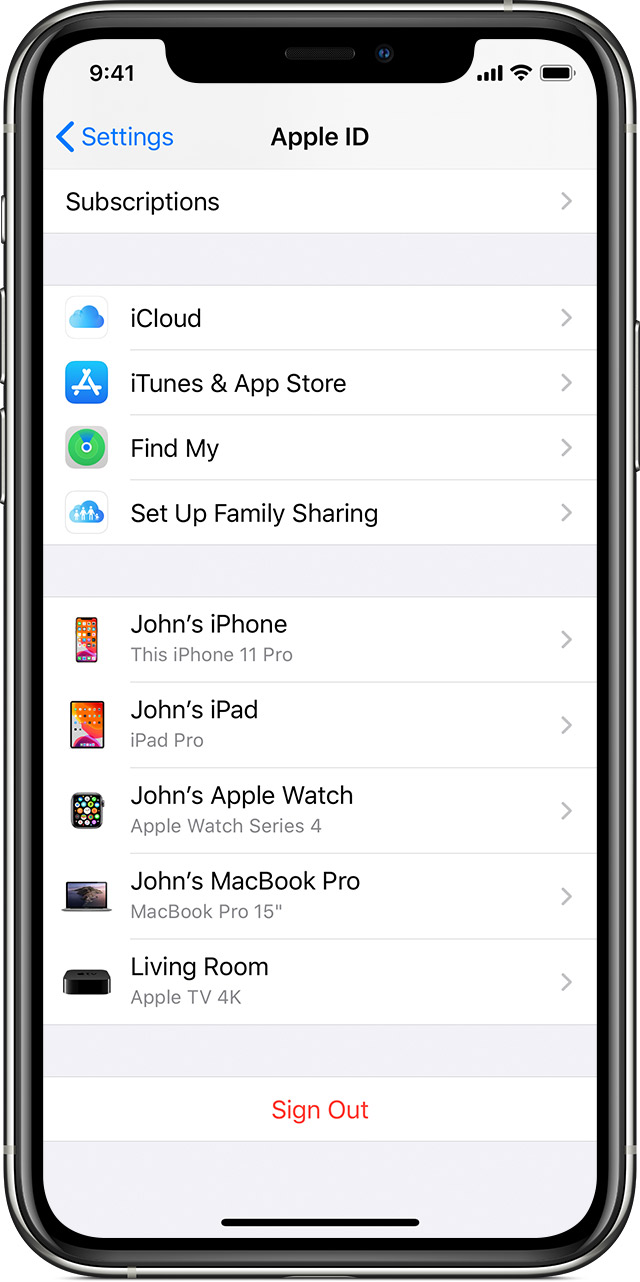

Use your iPhone, iPad, or iPod touch to see where you're signed in
  1. Tap Settings > [your name], then scroll down. 
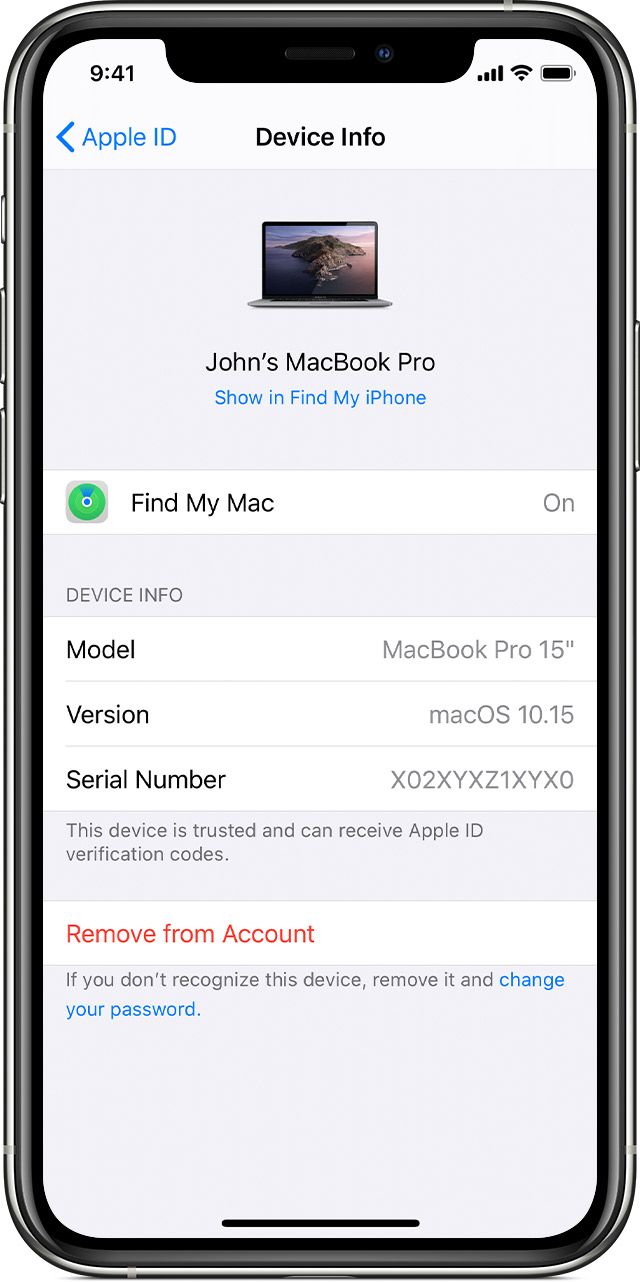
  2. Tap any device name to view that device's information, such as the device model, serial number, OS version, and whether the device is trusted and can be used to receive Apple ID verification codes. The information might vary depending on the device type. You might need to answer your security questions to see device details. 


Use your iPhone, iPad, or iPod touch to remove a device

  1. Tap the device to see its details, then tap Remove from Account.
  2. Review the message that appears, then tap again to confirm that you want to remove the device.
  3. Want to permanently remove the device from your account page?


This thread has been closed by the system or the community team. You may vote for any posts you find helpful, or search the Community for additional answers.

My airpods are missed. How can i remove the device from my iphone

Welcome to Apple Support Community
A forum where Apple customers help each other with their products. Get started with your Apple Account.