microphone

Dear Apple Support


Since few days ago, I have a problem with my microphone. When the people call me, they cannot hear me unless I put the phone on speaker or use a handsfree. I have reset my phone, restarted it and also turn-on niose control but the problem still remains. Could you please help me with that?


Thank you and have a good day

iPhone 6, iOS 12

Posted on Jun 30, 2020 3:18 AM

Reply
Question marked as Top-ranking reply

Posted on Jun 30, 2020 3:38 AM

parisa194 Said:

"microphone: Dear Apple Support Since few days ago, I have a problem with my microphone. When the people call me, they cannot hear me unless I put the phone on speaker or use a handsfree. I have reset my phone, restarted it and also turn-on niose control but the problem still remains. Could you please help me with that? Thank you and have a good day"

-------


I. Contact Apple Support:

Note that this is a user-to-user forum - you are not speaking with Apple here. To contact them, refer to the following:

Phone Support Info:


II. Go Here: If the Microphones on your iPhone Aren't Working - Apple Support


III. View Microphone Accessibility:

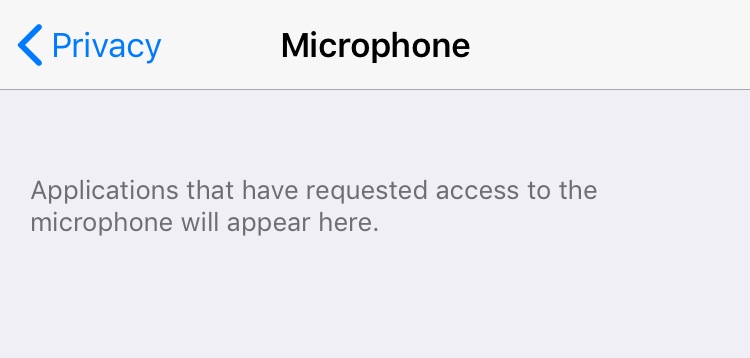
On your iPhone, view the Privacy settings and see if some app (i.e. Google Duo) is trying to access the Microphone. while you are using it.

  1. Go to: Settings
  2. Tap: Privacy
  3. Tap: Microphone
  4. Disable the Application's use

Image of what you would see:

1 reply
Question marked as Top-ranking reply

Jun 30, 2020 3:38 AM in response to parisa194

parisa194 Said:

"microphone: Dear Apple Support Since few days ago, I have a problem with my microphone. When the people call me, they cannot hear me unless I put the phone on speaker or use a handsfree. I have reset my phone, restarted it and also turn-on niose control but the problem still remains. Could you please help me with that? Thank you and have a good day"

-------


I. Contact Apple Support:

Note that this is a user-to-user forum - you are not speaking with Apple here. To contact them, refer to the following:

Phone Support Info:


II. Go Here: If the Microphones on your iPhone Aren't Working - Apple Support


III. View Microphone Accessibility:

On your iPhone, view the Privacy settings and see if some app (i.e. Google Duo) is trying to access the Microphone. while you are using it.

  1. Go to: Settings
  2. Tap: Privacy
  3. Tap: Microphone
  4. Disable the Application's use

Image of what you would see:


This thread has been closed by the system or the community team. You may vote for any posts you find helpful, or search the Community for additional answers.

microphone

Welcome to Apple Support Community
A forum where Apple customers help each other with their products. Get started with your Apple Account.
