Hi Noémie,
From your description, the formula would likely be very similar to the one shown here:
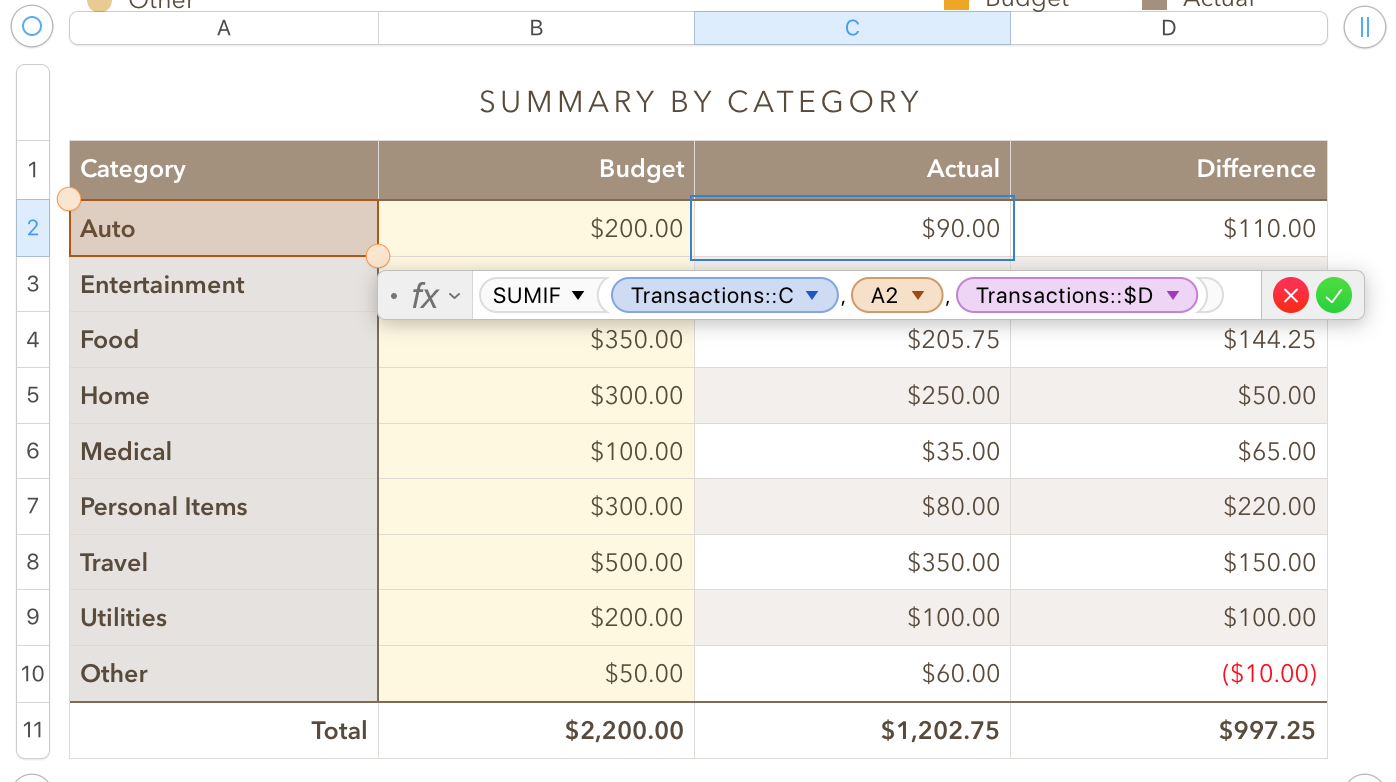
Although the category names in column A are entered directly, they could be set from a pop-up menu containing the categories listed.
Transaction is a second table (on another sheet) used to enter the individual transactions and keep a running balance through the year. A ctegory for ech expense is set from a pop-up menu cell in column C of that table, and the amount of each transaction is recorded in column D.
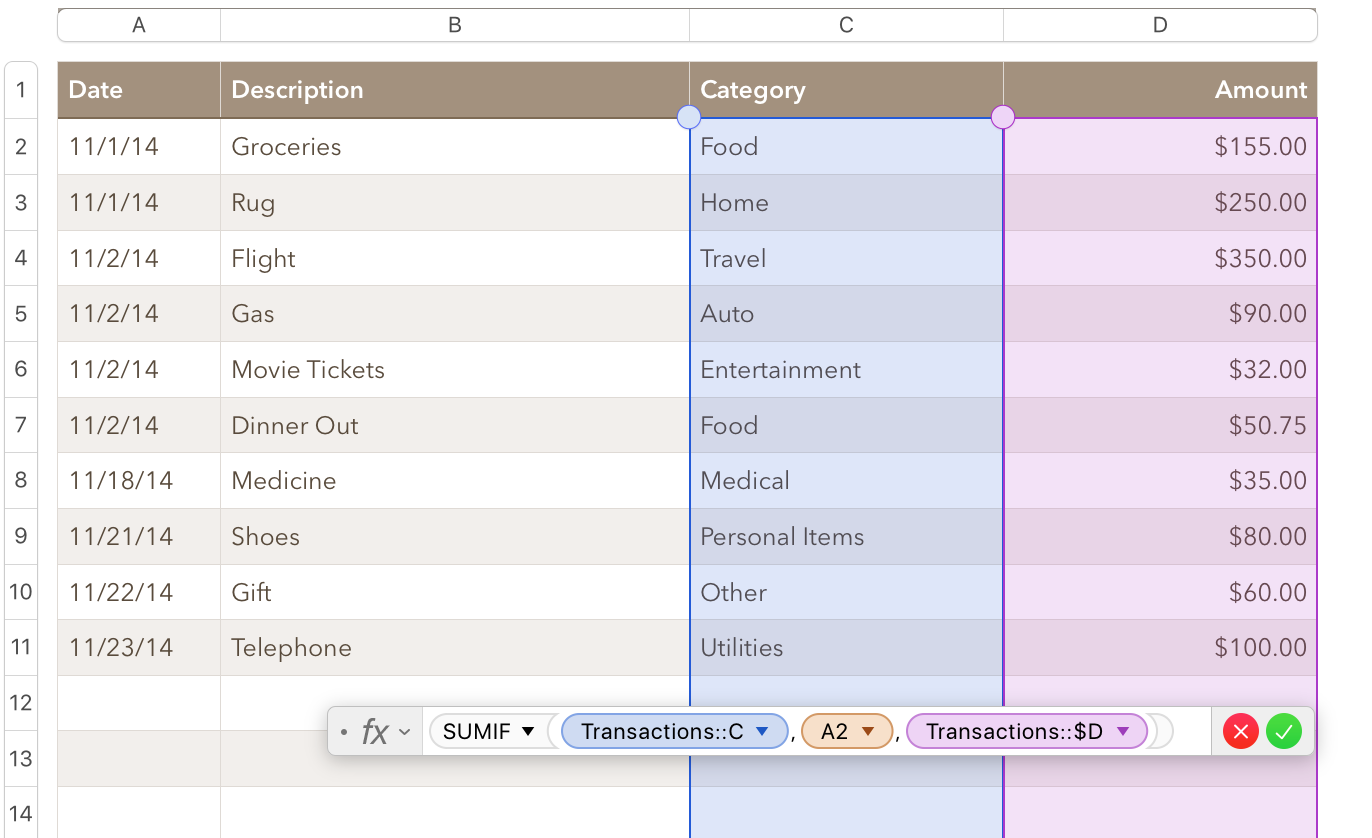
The formula is the one from the Summary table, seen above.
The images are from a document created from the Personal Budget template supplied with Numbers. I think this template has been updated and renamed in more recent versions of Numbers, but the formula should be similar in the version supplied with your Numbers application.
In the File menu choose New from Template Chooser.
(You may need to press option to view and select the 'from Template Chooser' option.)
Pick one of the Budget templates. If it does not have a Transaction sheet (and table), try the other one.
Regards,
Barry

