
Siri and Search Missing
I set my iPhone up as new a few weeks ago and haven’t been able to turn Siri on. All the guidances says I need to do this in the Siri and Search option but this is missing?!?
iPhone 8 Plus
I set my iPhone up as new a few weeks ago and haven’t been able to turn Siri on. All the guidances says I need to do this in the Siri and Search option but this is missing?!?
iPhone 8 Plus
Hello Peahouse2020,
Thank you for using Apple Support Communities! It looks like Siri & Search is missing in the Settings app on your iPhone, which is preventing you from setting up Siri. You're in the right place to find a resolution.
When a built-in app or feature is missing on this screen, it usually indicates that there may be a Screen Time restriction in place. Let's start by confirming that Siri & Dictation is enabled using the following steps:
Use parental controls on your child's iPhone, iPad, and iPod touch - Apple Support
"
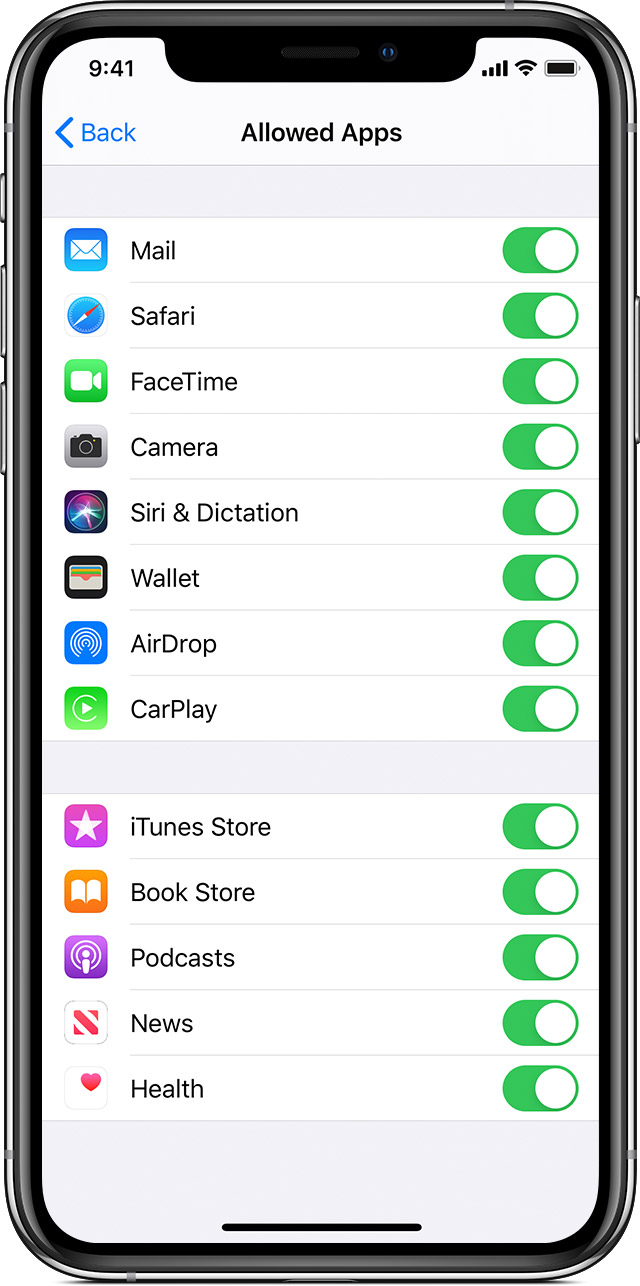
Allow built-in apps and features
You can restrict the use of built-in apps or features. If you turn off an app or feature, it won’t delete it, it’s just temporarily hidden from your Home screen. For example, if you turn off Mail, the Mail app won't appear on your Home Screen until you turn it back on.
To change your Allowed Apps:
After that, see if you can then set up Siri and keep us posted on the results:
Ask Siri on iPhone - Apple Support
Cheers!
Hello Peahouse2020,
Thank you for using Apple Support Communities! It looks like Siri & Search is missing in the Settings app on your iPhone, which is preventing you from setting up Siri. You're in the right place to find a resolution.
When a built-in app or feature is missing on this screen, it usually indicates that there may be a Screen Time restriction in place. Let's start by confirming that Siri & Dictation is enabled using the following steps:
Use parental controls on your child's iPhone, iPad, and iPod touch - Apple Support
"
Allow built-in apps and features
You can restrict the use of built-in apps or features. If you turn off an app or feature, it won’t delete it, it’s just temporarily hidden from your Home screen. For example, if you turn off Mail, the Mail app won't appear on your Home Screen until you turn it back on.
To change your Allowed Apps:
After that, see if you can then set up Siri and keep us posted on the results:
Ask Siri on iPhone - Apple Support
Cheers!
I am having this problem too. I have tried resetting my phone, screen time and pretty much every suggestion made on the forum. I have an iPhone 8+ and iOs13.6
Siri and Search Missing

