Here are four copies of the same table.
The upper pair shows your first scenario, with payments made from C, then B on the left and with payments made from B, then D then C on the right.
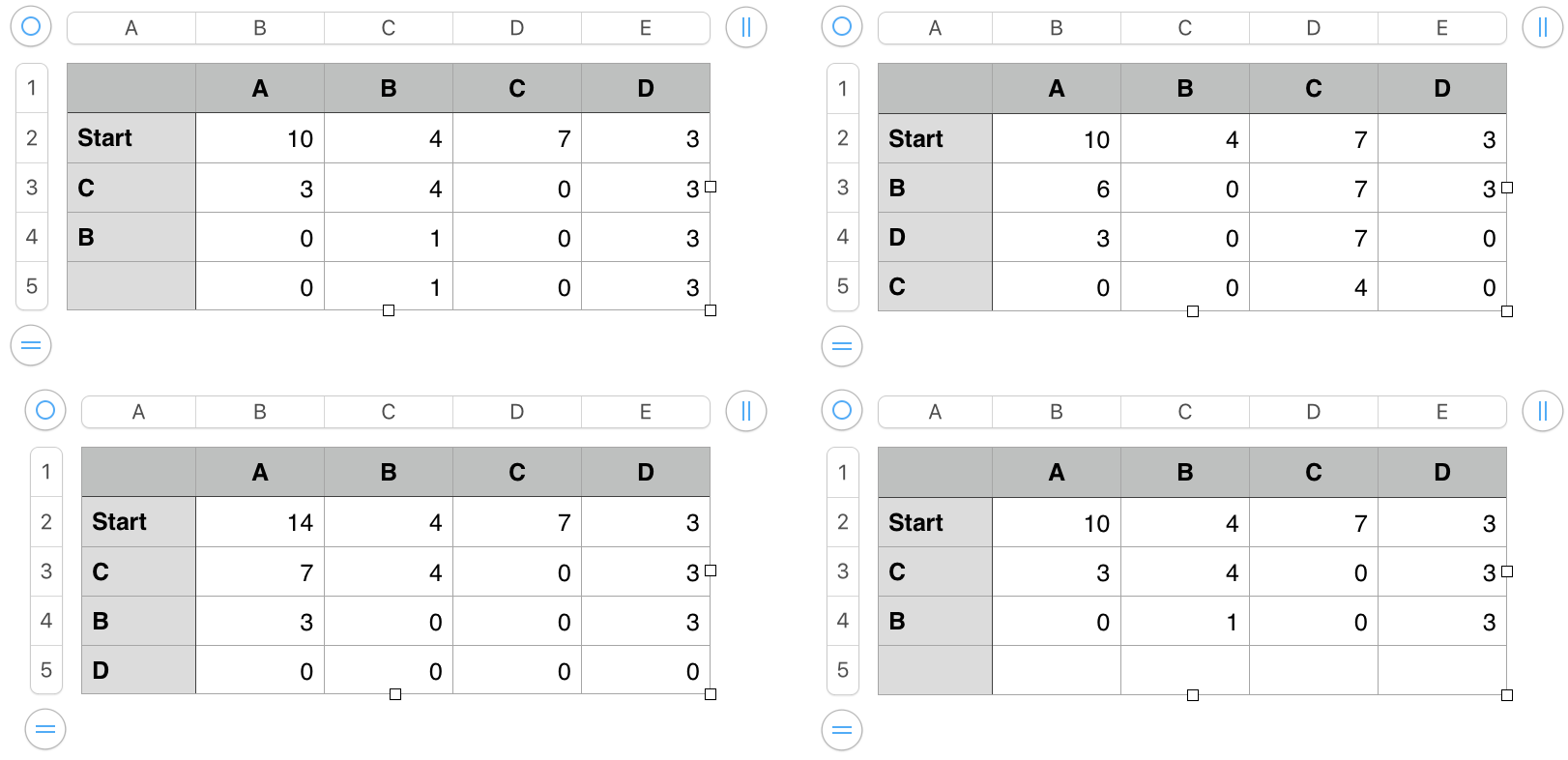
In the bottom pair, the table on the left shows the results if A is 14, and payments are made in the same order as in the top left table.
The table at bottom right has the second set of formulas shown(amd described) below. The changes produce the 'empty' final row, where no entry has been made in column A.
Formulas:
The first three tables contain these formulas:
B3, and filled down: B2−(SUM(C2:E2)−SUM(C3:E3))
The two SUM functions calculate the sum of the B, C and D values in the row above and in 'this row', and subtract the second sum from the first. The difference is the amount taken out of the pocket named in 'this row' of column A. The amount is subtracted from the cell above the formula (B2) to get the amount remaining in A.
C3, and filled right to E3 and down to row 5: IF(C$1=$A3,C2−MIN($B2,C2),C2)
IF the value in 'this row' of Column A is the same as the value in row 1 of 'this column', the formula gets the value in row 2 of 'this column' and subtracts the smaller of the value in B2 and the value in row of 'this column'. Otherwise, the formula copies the value from the cell above this cell into this cell.
The fourth table (lower right) has the same two formulas, each wrapped in a 'switch' that prevents calculation until there is an entry made in that row of column A.
B3, and filled down: IF(LEN($A3)<1,"",B2−(SUM(C2:E2)−SUM(C3:E3)))
C3, and filled right and down: IF(LEN($A3)<1,"",IF(C$1=$A3,C2−MIN($B2,C2),C2))
Regards,
Barry

